Set up Stripe
Stripe is a common payments engine which is easily integrated into Open eLMS by following these instructions.
📘 Instructions
Log in as an Administrator and go to System Setup > Defaults > Payments Engines and search for 'Stripe' at the top of the Name column.
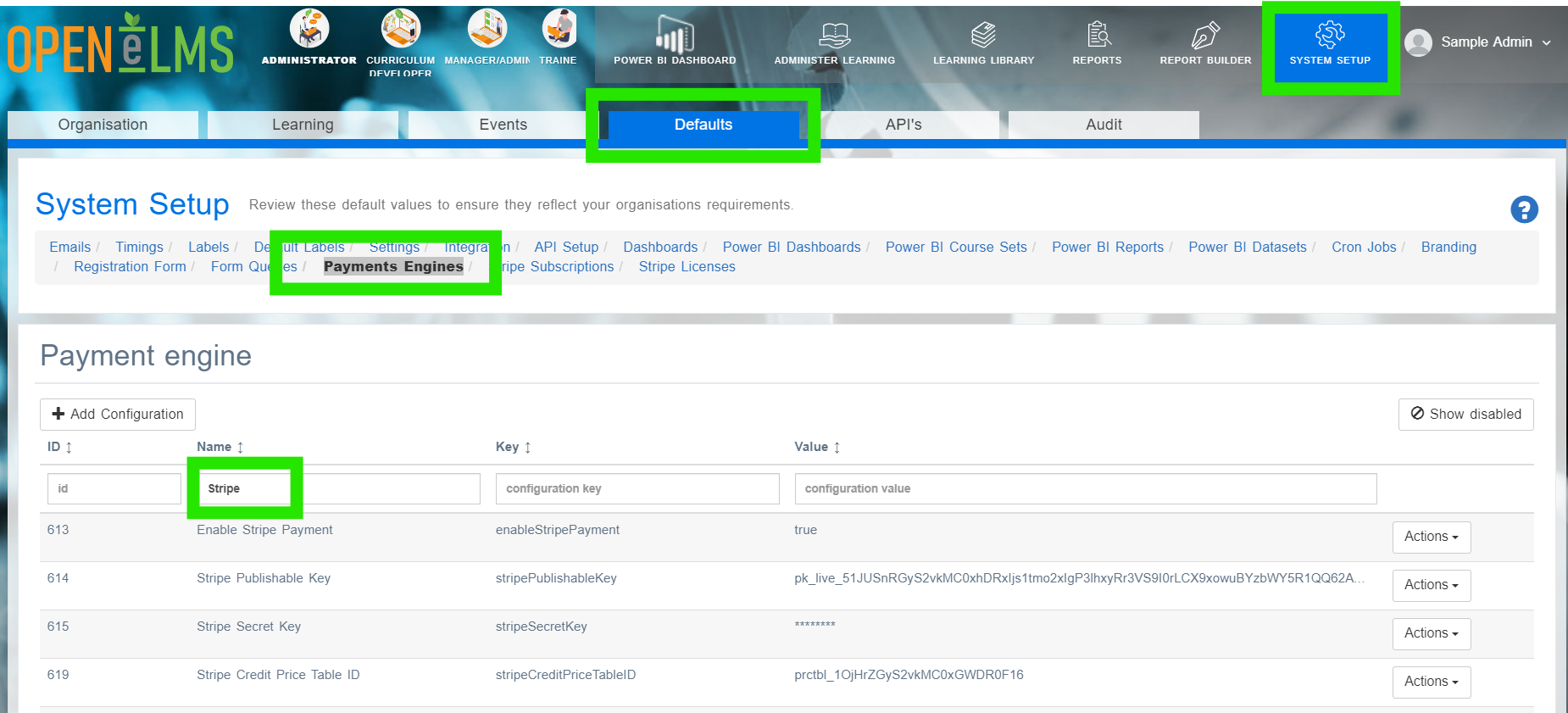
Get the Stripe Publishable Key from Stripe. You do this log into Stripe on the “API keys” page, you can find the publishable key under “Standard keys”.
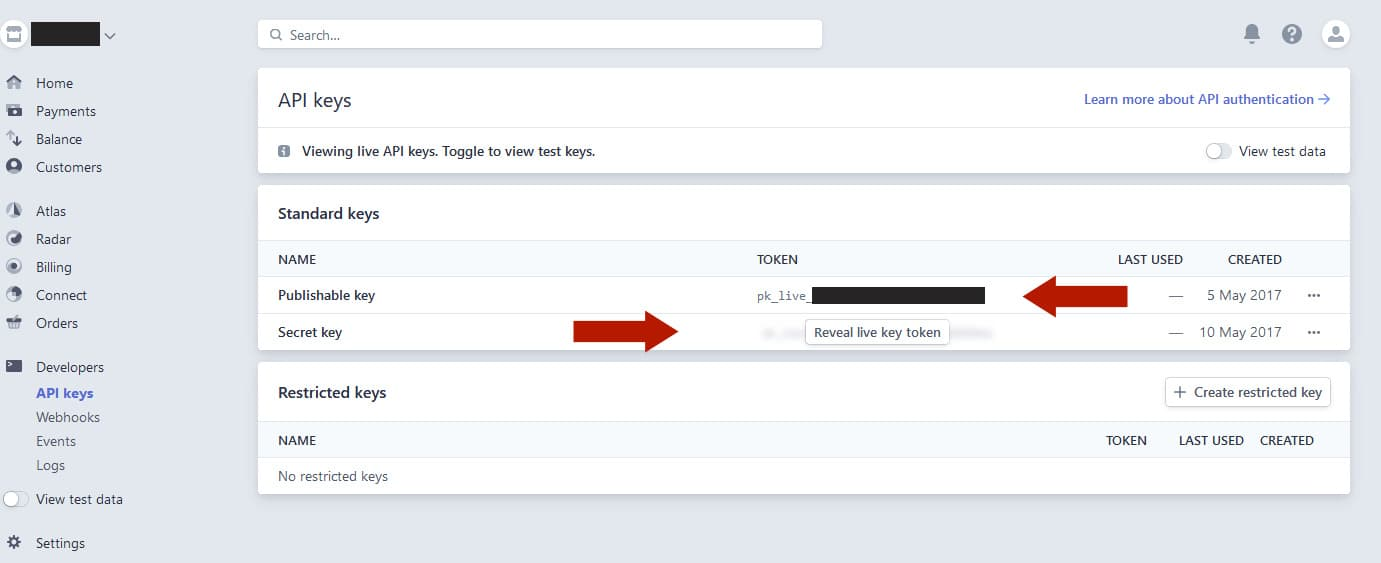
Copy this and add it to the stripePublishableKey key on Open eLMS.
Similarly get the Stripe Secret Key and change it within Open eLMS
You are now ready to start using the Stripe Payments Engine.
Check this functionality by trying to enrol on a Learning Resources to which you have added a price OR/AND trying to enrol on an Event to which a price has been added. Stripe provides a developer mode which you can use to test the payment process using dummy credit card accounts.
📋 Related articles
- Page:
- Page:
- Page:
- Page:
- Page: