Change a user's role
When users get imported into the system it is usually as a ‘trainee’ role. Roles can be changed manually by system administrators.
📘 Instructions
Follow these steps to change the role …
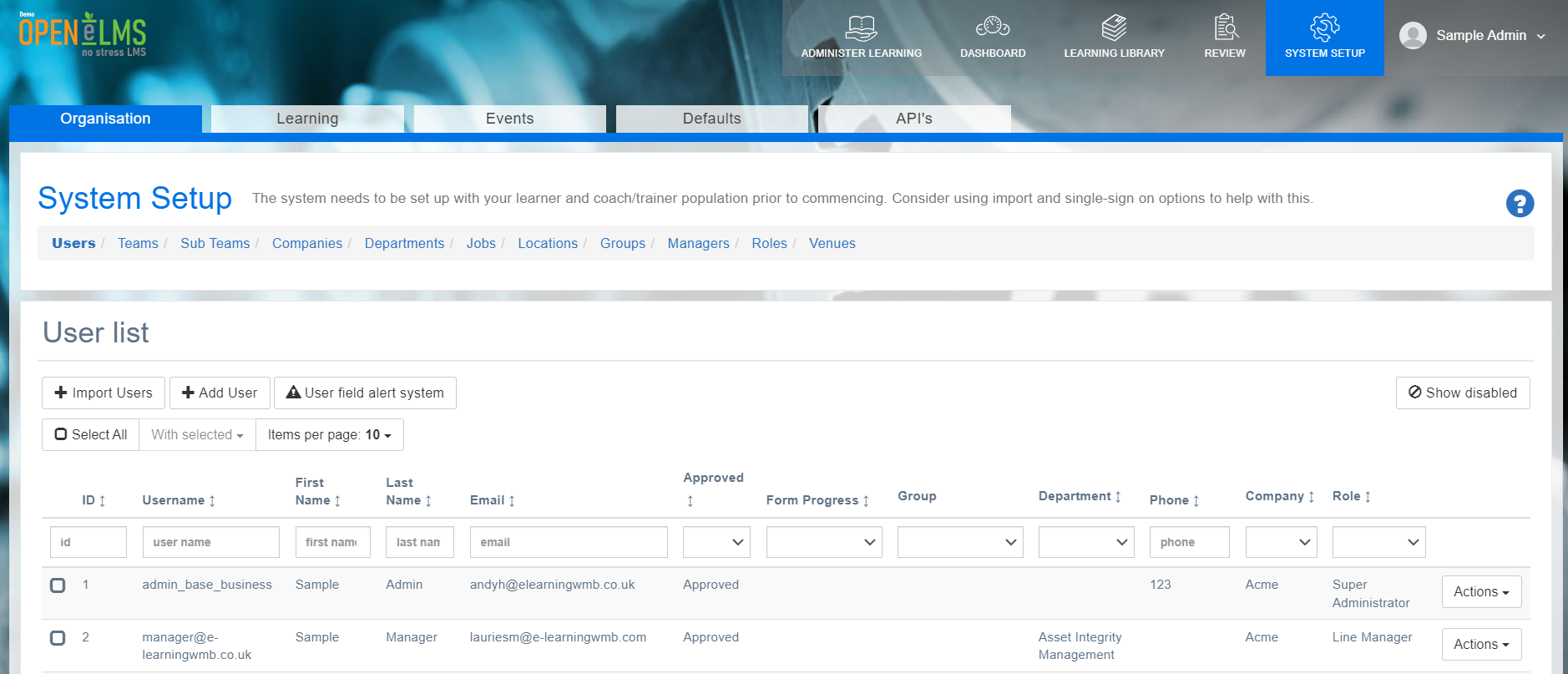
Log in as an administrator and go to System Setup > Organisation.
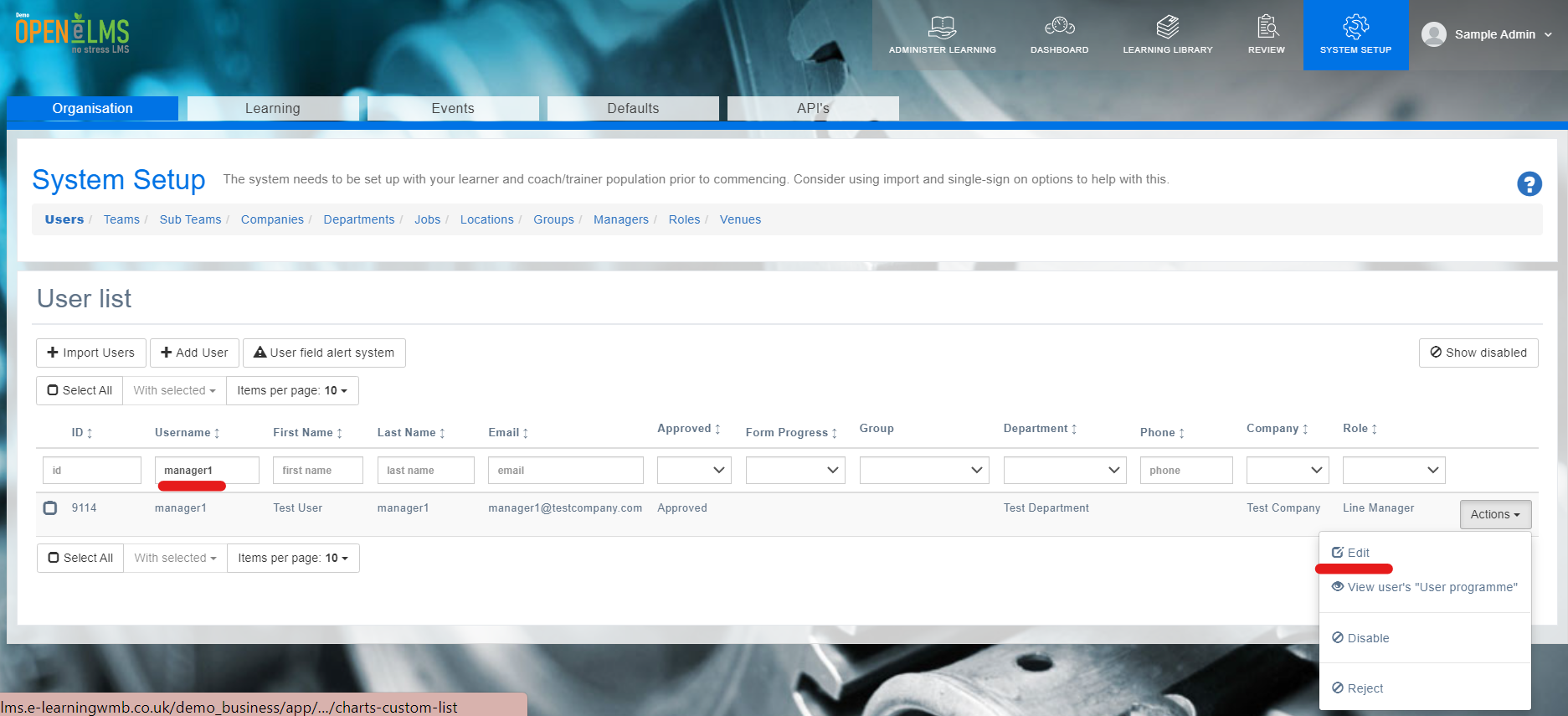
Find the person whose role you want to change then select Edit.
Scroll down to the Role and change it to the desired role then press Save and Close. The role will now be changed.
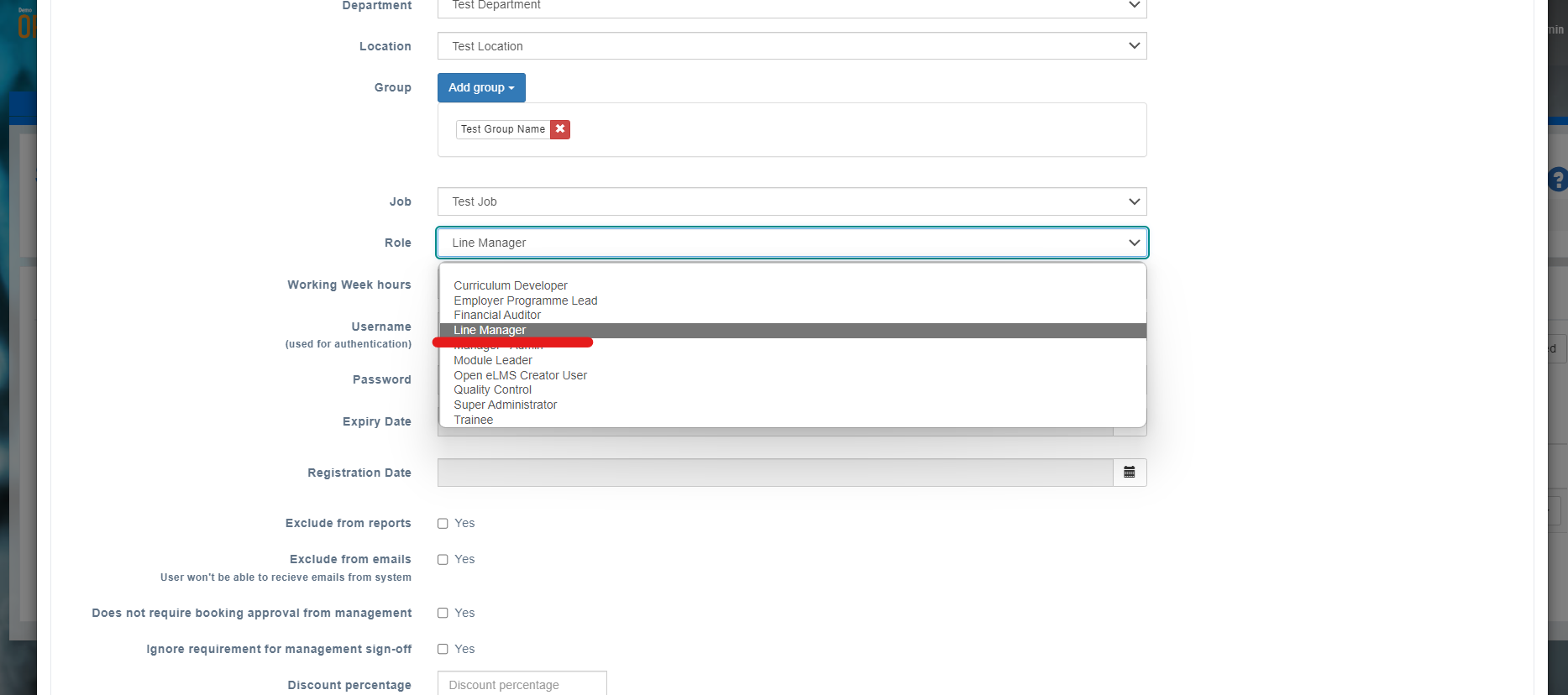
All roles should automatically contain the trainee role, so changing a trainee to a Curriculum Developer will still give that user access to their training.
📋 Related articles
- Page:
- Page:
- Page:
- Page:
- Page: