Manage the Power BI Dataset
Currently, when a dataset is created in PowerBi using old data, there is a risk of the report becoming corrupted. This corruption can then be synced to PowerBi Cloud, causing further issues and inaccuracies. The describes the user Interface for dataset clearing and administration, thus avoiding dataset corruption and enabling easy clearing of datasets associated with reports.
📘 Instructions
This is the new Power BI Reports section, which is added to debug Power BI reports
Log in as an Admin and go to System Setup > Defaults > Power BI Reports
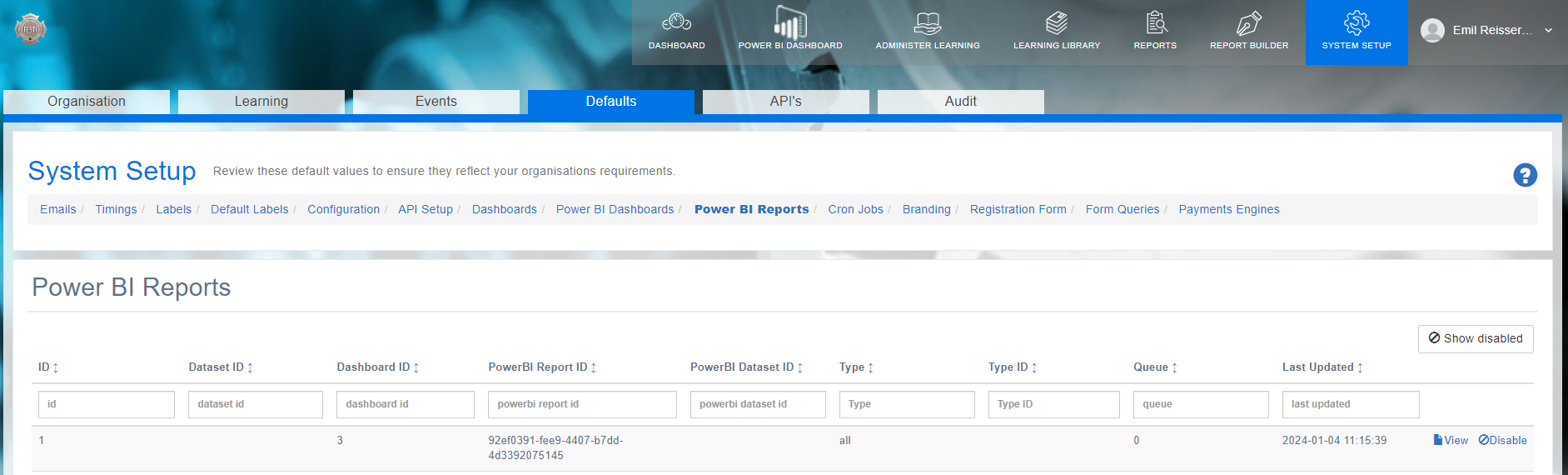
Select View to check when the dataset, report was updated for each user/company/all and whether its in queue and/or successfully initialised.
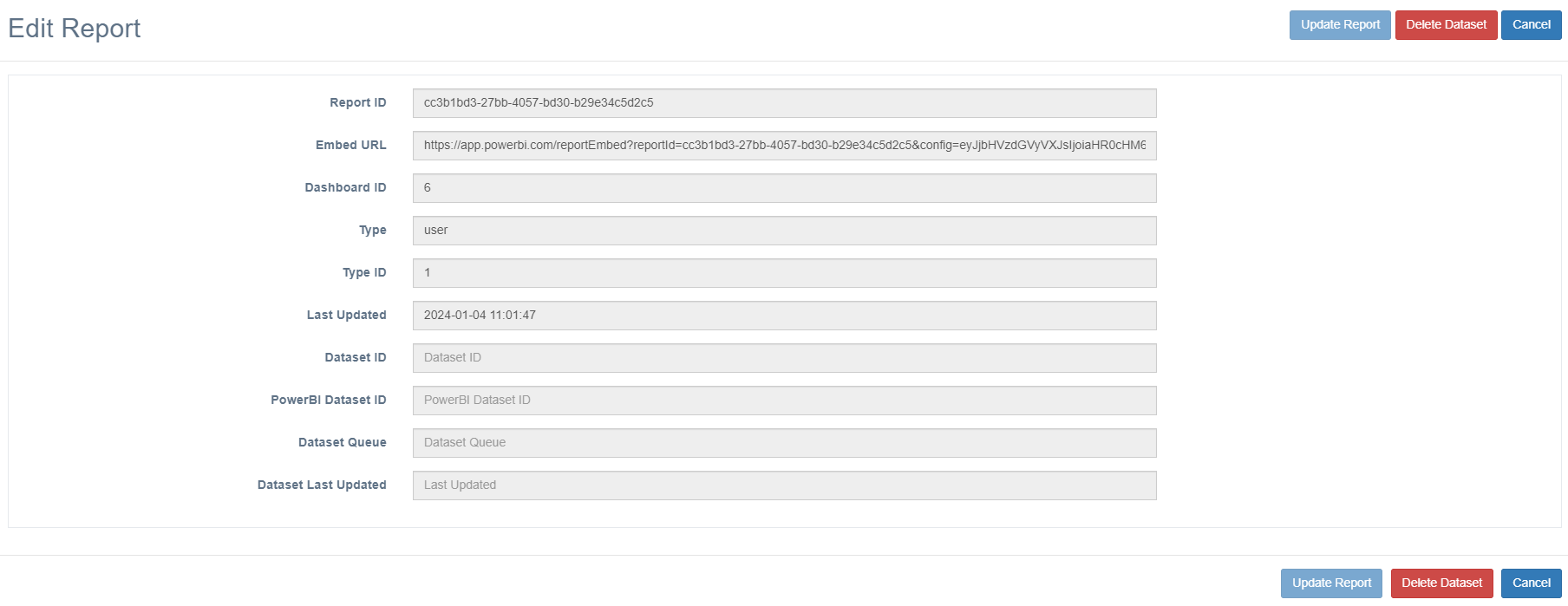
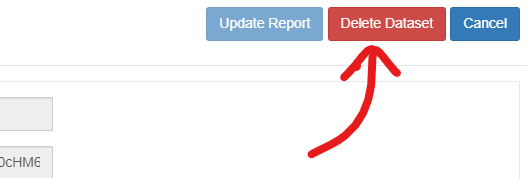
You can also delete the dataset as required.
This functionality will generally be utilised by Open eLMS in setting up and administering Power BI dashboards for its clients.
📋 Related articles
- Page:
- Page:
- Page:
- Page:
- Page: