Add/Edit Lessons
Lessons are a collection of learning resources. These lessons can be assigned to learners directly, attached to learning programmes or added to events (e.g. Open eLMS Classroom learning.)
NB: Some Open eLMS Clients have changed the name ‘lessons’ to ‘modules'.
Instructions
Log in as an Administrator and select the learning library
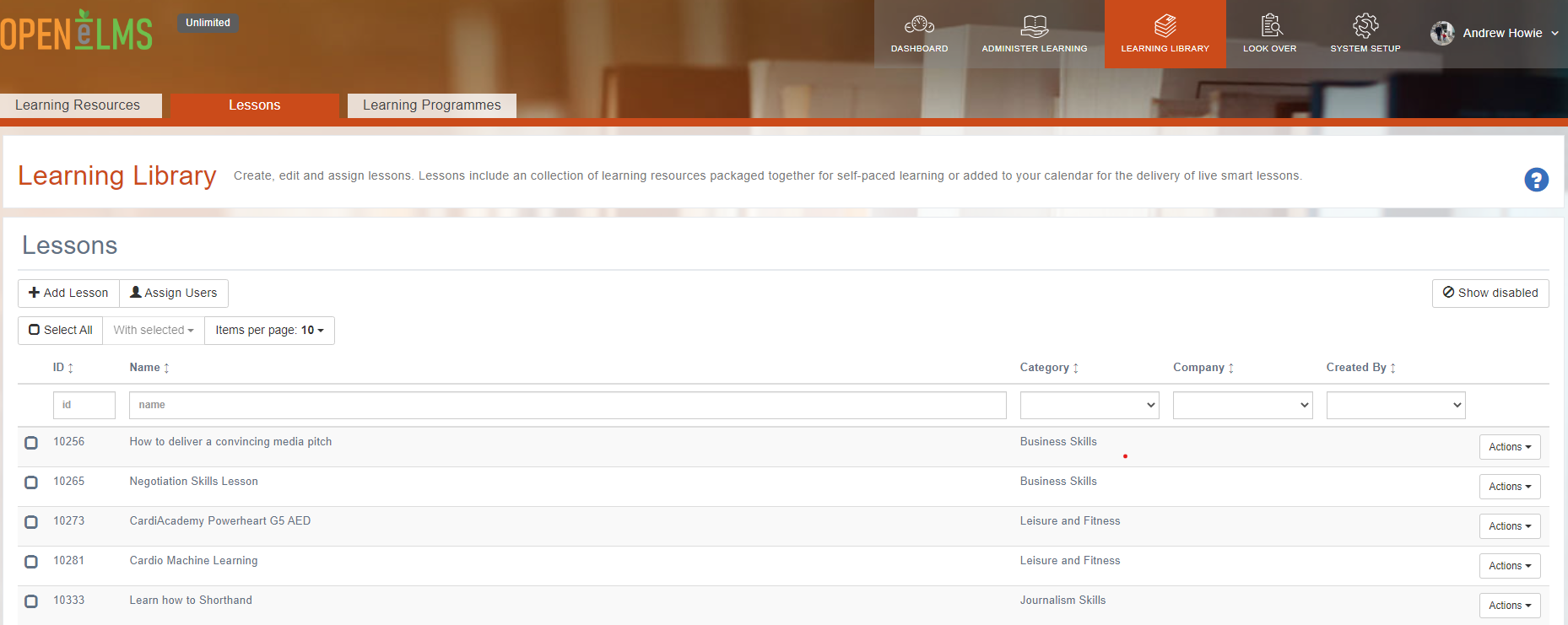
If a Curriculum Developer then Select Add Lessons tab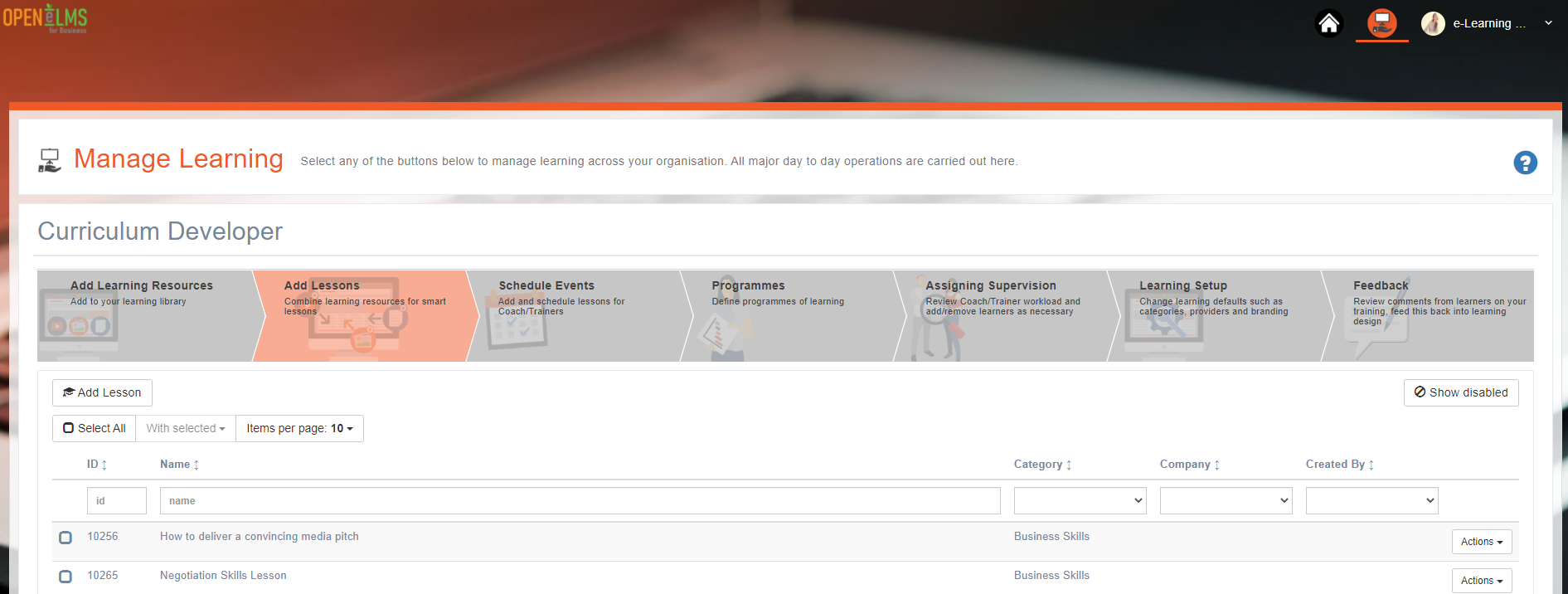
Select the Add Lesson button.
Complete the form. At the bottom of form you will see a reference to the learning library of resources. You must select suitable learning resources and add them to the lesson by pressing the green [+ Add] button. These will then be listed in the Assigned Learning Resources section at the bottom.
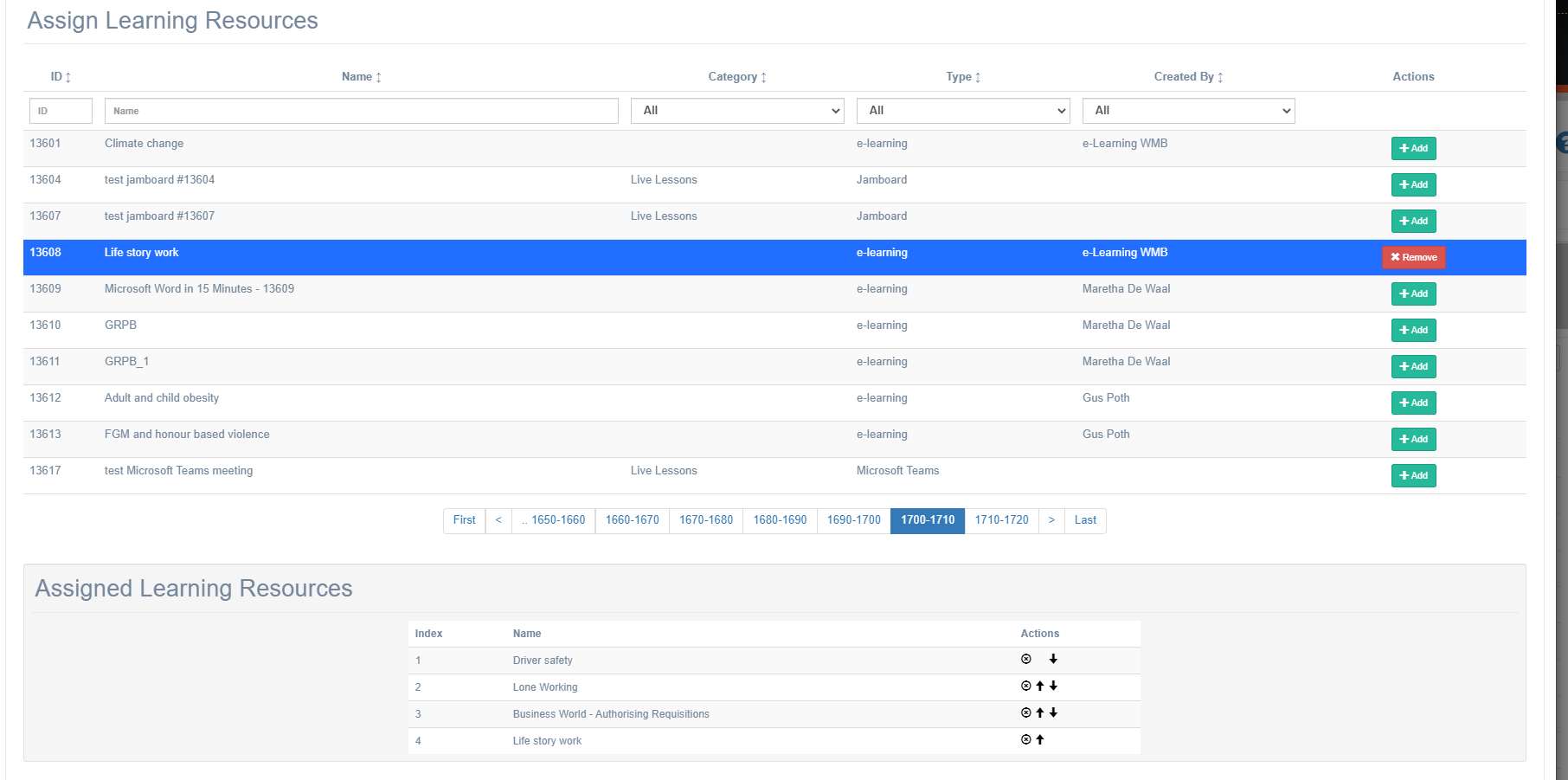
Here you can move the order of the resources and also state whether they need to completed in a fixed order.
Once the lesson has been defined, assign it directly to learners or learning programmes and/or use it as a template for adding learning resources to events in the calendar (e.g. blended learning classroom sessions).
You can edit lessons by clicking on the Actions button next to the lesson you wish to edit.
Video: Open Elms Walkthrough Creating Learning Resources - YouTube
Related articles
- Page:
- Page:
- Page:
- Page:
- Page: