Add eLearning using AI Assistance
OpeneLMS.AI is an eLearning creation system which delivers learning courses of breath-taking quality from a single line of text.
Instructions
Go to Learning Library › Learning Resources.
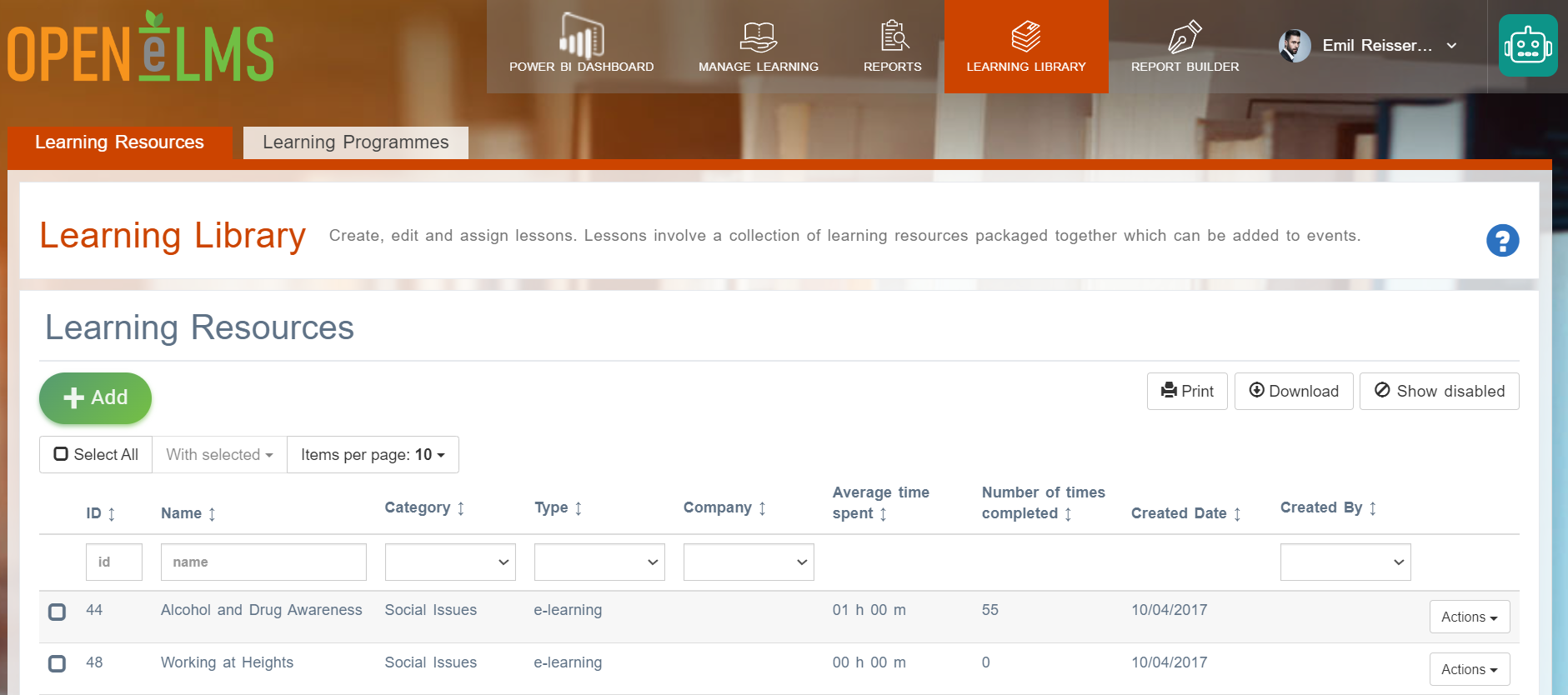
Select the Add button then select the Open eLMS AI: Add eLearning option - as you can see other options do exist for adding content in other ways.
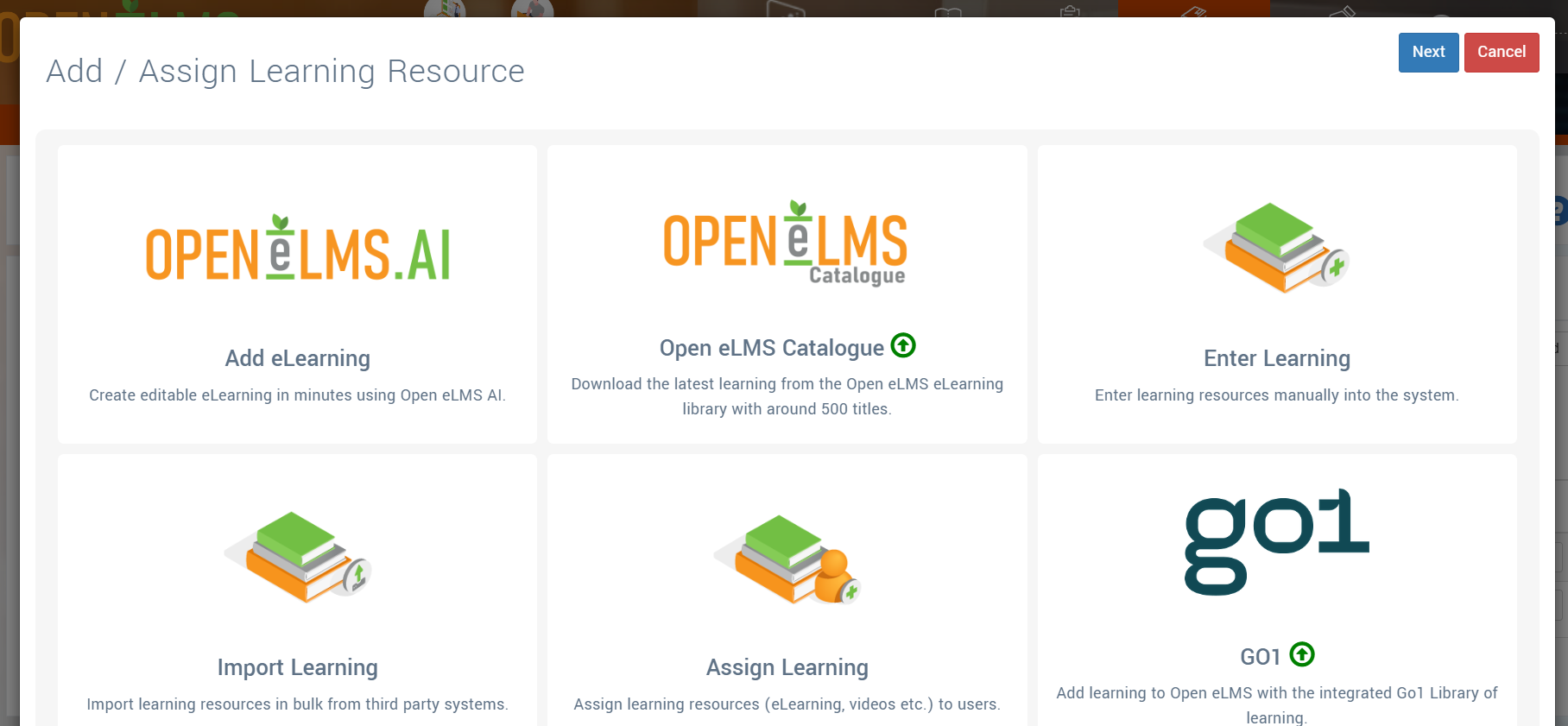
Follow the prompts to add the learning of your choice. The title of the eLearning should include the subject and to whom it applies (e.g. manual handing in the oil industry etc.). The eLearning will take minutes to create using Open eLMS AI.
There is a 7 day free trial version with Open eLMS Standard - you can keep any eLearning you create.
A demonstration of the system is available here -https://youtu.be/LPUpBUijYLw
Related articles
- Page:
- Page:
- Page:
- Page:
- Page: