Troubleshooting: No emails being received
Problem
No emails being received - forgotten password emails etc. not working?
Solution
There a couple of things you can check …
Firstly emails go out periodically, so if you do not receive the email immediately you should wait for 10 minutes.
Go to the configuration option as an Administrator: System Setup > Defaults > Settings.
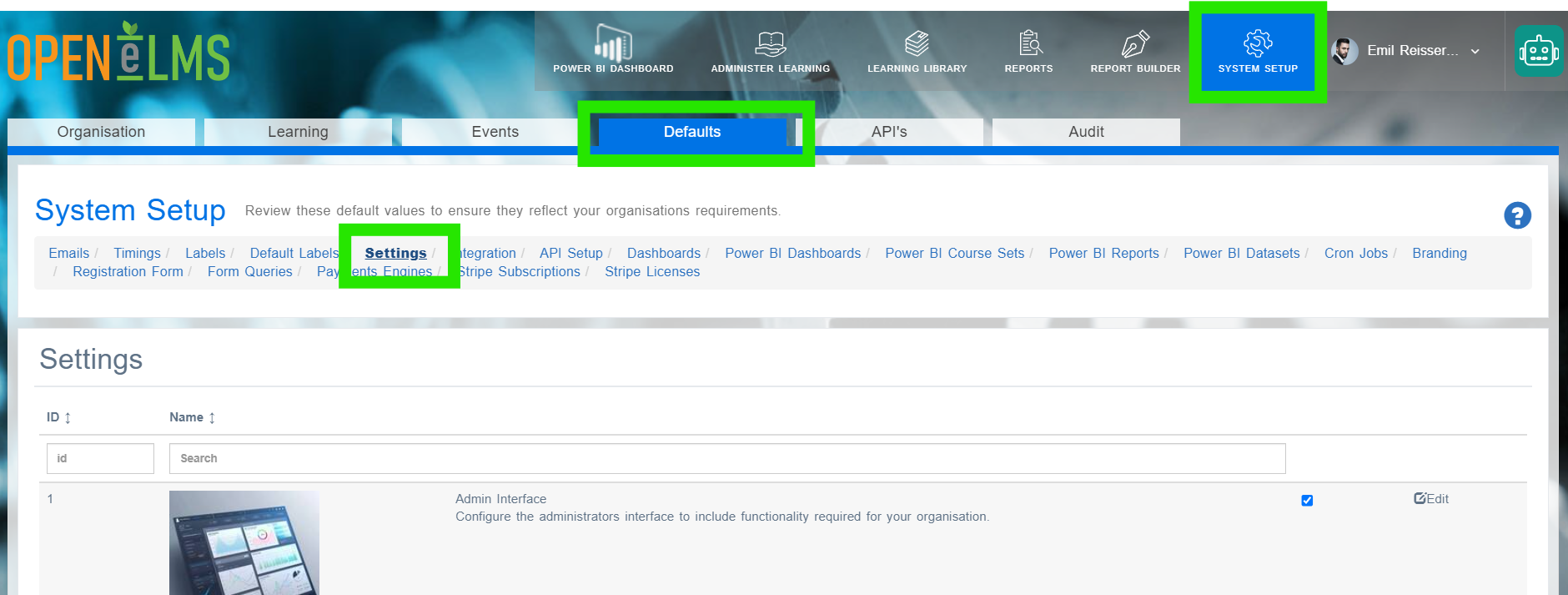
Search for enableEmailFunctionality and make sure the value is true.
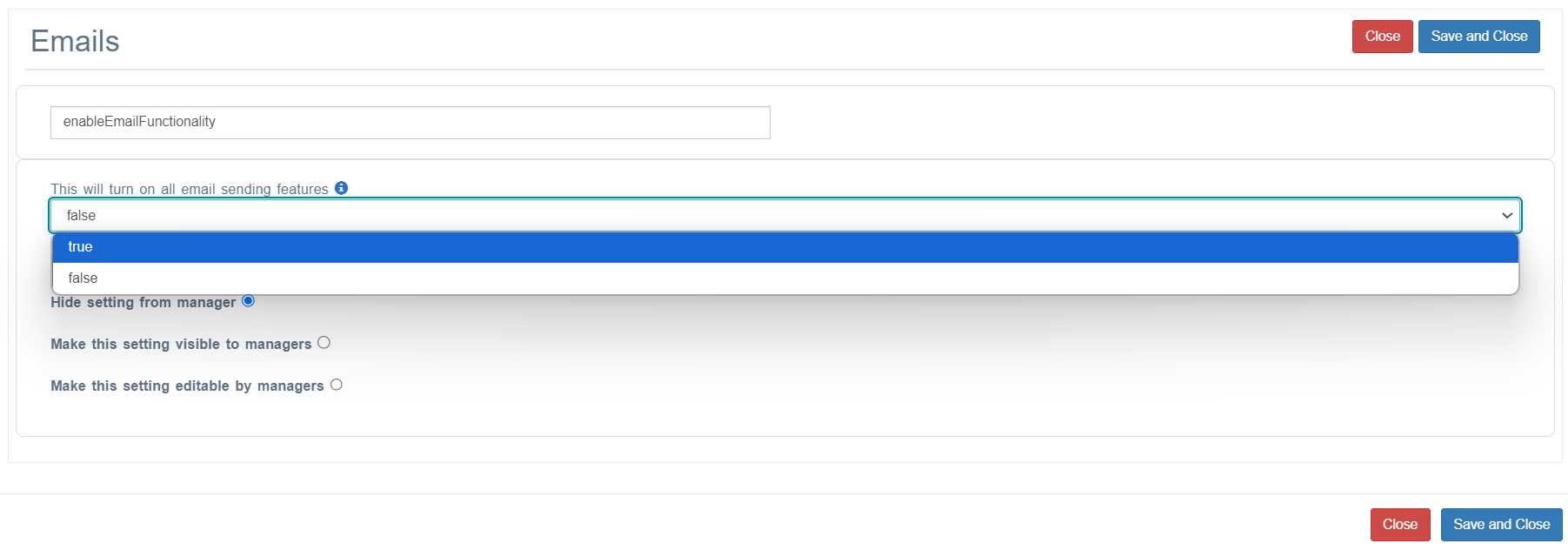
If the email you are expecting is a welcome email, check that enableAutomaticStarUpInstructionEmails is set to true.
Check that approveEmailQueueItems is set to false (this will prevent emails going out unless approved).
Check sendRefreshEmail is set to true (this will prevent refreshed learning notifications going out - make sure you want this.)
Remove any value from testEmailAccount - this will send all emails to that account (this is generally used for system testing.)
Check your spam folder.
Check with your local system administrator for the mailserver settings as you may need to add the email domain to a whitelist. It could be that emails are blocked from certain domains. Emails will usually be sent from @openelms.e-learningwmb.co.uk or @lms.e-learningwmb.co.uk.
If you have checked options 1 to 3 then it is possible that the email server has not been set up or set up incorrectly. Contact support@openelms.com and this will be carried out immediately.
Related articles
- Page:
- Page:
- Page:
- Page:
- Page: