Add query to assign a Learning Resource a Number of Days after Completed
Learning resources can be timed so that they are assigned dependent upon completing other learning.
📘 Instructions
Log in as a Curriculum Developer
Go to the Learning Library > Learning Resource and add a query to add that learning resource x number of days AFTER that learning resources is completed.
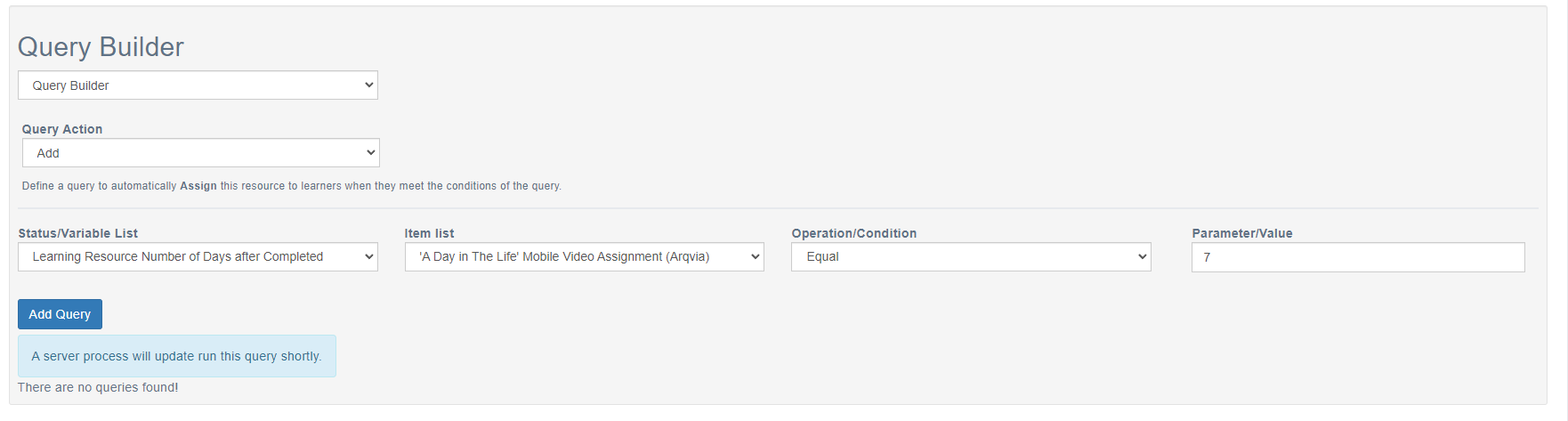
Select Add Query then Save and Close.
Log in as a Learner and complete the learning resource mentioned in the query.
Log in as a Learner x days later to check that learning resource with the query is now added to the learner’s account.
📋 Related articles
- Page:
- Page:
- Page:
- Page:
- Page: