Import Bulk Evidence of Learning
Sometime learning will be done off line away from Open eLMS else it has been recorded on a legacy system. There is a way to import this information into Open eLMS via a Bulk Evidence import.
📘 Instructions
Follow these steps
Log into Open eLMS with the Manager role selected (aka Coach/Trainer/Line Manager etc.)
Select View by User and press the Add button.
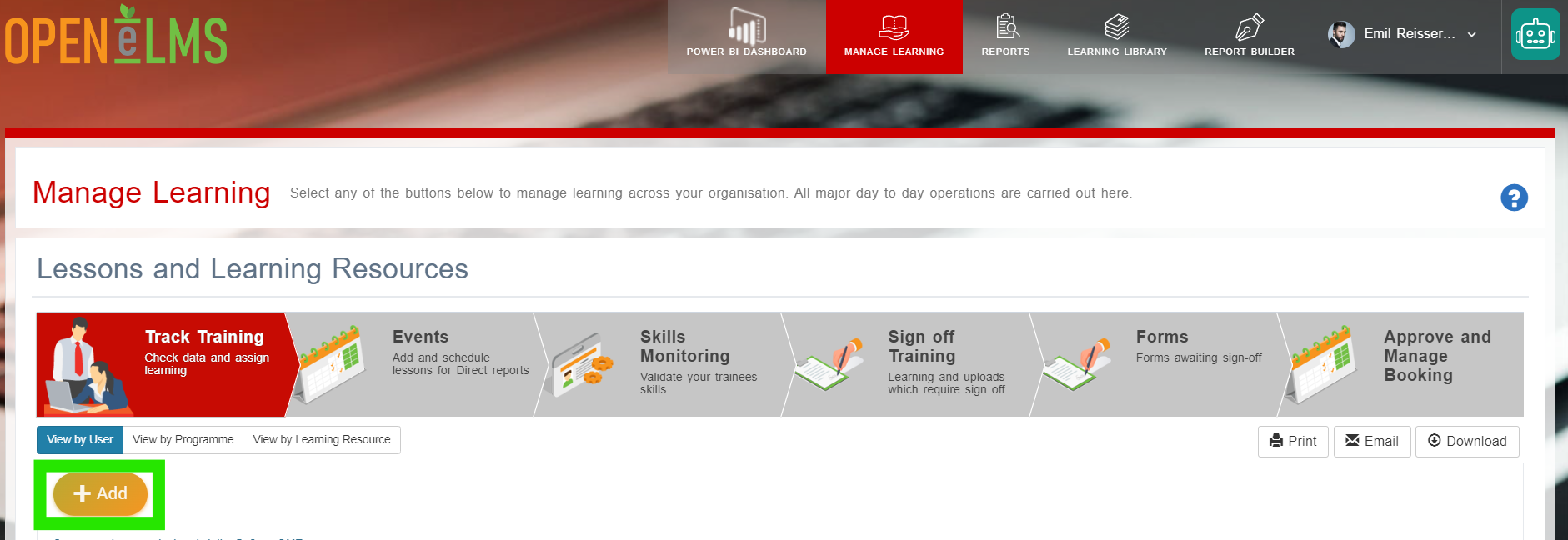
Double click on the Import Training Evidence button.

Download the template provided by pressing the Download Template - Import Evidence of Learning button …
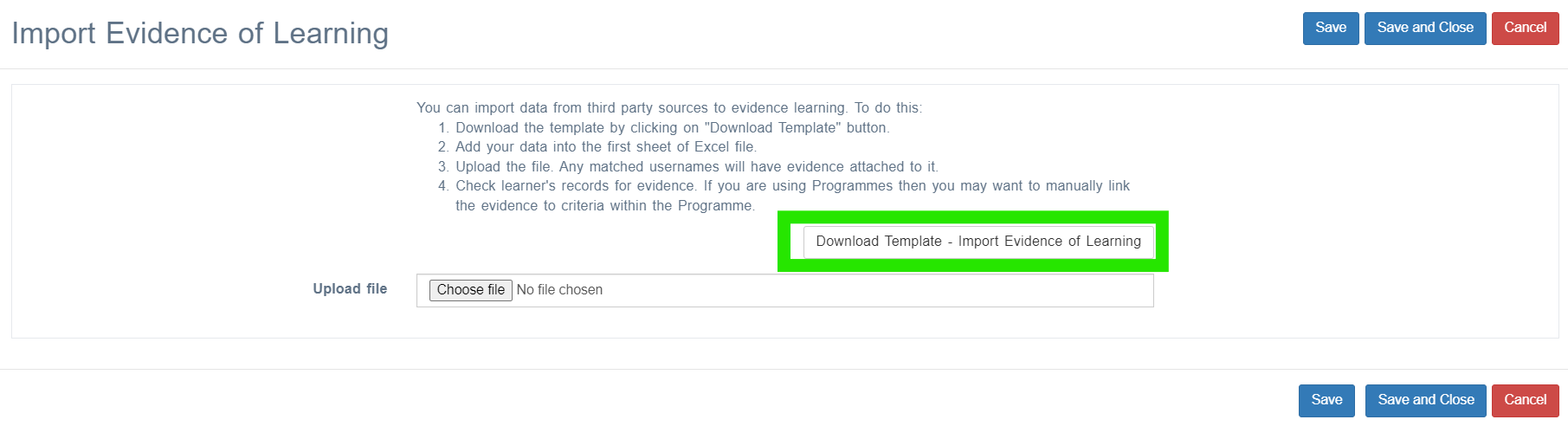
… and import this into the system. Do not add/remove or edit the columns in the spreadsheet in any way.
Refresh the screen and the evidence will then show up on learner’s records.
Attached files must be can be separated by commas and must be accessible to the person doing the import in order to transfer those files to the Open eLMS server.
📋 Related articles
- Page:
- Page:
- Page:
- Page:
- Page: