Log Off the Job Hours carried out on events to learner's programme records
All learning can be tracked against a predefined learning programme or qualification. To do this you will need to link it to the programme.
📘 Instructions
Follow these instructions
Set up a live lesson or meeting in the usual way.
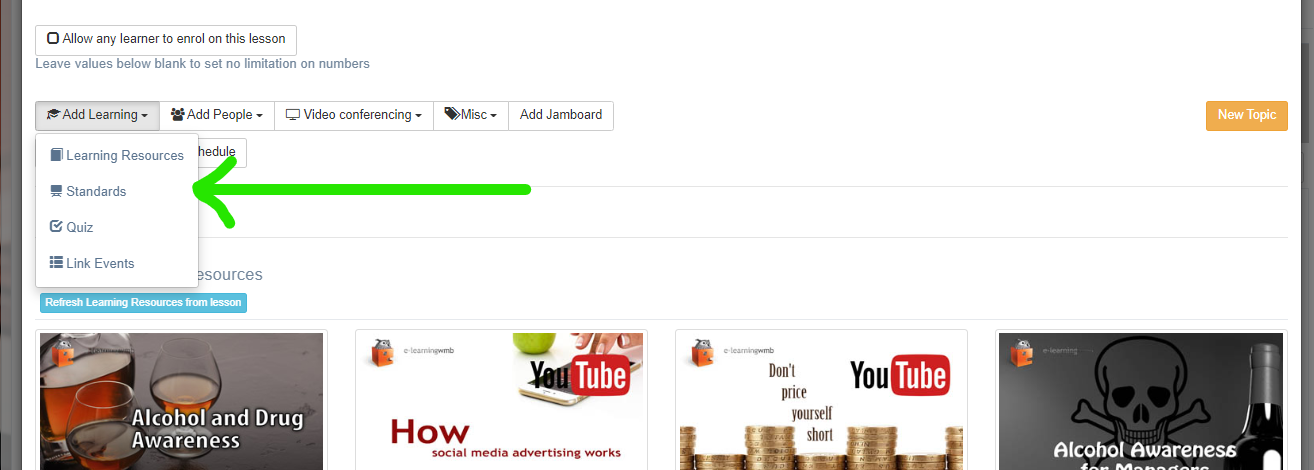
Select the Add Learning button, and select Standards (this may be labelled 'Programmes’, “Subjects” or something similar.
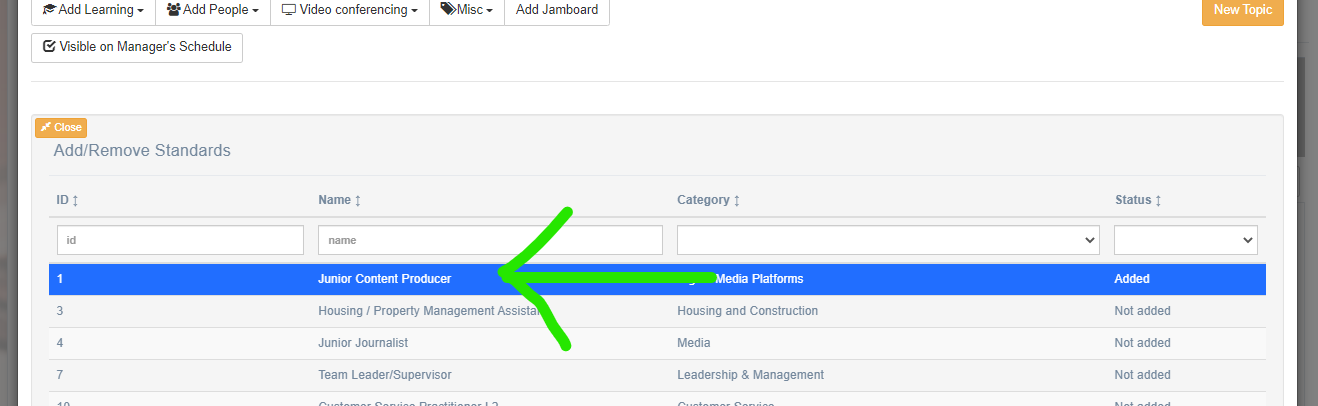
Then select the appropriate standard or programme that the learner is on.
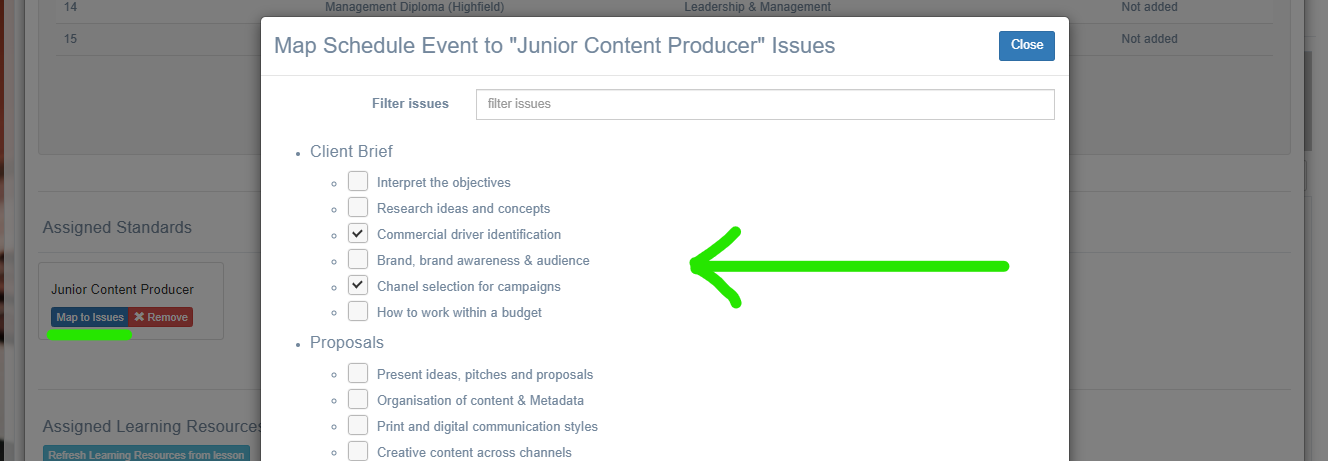
You can go one step further and assign it to a particular Outcome or Criteria of that programme.
Any work done now (including hours spent) on that lesson will be tracked against the learning programme.
The learner must be previously assigned to that programme, else none of the tracking will be recorded against their record.
📋 Related articles
- Page:Adding Lessons to Off the Job Hours