Add Form Reporting
Form Reporting combine reports into a single workflow. This makes assigning forms and reports simple, since assigning a single Form Reporting workflow collates all the documentation required.
Instructions
Go to Learning Library › Forms.
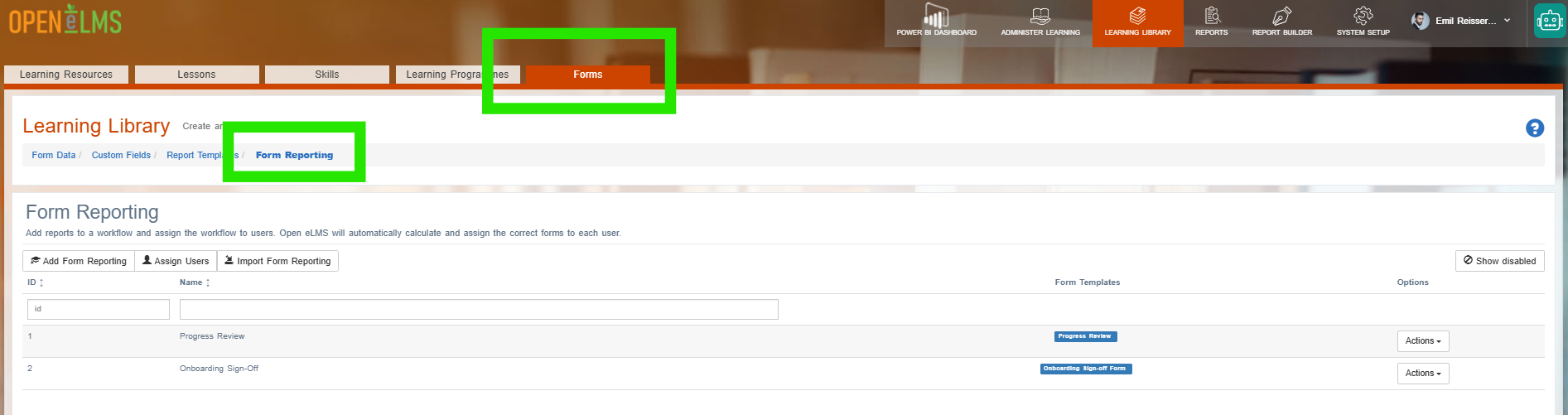
Select the Form Reporting link.
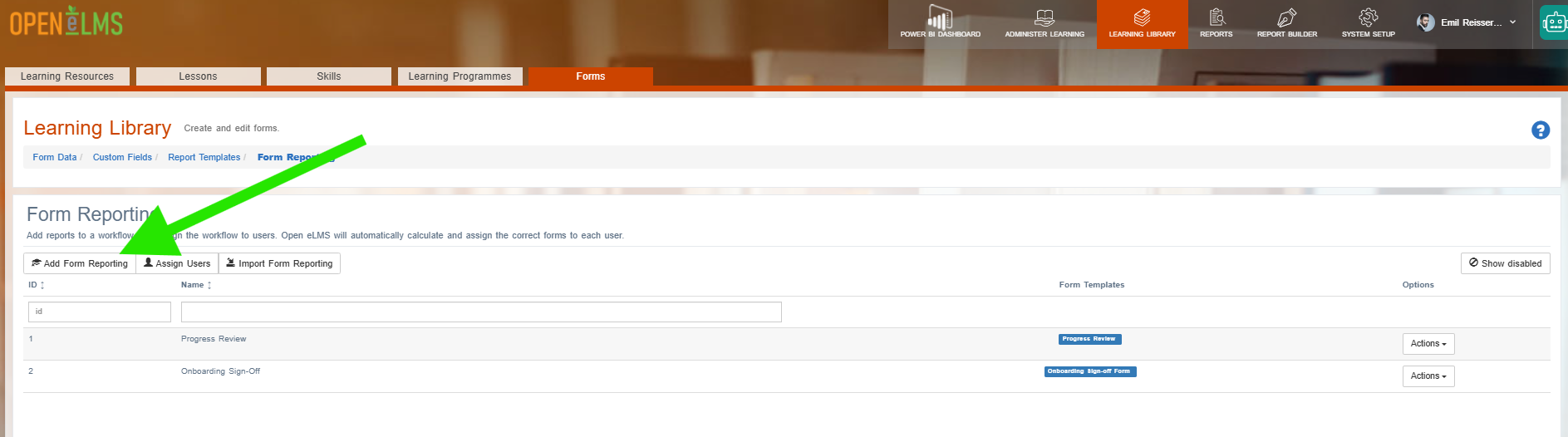
Select the Add Form Reporting button.
Give the Form Reporting process a Name for reference, them select report templates that make up the form workflow.
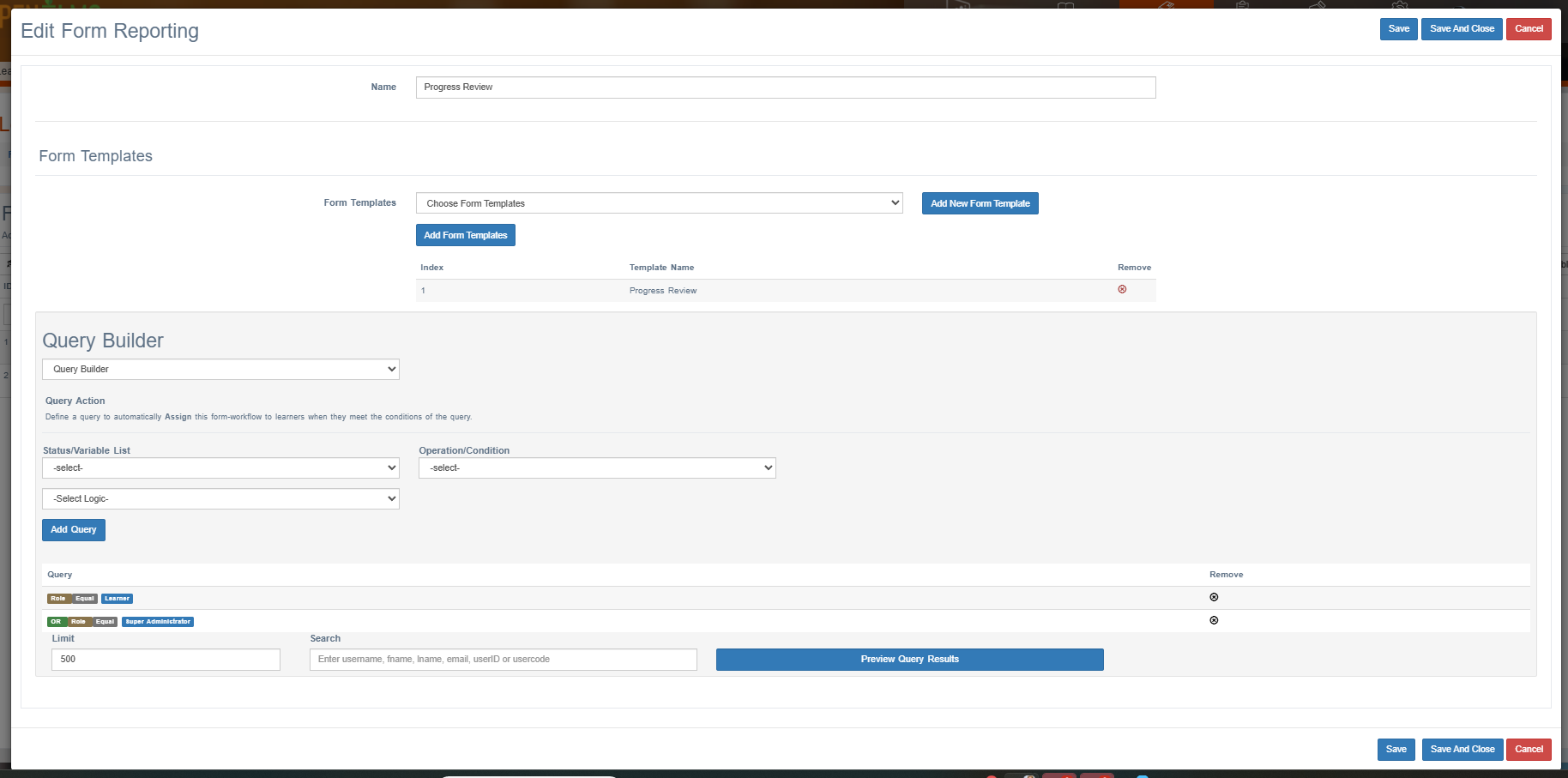
Add a query in the Query Builder to add a group of people to this Workflow if required.
Once done, press Save and Close to save the Workflow.
Assign workflows instead of forms, it is a better way of assigning forms since it also assigns reports to the selected users.
Related articles
- Page:
- Page:
- Page:
- Page:
- Page: