Duplicating sub screens using the Open eLMS AI Editor
A Sub-screen is any visual page on the eLearning presentation, navigated to via the menu or the Next/Back navigation buttons. These screens can be duplicated to enable topics to be enlarged with further content.
📘 Instructions
Follow these steps …
The following screen has three sub screens (7, 701 and 702).
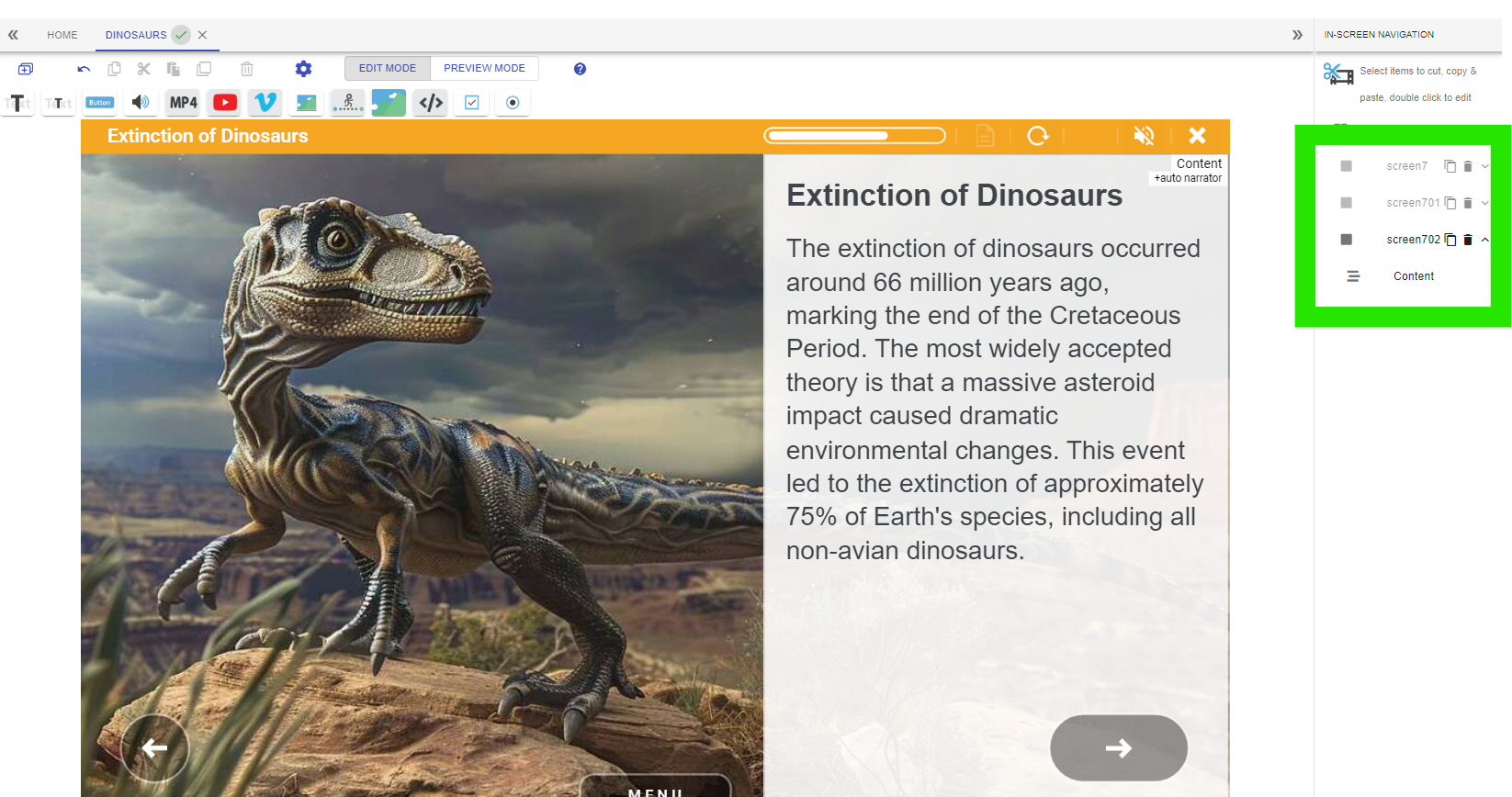
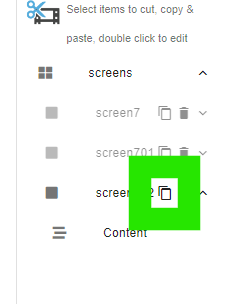
To increase this number of steps we can duplicate any of these screens. For instance if we duplicate screen 702 by pressing the Duplicate button …
… then 703 will be created with the same content as 702.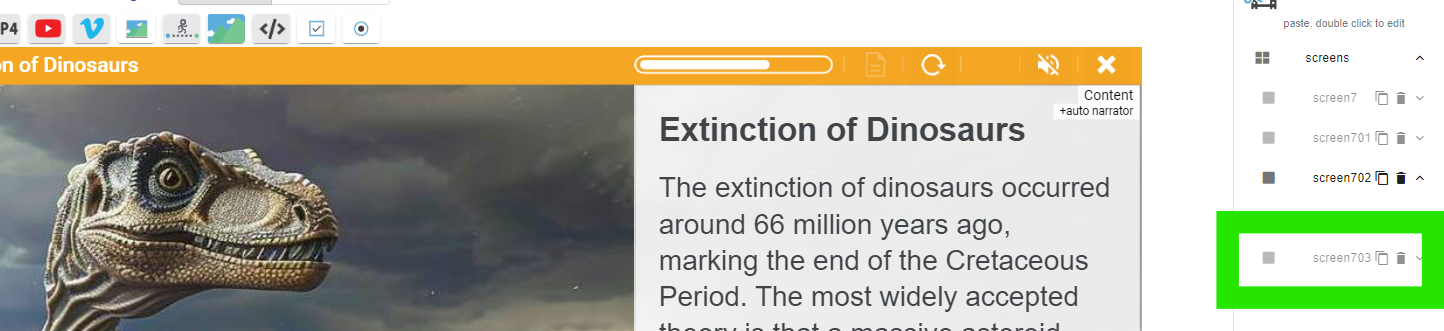
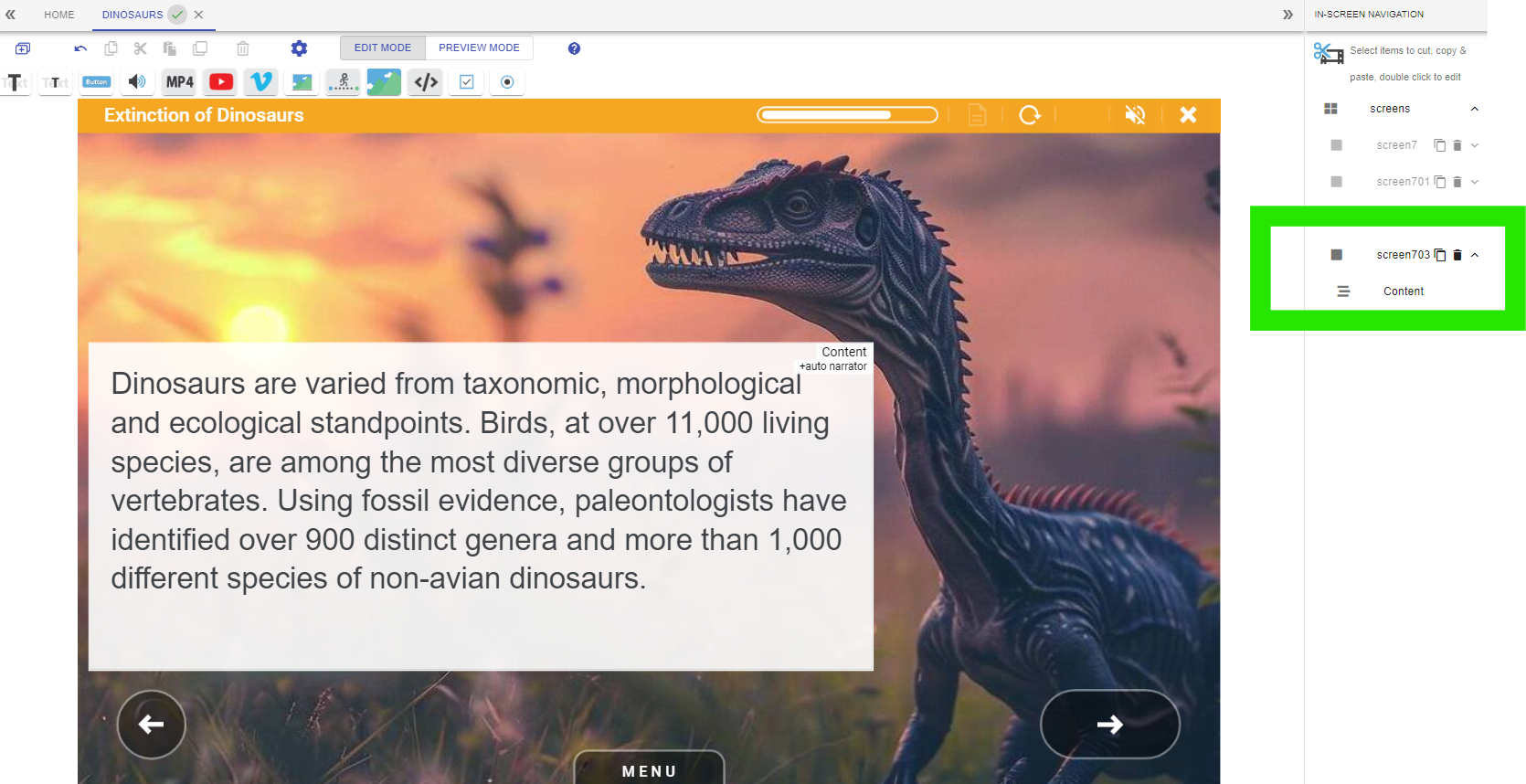
703 can then be edited and new content added.
Open the Menu and replicate this duplication process there to duplicate entire topics (i.e. collection of a screen and sub-screens).
📋 Related articles
- Page:
- Page:
- Page:
- Page:
- Page: