Add Custom Learning Resource Types
Administrators can new custom learning resource types (e.g. eLearning, Videos, Uploads etc) with added fields etc.
📘 Instructions
To change these default reasons …
Log in as an administrator
Access System Setup > Learning
Go to Custom Learning Resources Types
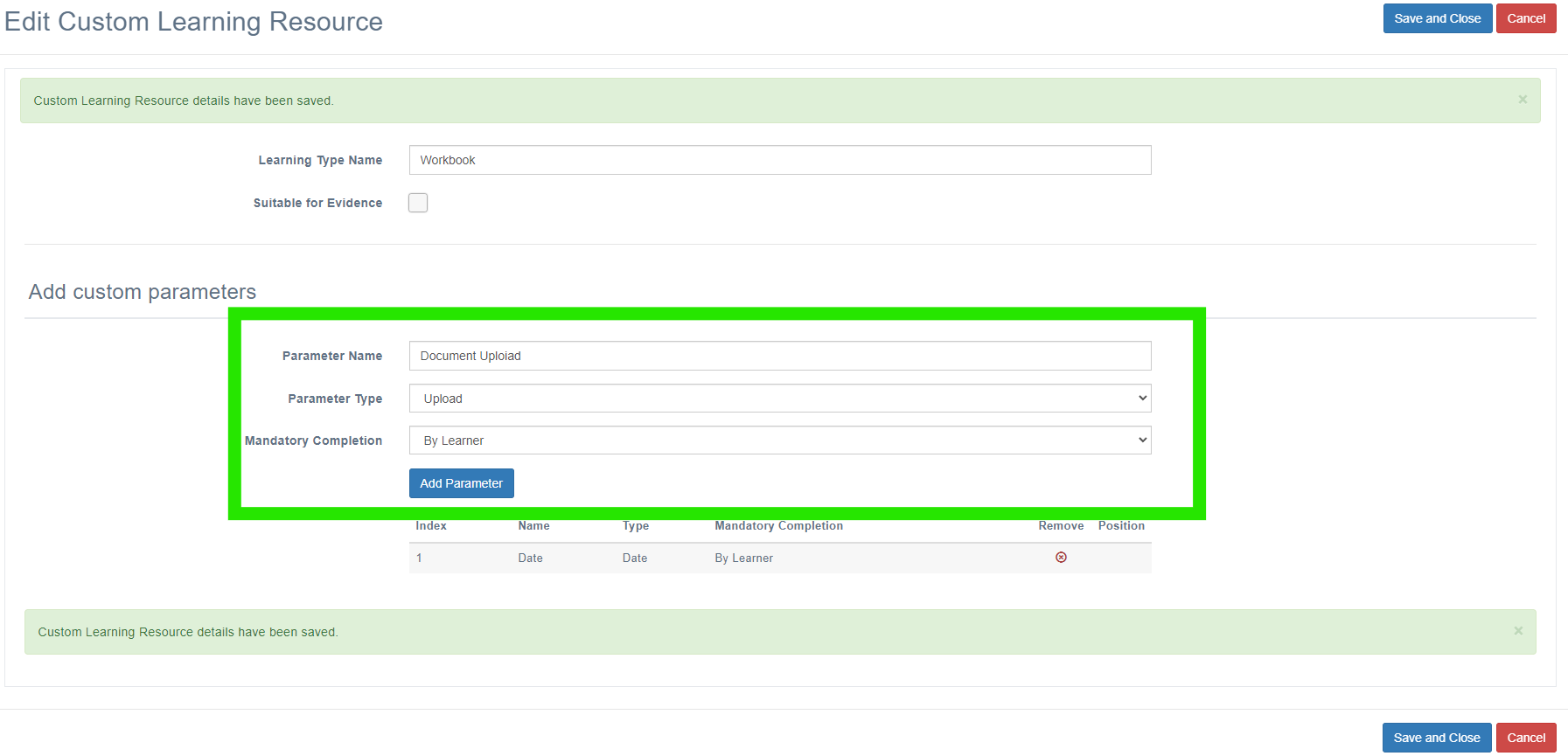
Select +Add Resurce Type and enter a Learning Type Name. You can select “Suitable for Evidence” and this can be assigned to Learning Programmes to evidence learning for programme requirements. This will require the learning resource to be signed off to register completion by the learner and their manager.

The screen will then expand and the administrator can now select fields to populate this new learning resource, stating whether their completion is a mandatory requirement and by whom. Select Add parameter to add the field and create a new one.
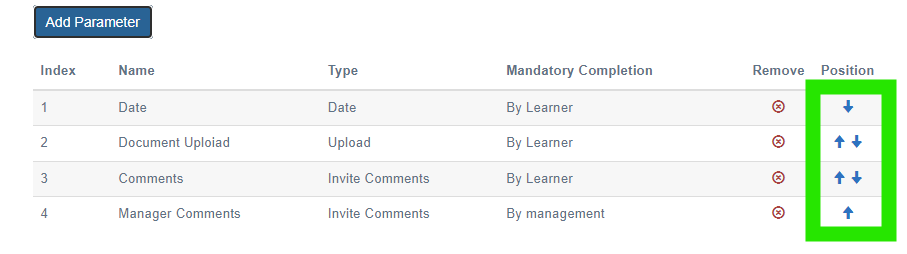
Field positions can be adjusted using the arrows once they are assigned to this new custom learning resource.
Once created, new learning resources can be created using this template.
📋 Related articles
- Page:
- Page:
- Page:
- Page:
- Page: