Add/Edit Venues
The Venues area is used to manage physical locations where training events, workshops, or seminars are conducted.
📘 Instructions
Details entered here will be available when using the Add Events functionality in the system.
Navigate to the venues section of the Open eLMS platform via System Setup - Organisation - Venues.
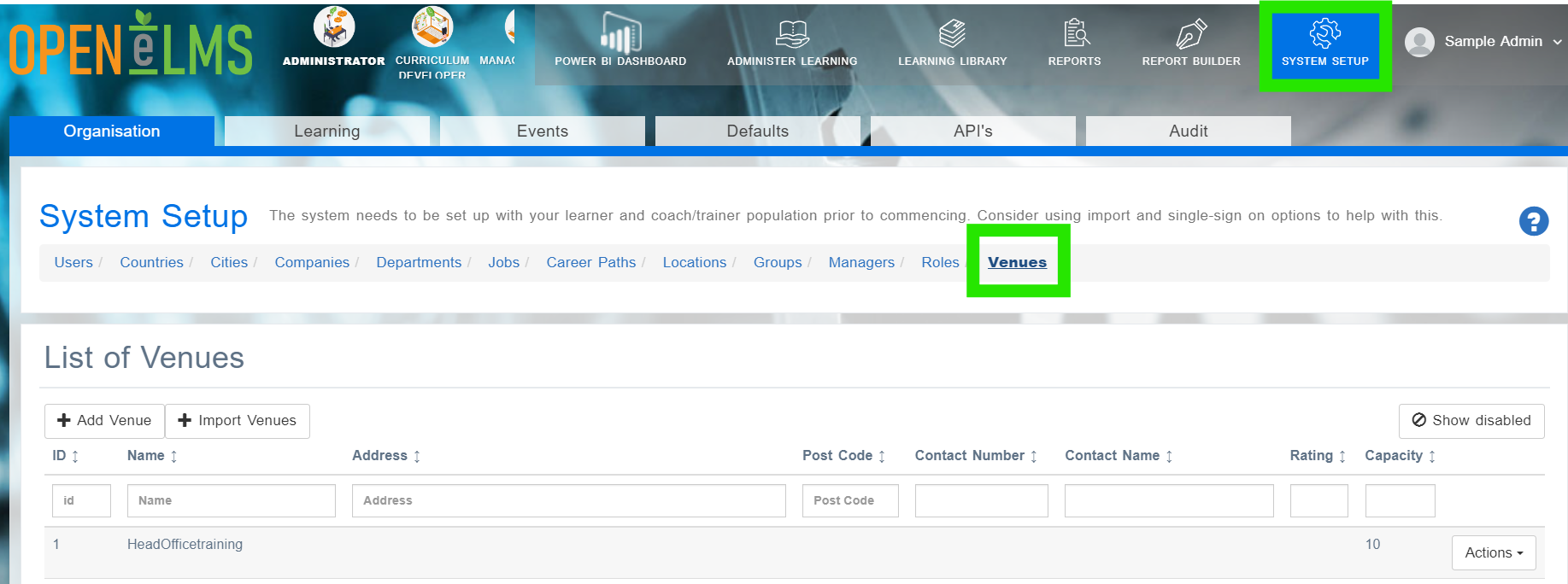
Click on the + Add Venue button.
Fill in the required fields, including the venue name and any other relevant information. Instructions and the image (usually a map etc.) will be sent to event attendees to help them find the venue.
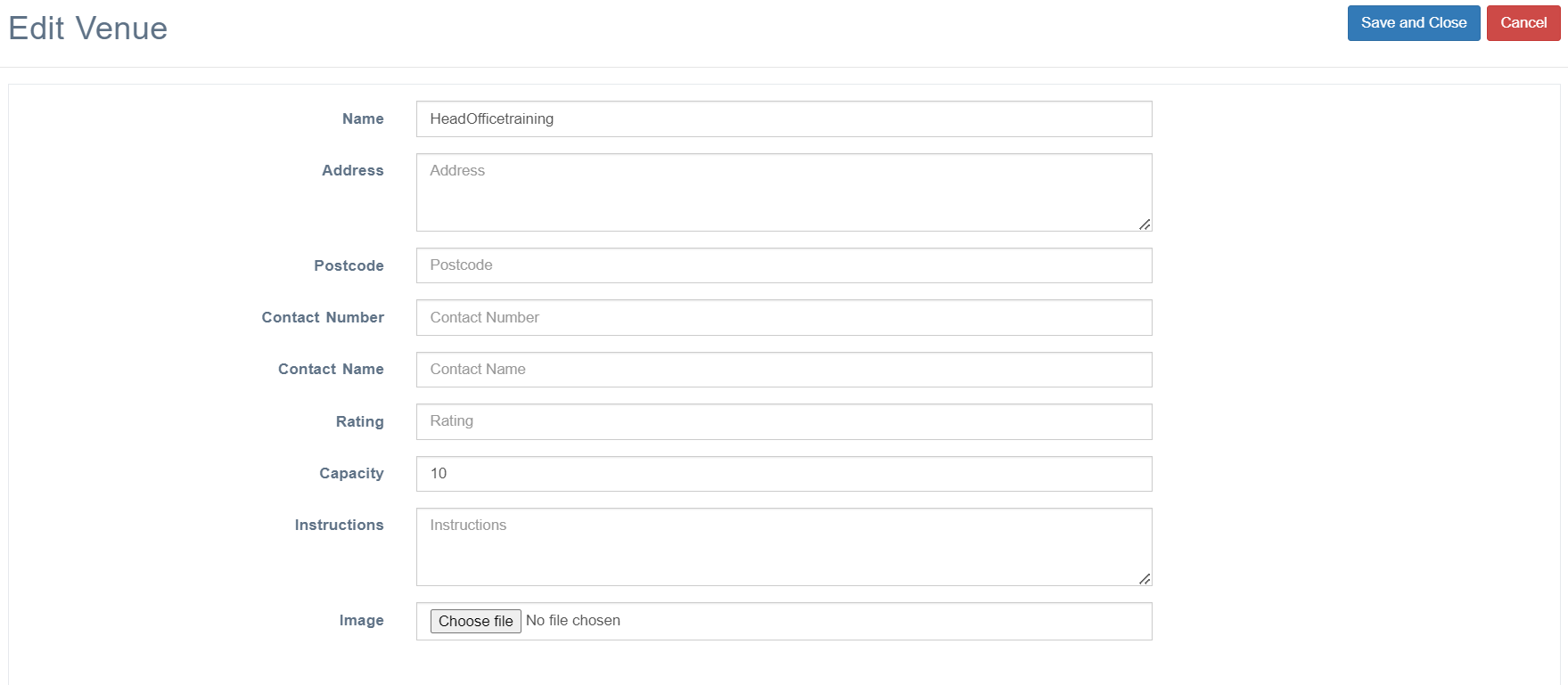
Click Save and Close to create the new venue.
Once created, the Actions button allows Administrators to edit the information at any time.
📋 Related articles
- Page:
- Page:
- Page:
- Page:
- Page: