Import JSON Formatted Programme Files
Open eLMS allows users to import programmes from alternative data sources as long as the data is in the correct data format.
Instructions
To set this up for your users follow these steps:
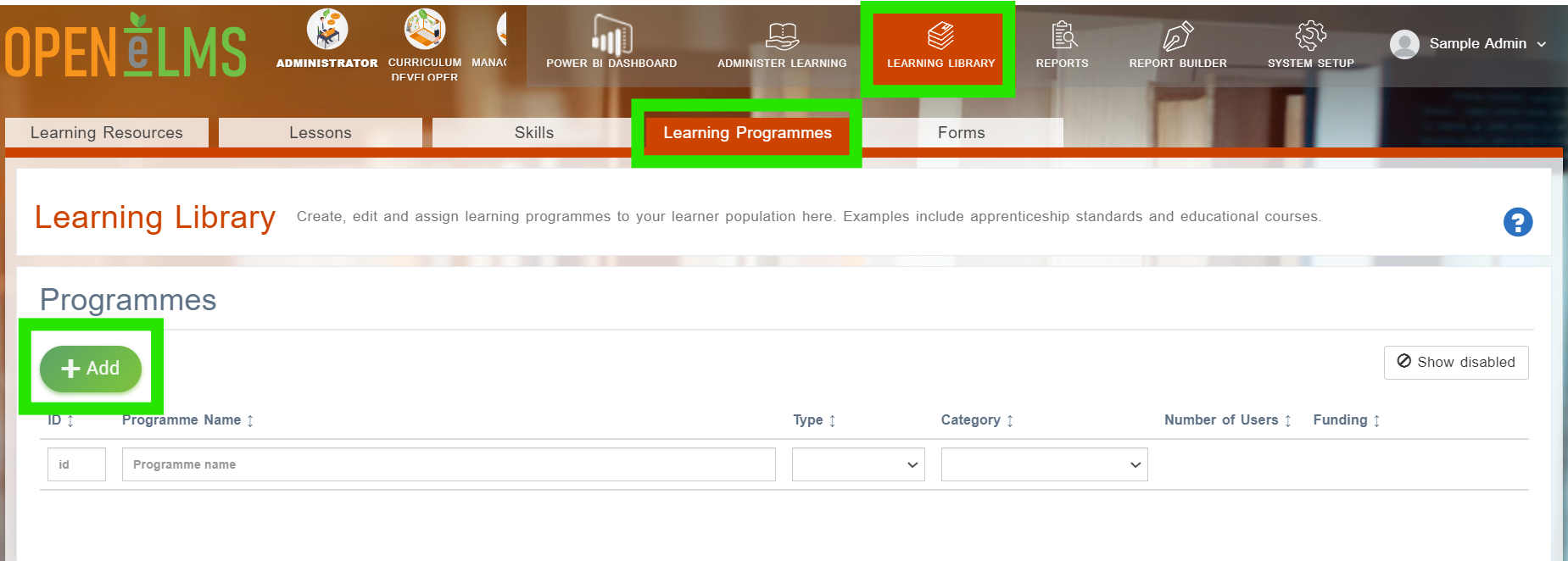
Log in as an administrator and go to Learning Library > Programmes > Add.
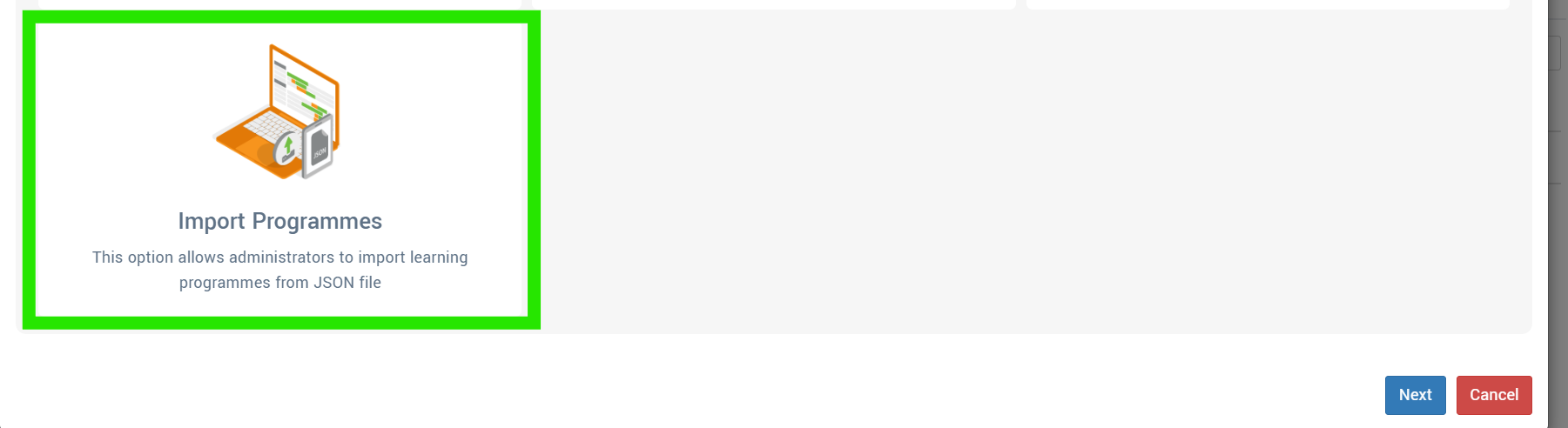
Select to Import Programmes.
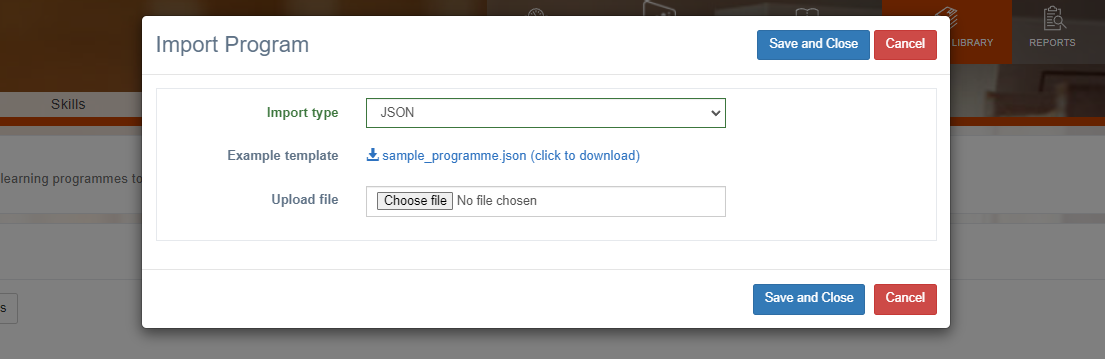
Select the Import Type of JSON then click to download the sample programme template.
Download the file to open the file in your native JSON editor (e.g. Visual Studio). Click on the sample_prorgamme.json tab to see the desired import format. Copy this hierarchy of Standards > Issue Categories > Issue > Children > Guidelines to replicate the import format in your new file for import.
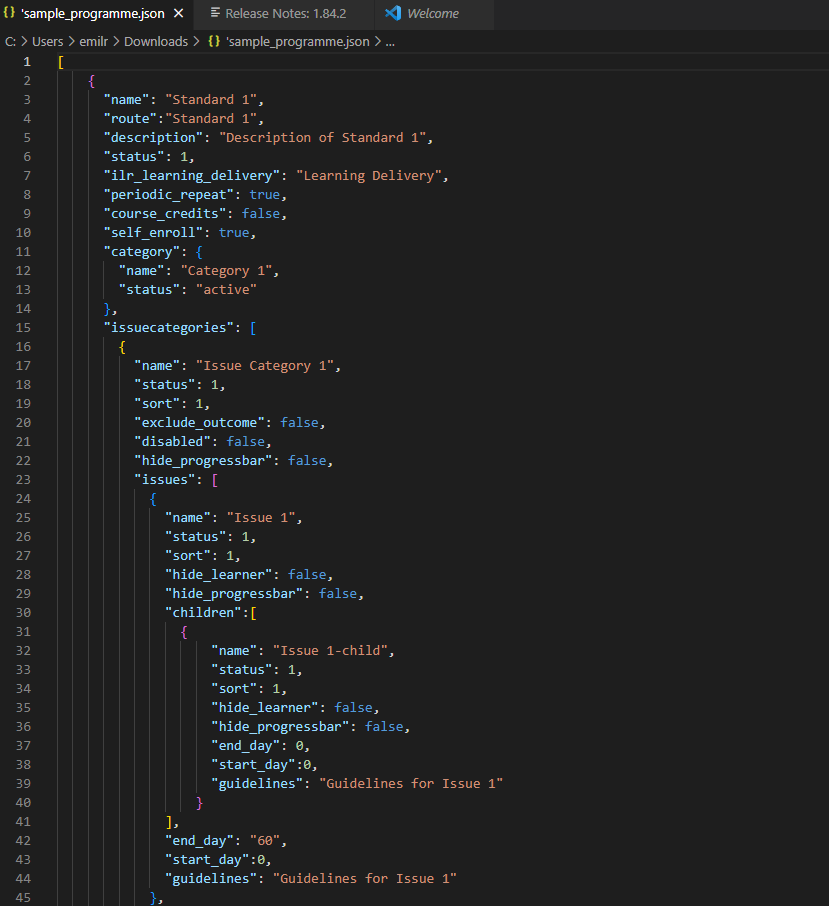
Import the newly created file when ready to replicate the following format:
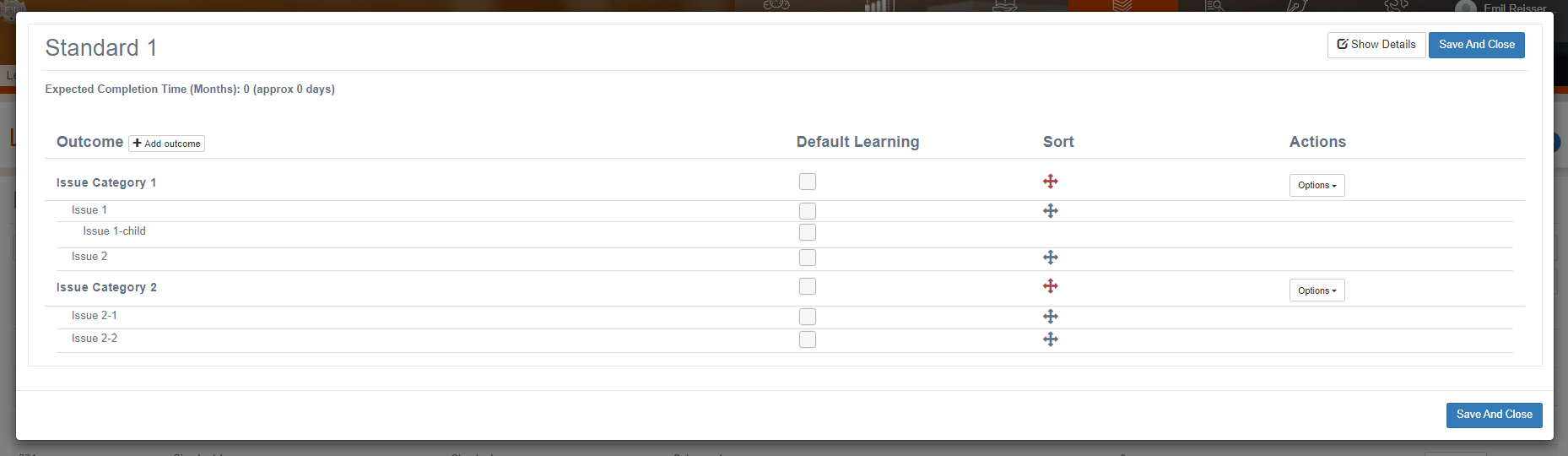
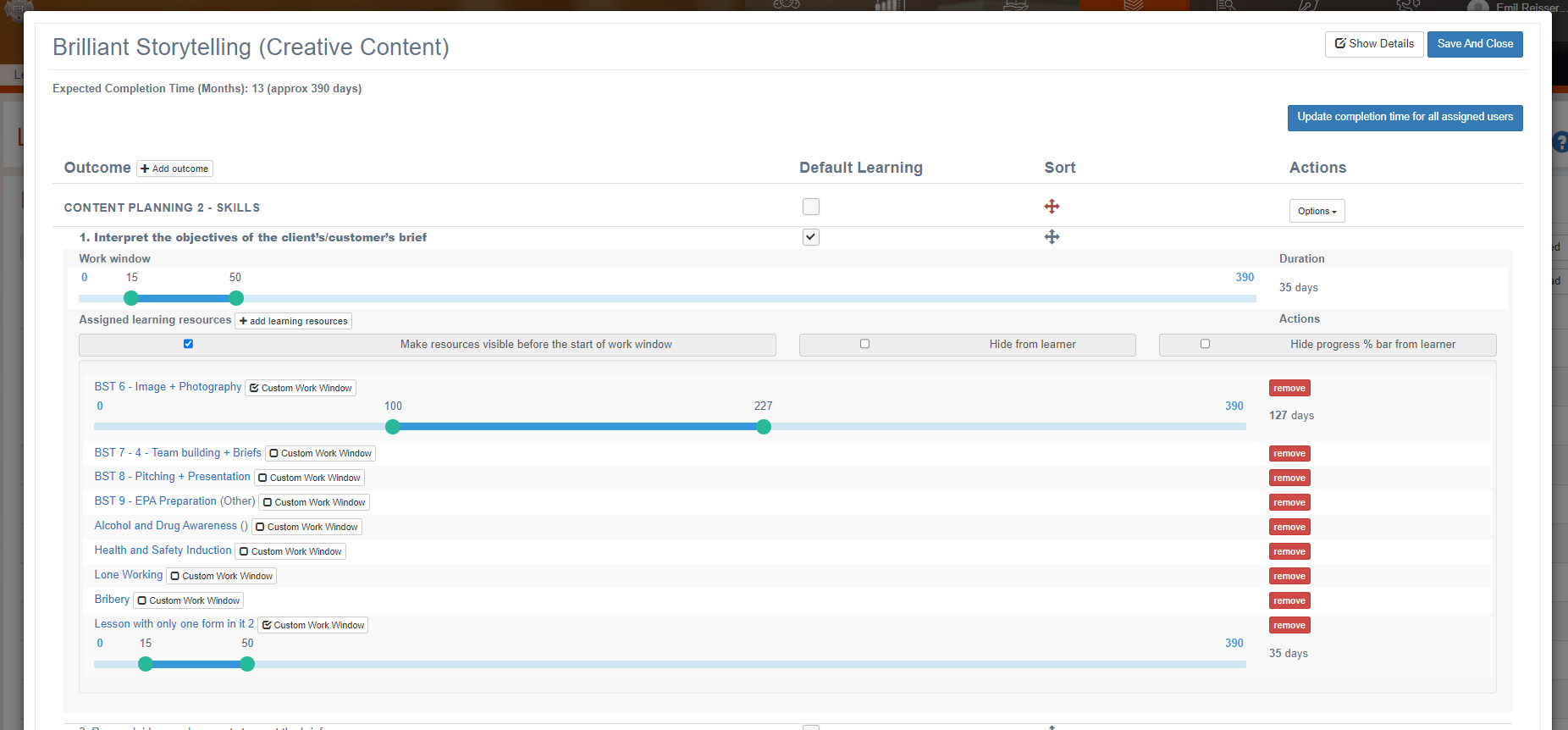
Adjust times and add learning resources when ready.
You should be proficient in creating JSON formatted files before attempting this task.
Related articles
- Page:
- Page:
- Page:
- Page:
- Page: