Troubleshooting: No Learning Resources Assigned to a job associated with a user's account
Problem
A user logs in and has no training or attestation tasks assigned to them.
Solution
Follow these steps to identify the problem and resolve it.
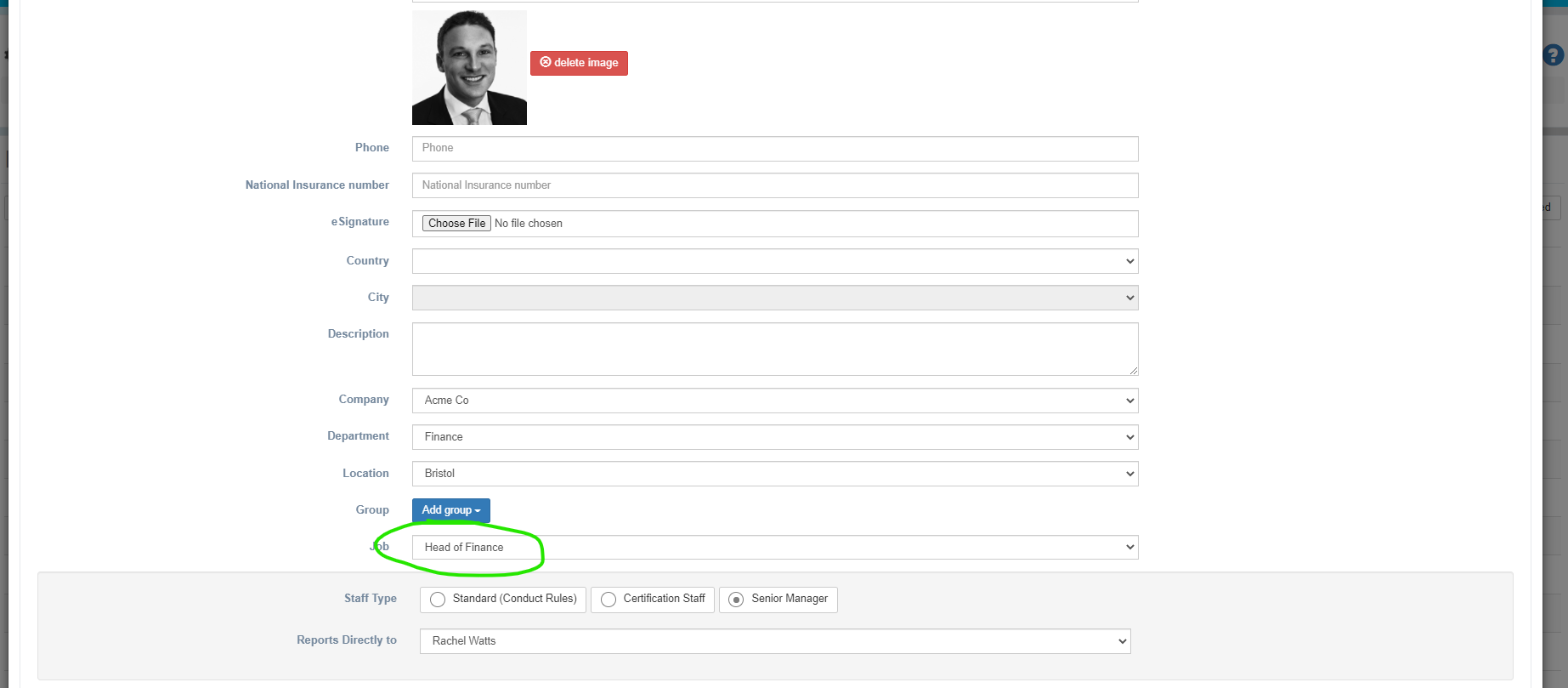
Check the job of the appropriate person. Log in as an Administrator and go to System Setup > Organisation and edit the person for whom no learning (or in appropriate learning is assigned).
Check the job that has been assigned to them - is this the correct job? If not then change it.
To check what training is assigned to each job, go to System Setup > Organisation > Jobs and edit the appropriate job.
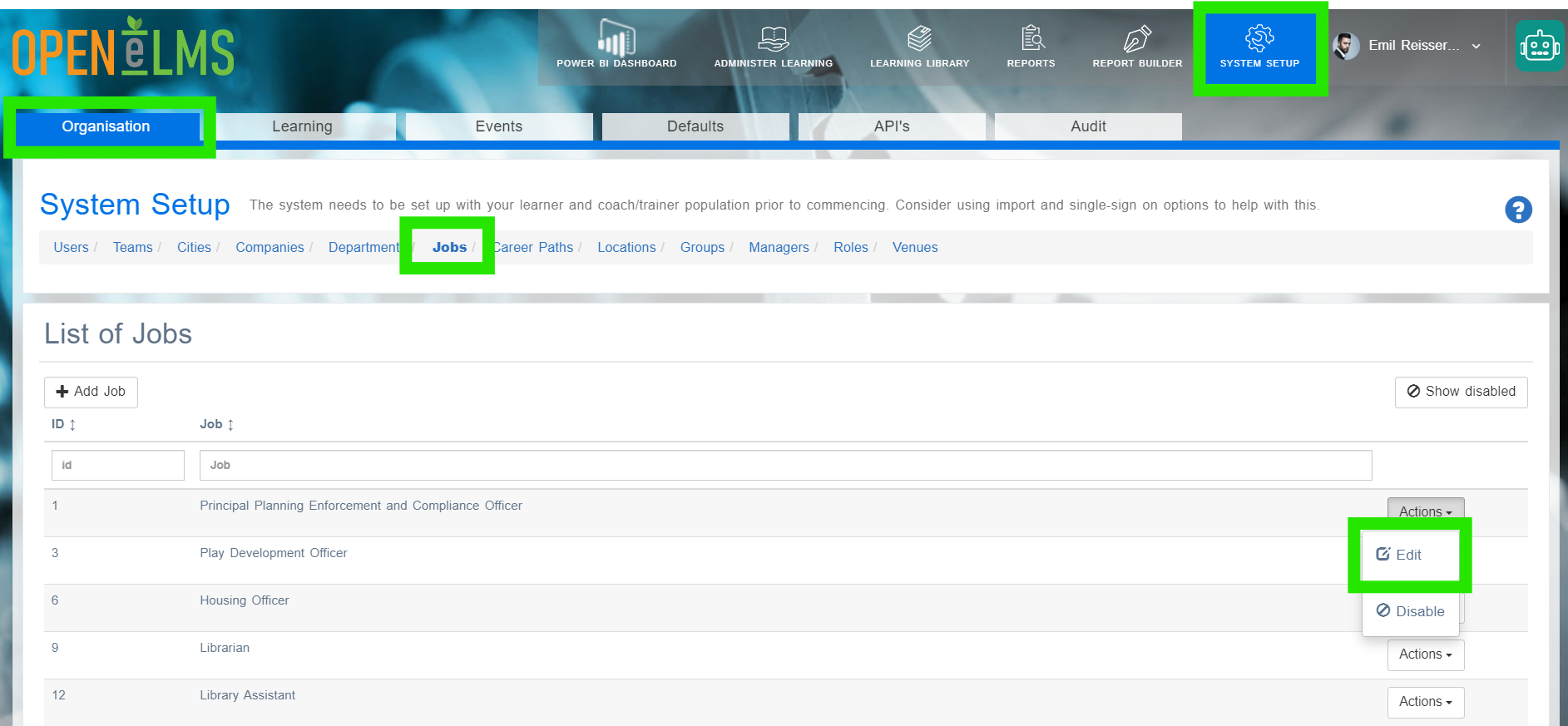
There you will see the appropriate jobs. You can edit them as necessary.
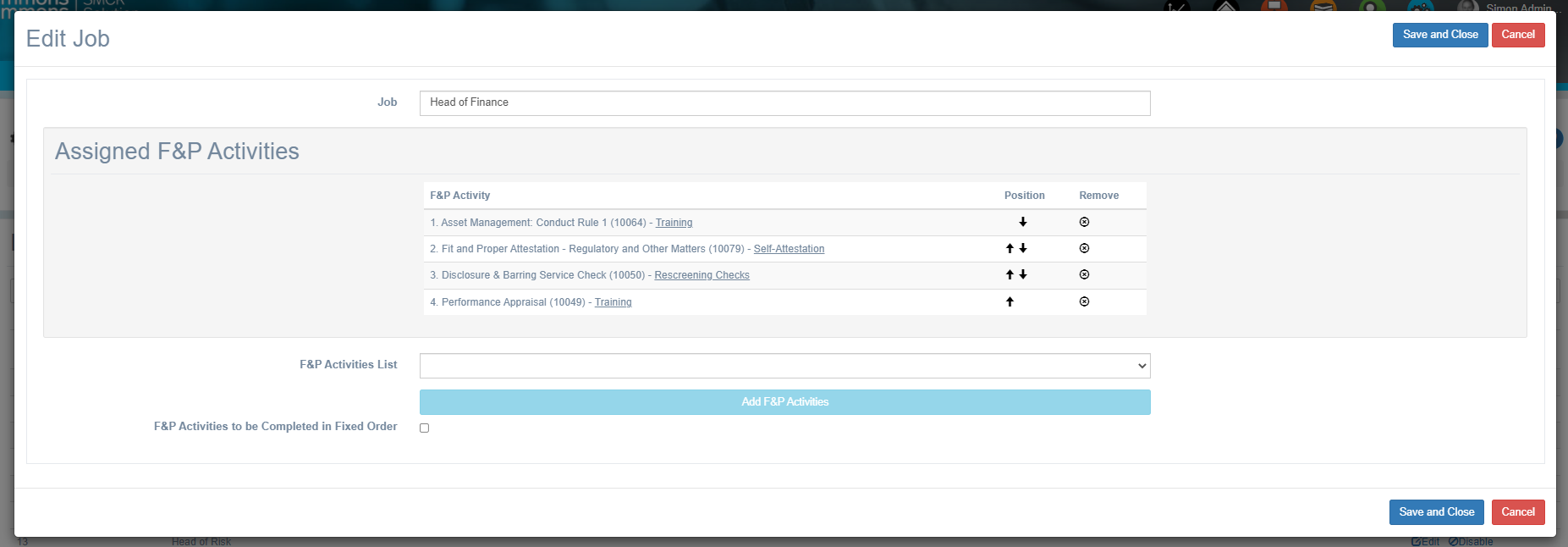
If you make changes you will need to reassign the job (repeat step 2) to make sure that the new learning is refreshed on their account.
Related articles
- Page:
- Page:
- Page:
- Page:
- Page: