Assign learning programmes to groups of learners
These instructions demonstrate how to add any learning programme (consisting of a sequence of learning resources mapped to a curriculum) to a group of learners from the learning resource library.
Instructions
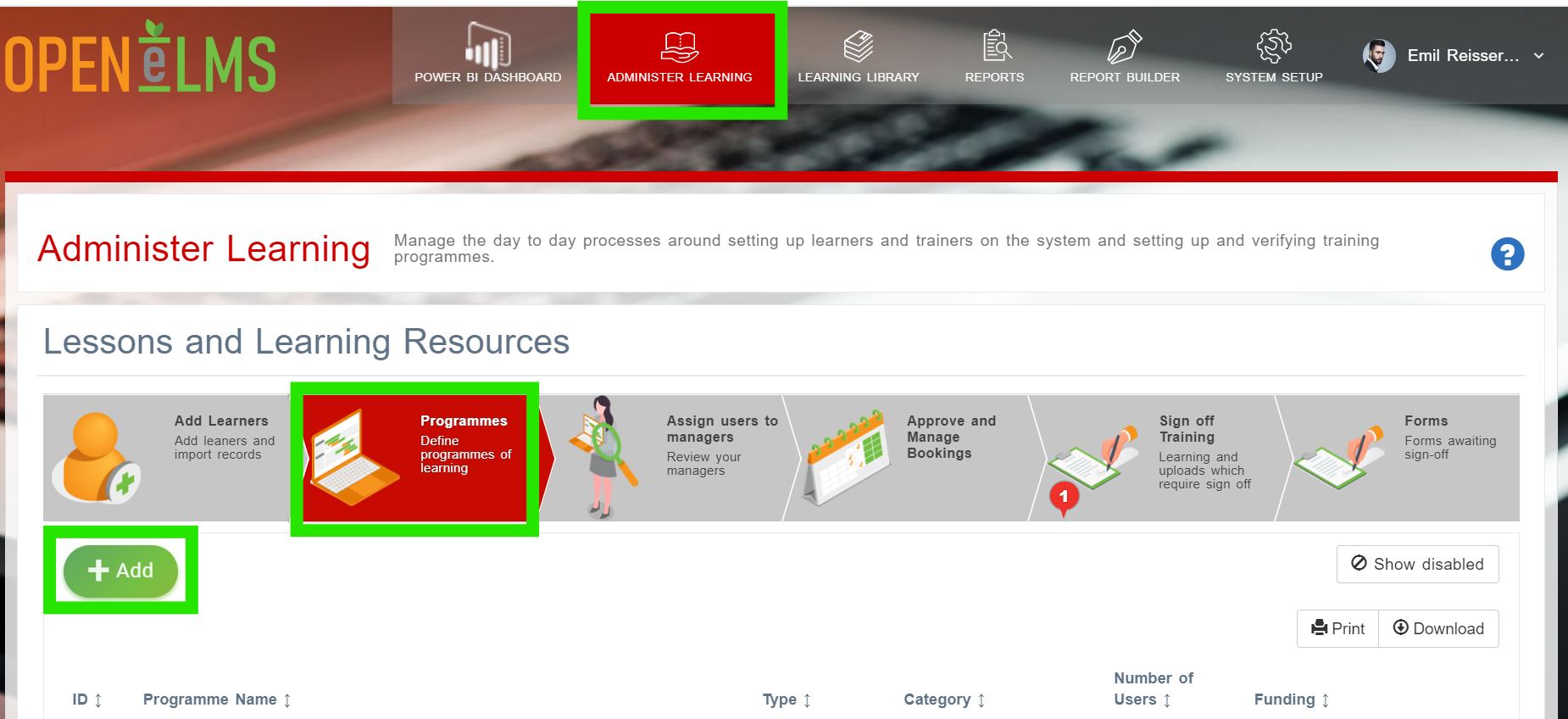
Log in as a Administrator and select the Administer Learning button then select the Programmes tab and then the [+ Add] button.
This process can also be carried out from the Learning Library - see location of the [+ Assign Users] button below.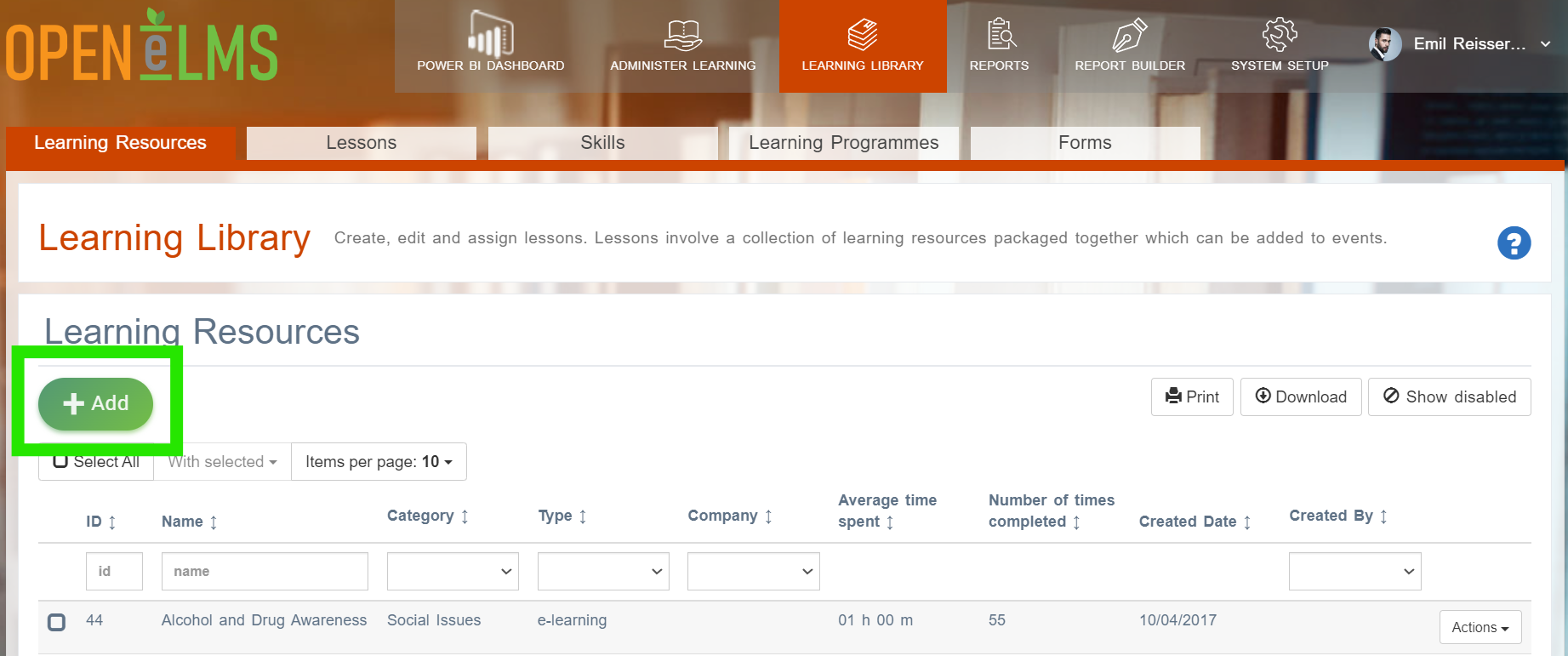
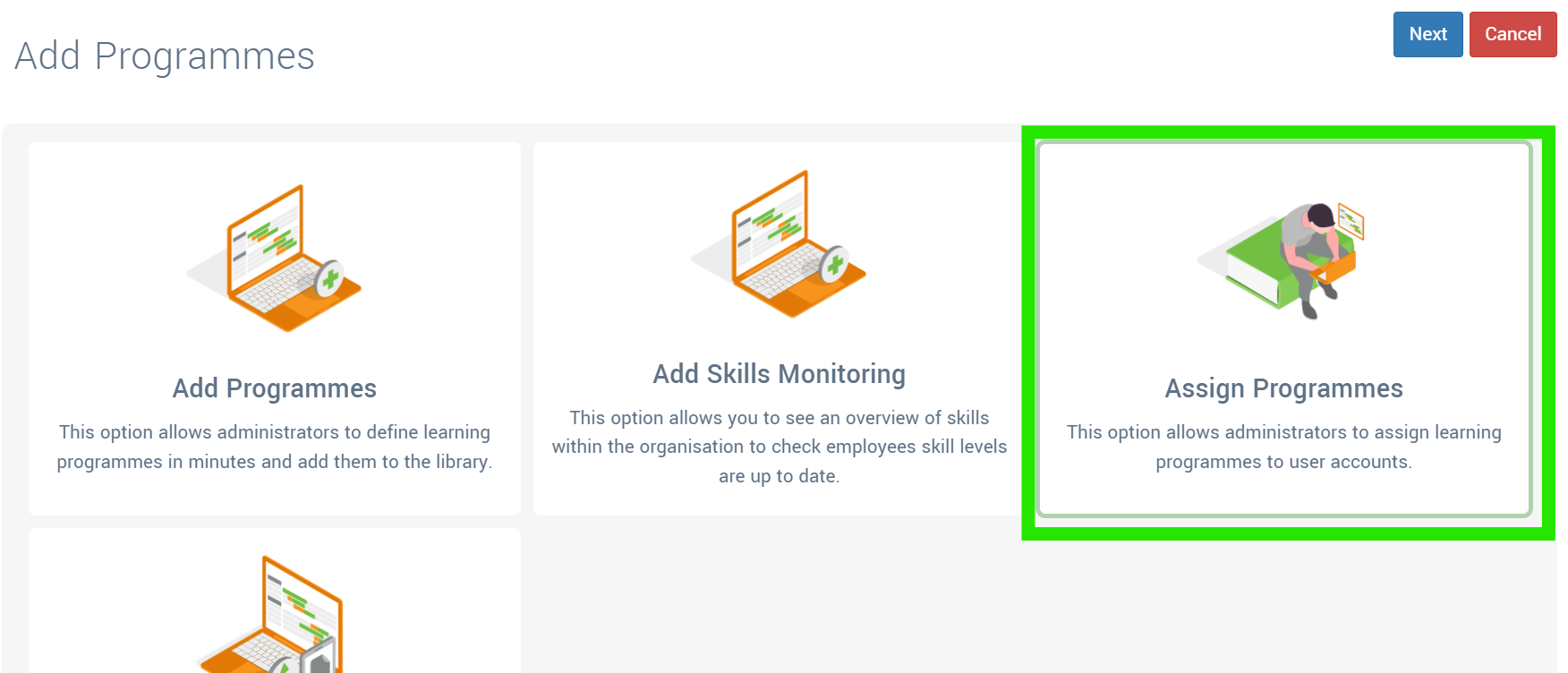
Select Assign Programmes.
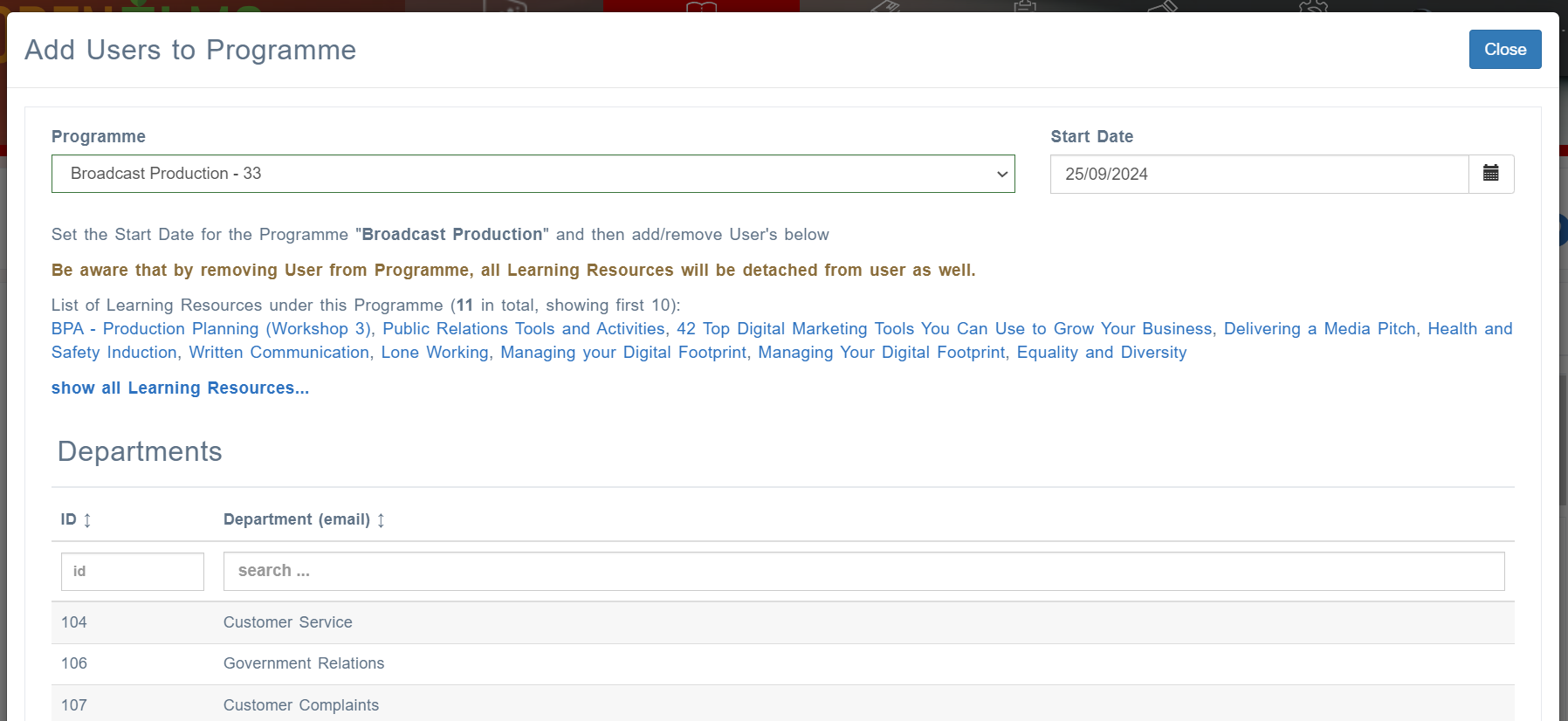
The select the appropriate programme and Departments, Groups, Users etc to add to a selected programme.
This functionality is not available in the standard version of Open eLMS.
Related articles
- Page:
- Page:
- Page:
- Page:
- Page: