Assign Learning using the Query Builder
Any learning (learning resources, lessons, events and programmes) or forms can be assigned automatically to a group of people who meet the defined query. The advantages of queries is that the assigning of learning etc can be dynamic, i.e. the learning is assigned only once the query is met, this is important when you want to add learning only once a learner has completed precursor learning tasks.
📘 Instructions
Follow these instructions to add learning and forms using queries.
Log in as an administrator or curriculum developer and go to the Learning Library or anywhere else learning or forms are listed.
Scroll down the the Query Builder.
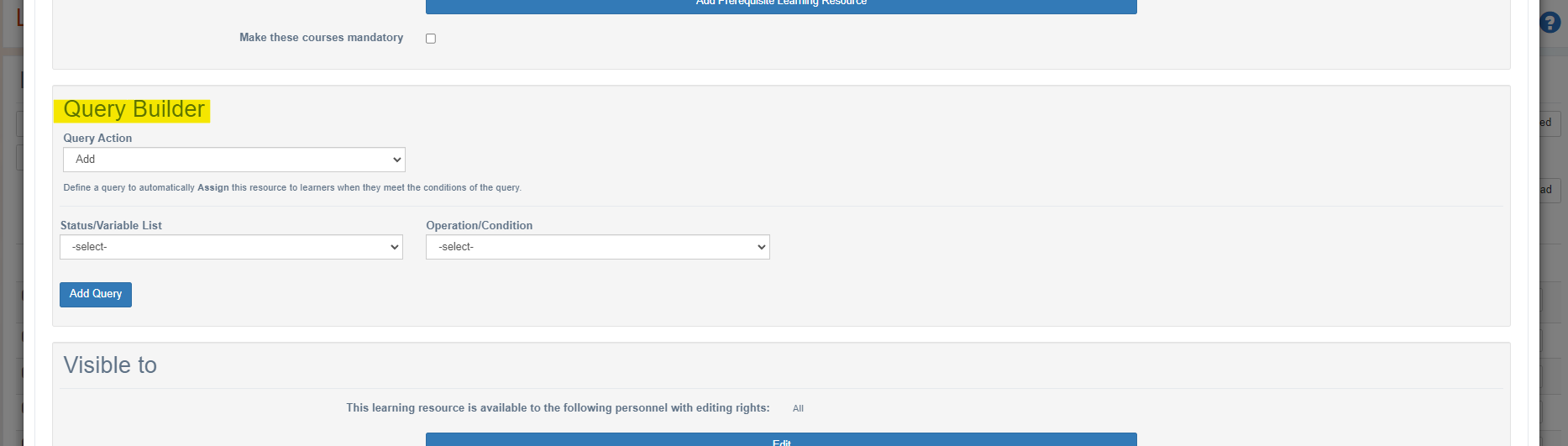
Select to use the query to either Add or Remove learning.
Select the variable you want to examine in this condition (e.g. Department = Security).
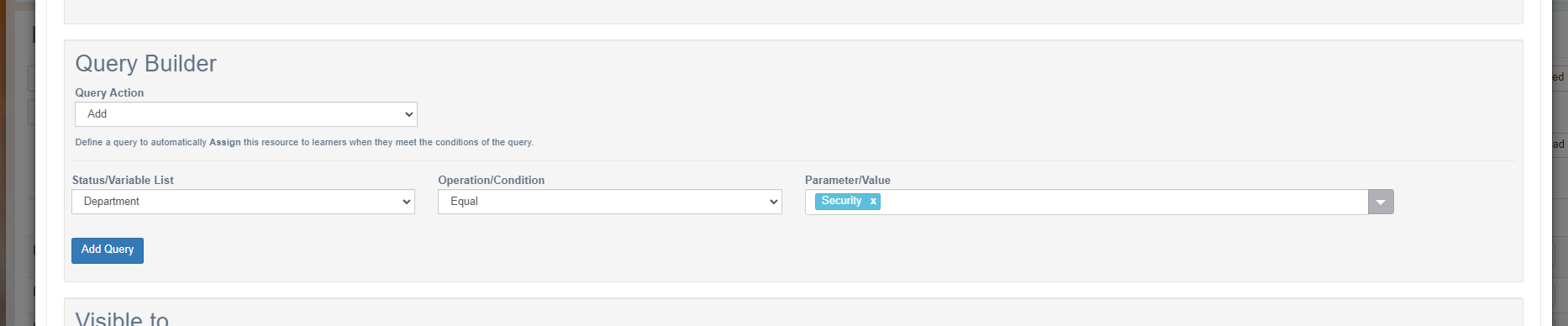
Select to Add Query.
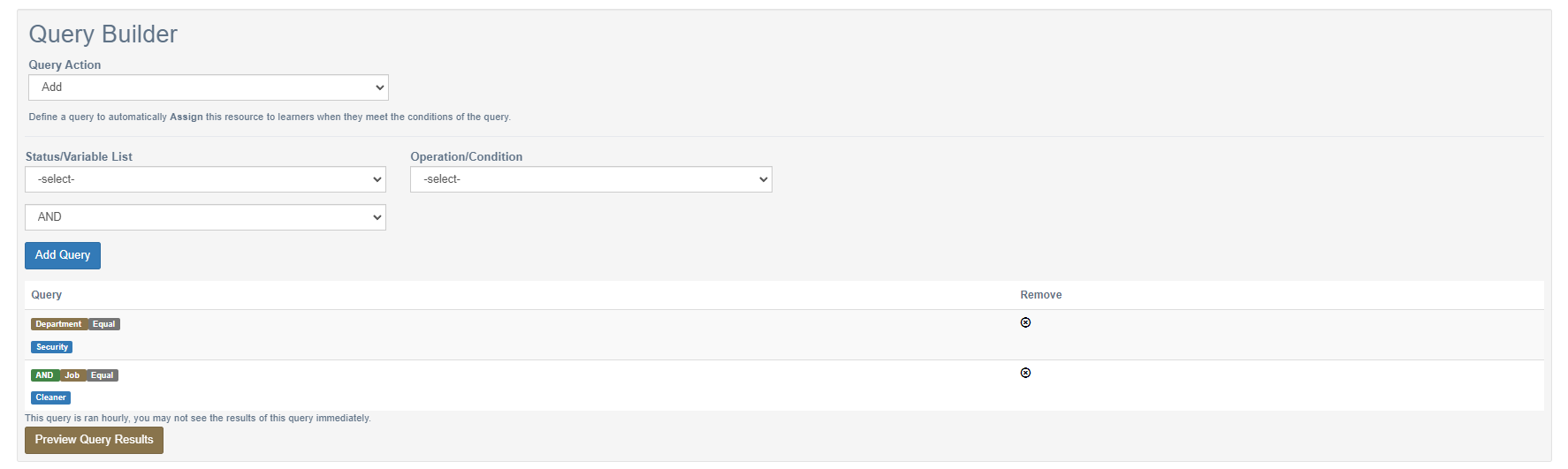
If you wish to define another condition this can be done and then combined with the previous query by selecting the logic to either make this an AND or an OR clause. As an example this query is selecting only cleaners in the security department as ‘and’ logic is used rather than ‘or’ logic.
Raw SQL queries can also be written and attached to each learning/form item. Contact support@openelms.com to activate this on your installation if not present.
📋 Related articles
- Page:
- Page:
- Page:
- Page:
- Page: