Troubleshooting: eLearning course does not 'Complete'
🤔 Problem
Some learning creation tools (e.g. Adapt) rely on running in a separate popup window. This means that these courses do not track a completion status once closed.
🌱 Solution
Follow these steps to resolve the issue.
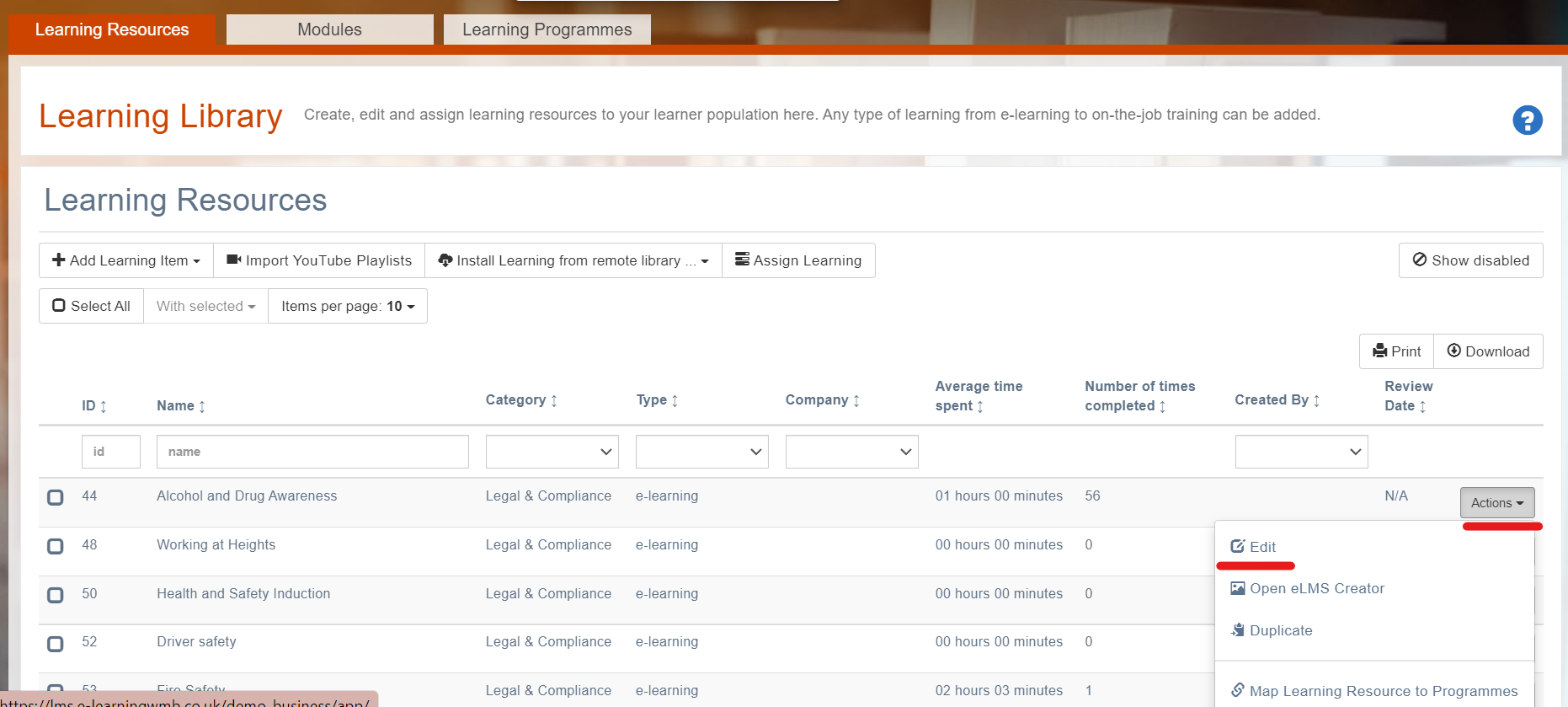
Log in as an Administrator and locate the elearning module(s) in the library. Edit the elearning.
Scroll down till you locate the Launch player as popup checkbox in the elearning section and check it.
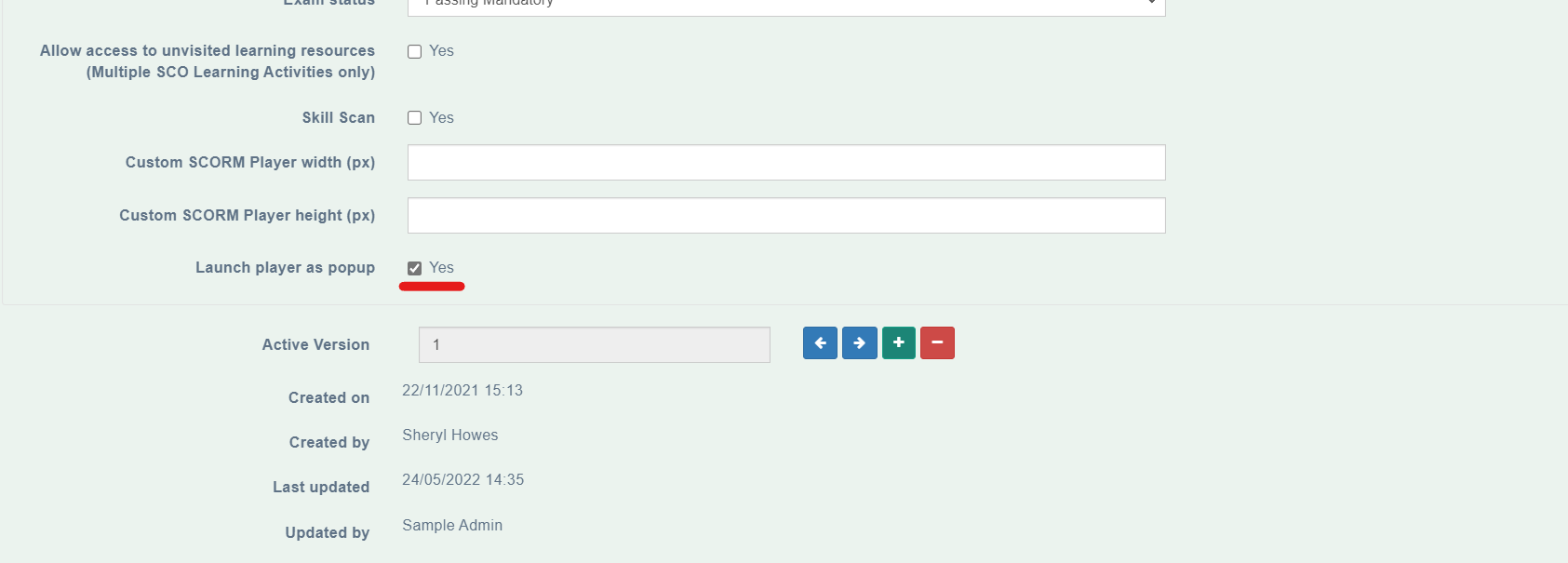
Run the elearning again as a trainee. When the course is closed it should track successfully.
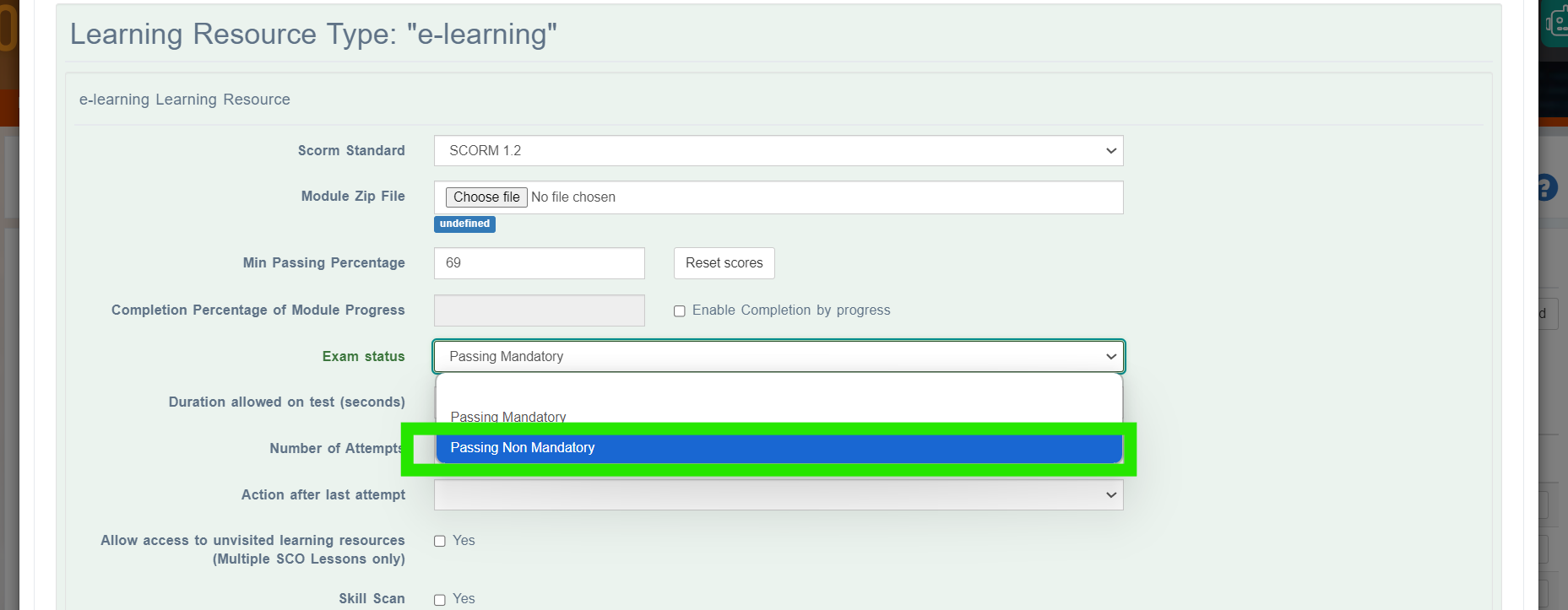
If you still have issues try changing this value to Passing Non Mandatory - it could be that the eLearning is not recording a ‘passed’ state.
Courses do not open in new windows by default, when adding any recent course from a third party supplier that uses Adapt then follow this method. Learning Pool and Me Learning are examples of two suppliers that this issue has been found with.
📎 Related articles
- Page:
- Page:
- Page:
- Page:
- Page: