Add Signposting
Signposting allows organisations to base its elearning on third party websites (like YouTube videos embedding on websites.) This places learning as and when its needed (like sign posts showing how to do things at the point of need.)
📘 Instructions
To add a signpost follow these steps …
Log in as an Administrator
Go to System Setup > Learning
Go to Signposting
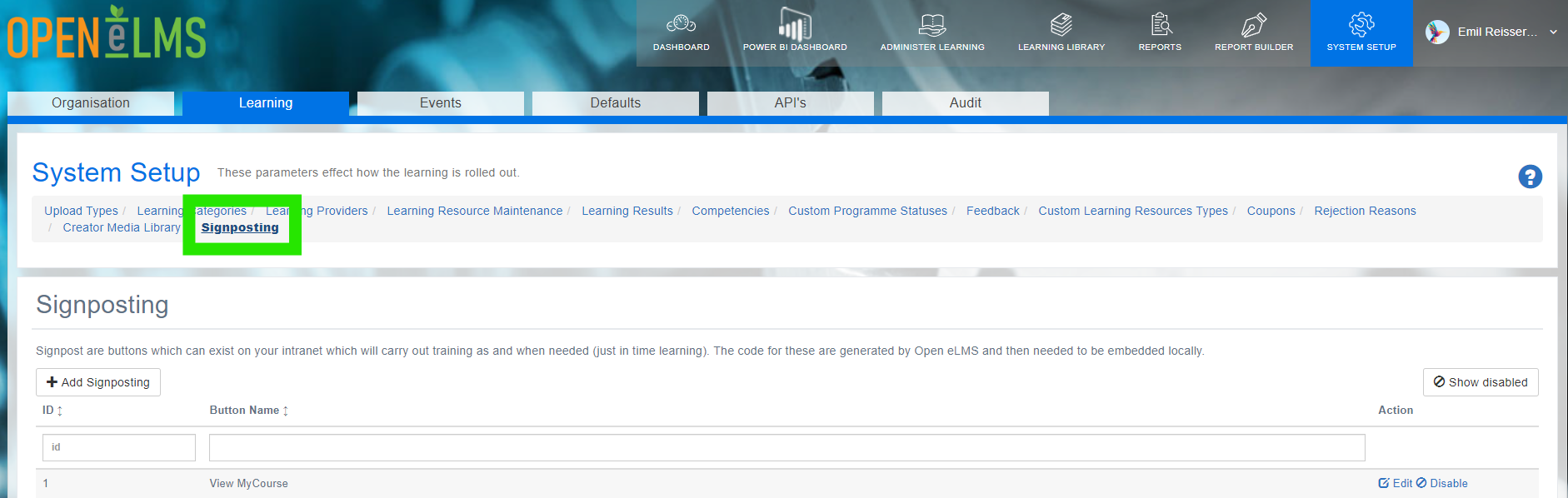
Create a new sign post by pressing on + Add Signposting
Create a new signpost button to place on a webpage. Give the button a name, add keywords (which allow it be found on the page) and add a learning resource(s) which will be shown when the button is pressed.
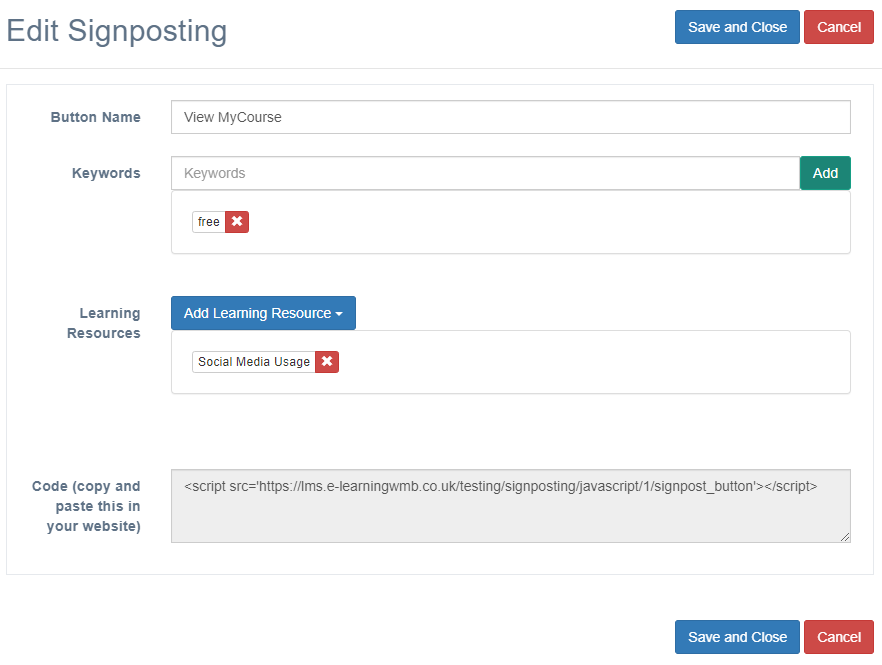
Copy the code and paste it to your website (you may need to pass this to local programming staff.)
Carry out the training on the external site, check data is recorded back into the LMS.
Signposting takes training out of the LMS and to places where it is needed. This is like signposts in the forest, giving information where not to light fires and safe picnicking areas where needed (i.e. in the forest and not being learned at home 100s of miles away from where the information is actually needed.
📋 Related articles
- Page:
- Page:
- Page:
- Page:
- Page: