Resource Feedback
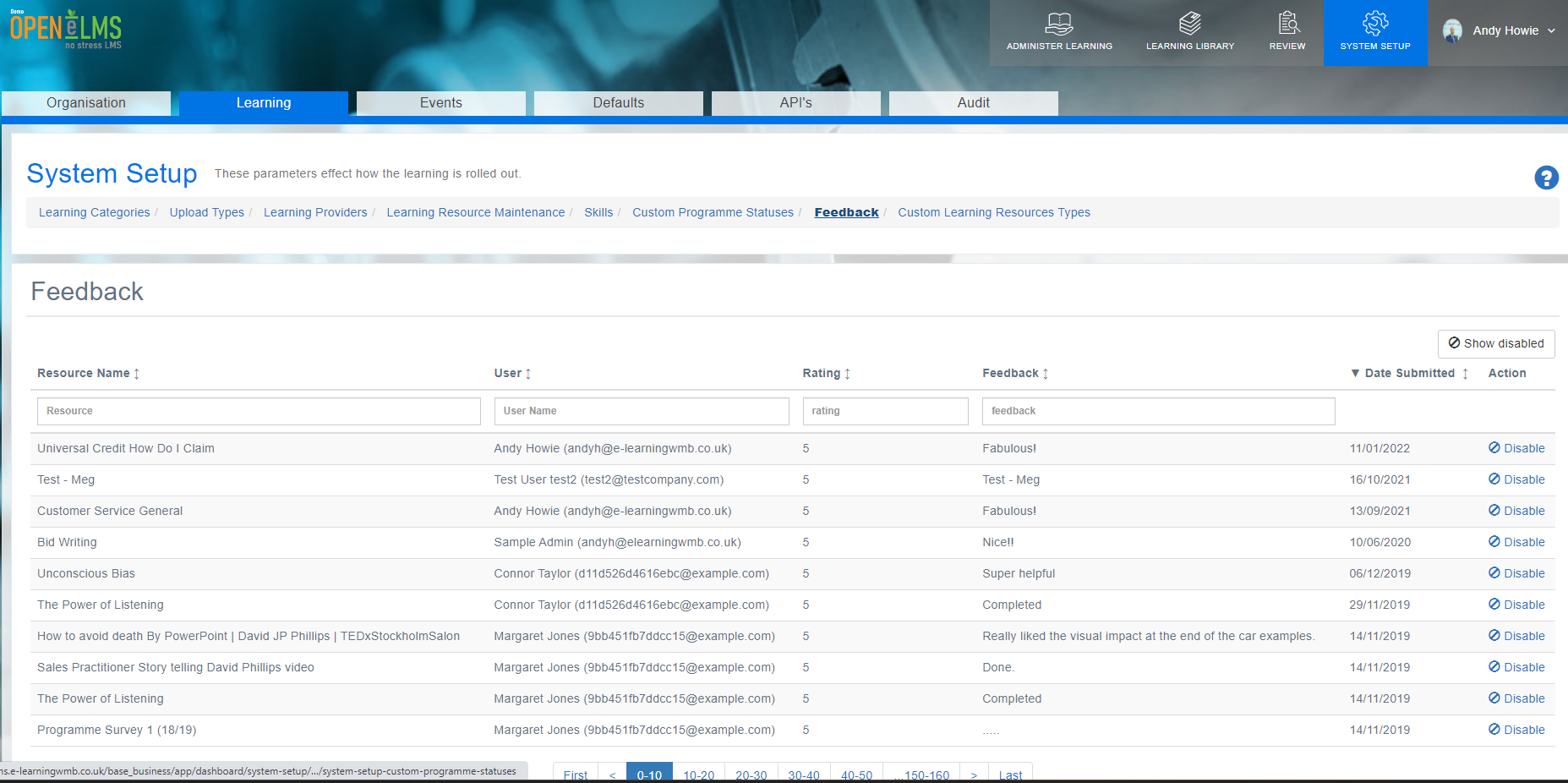
The Feedback section provides a centralized location for administrators and managers to view and analyze user feedback collected upon completion of learning resources. Admins can go to System Setup - Learning - Feedback
Curriculum Developers can review this data to the right of the management dashboard.
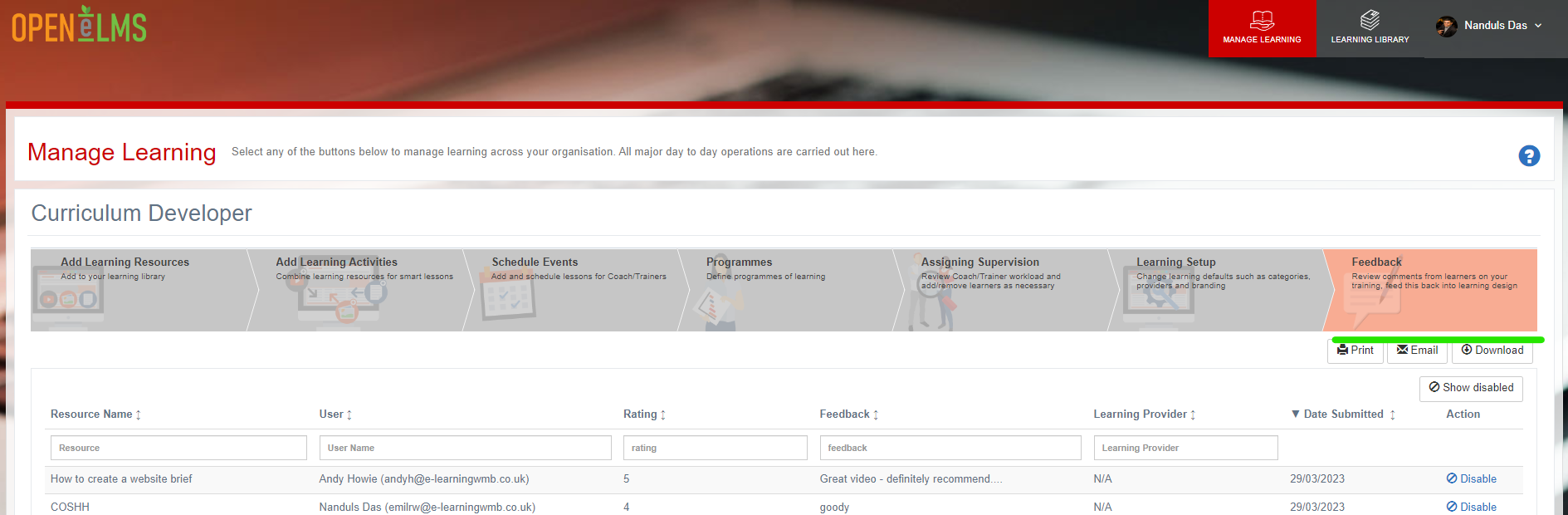
NB: This can also be viewed and downloaded as a default report - go to Review - Learning Resources - Feedback
📘 Overview
This valuable input allows organizations to:
Evaluate Resource Effectiveness: Assess the quality and impact of learning resources based on user experiences and perceptions.
Identify Areas for Improvement: Pinpoint specific aspects of resources that may require updates or enhancements to better meet learners' needs and expectations.
Monitor User Satisfaction: Keep track of user satisfaction levels, ensuring a positive learning experience that encourages engagement and retention.
Inform Future Content Development: Use feedback to inform the creation of new resources or the revision of existing content, aligning materials more closely with user needs and preferences.
Example Feedback area for learner:
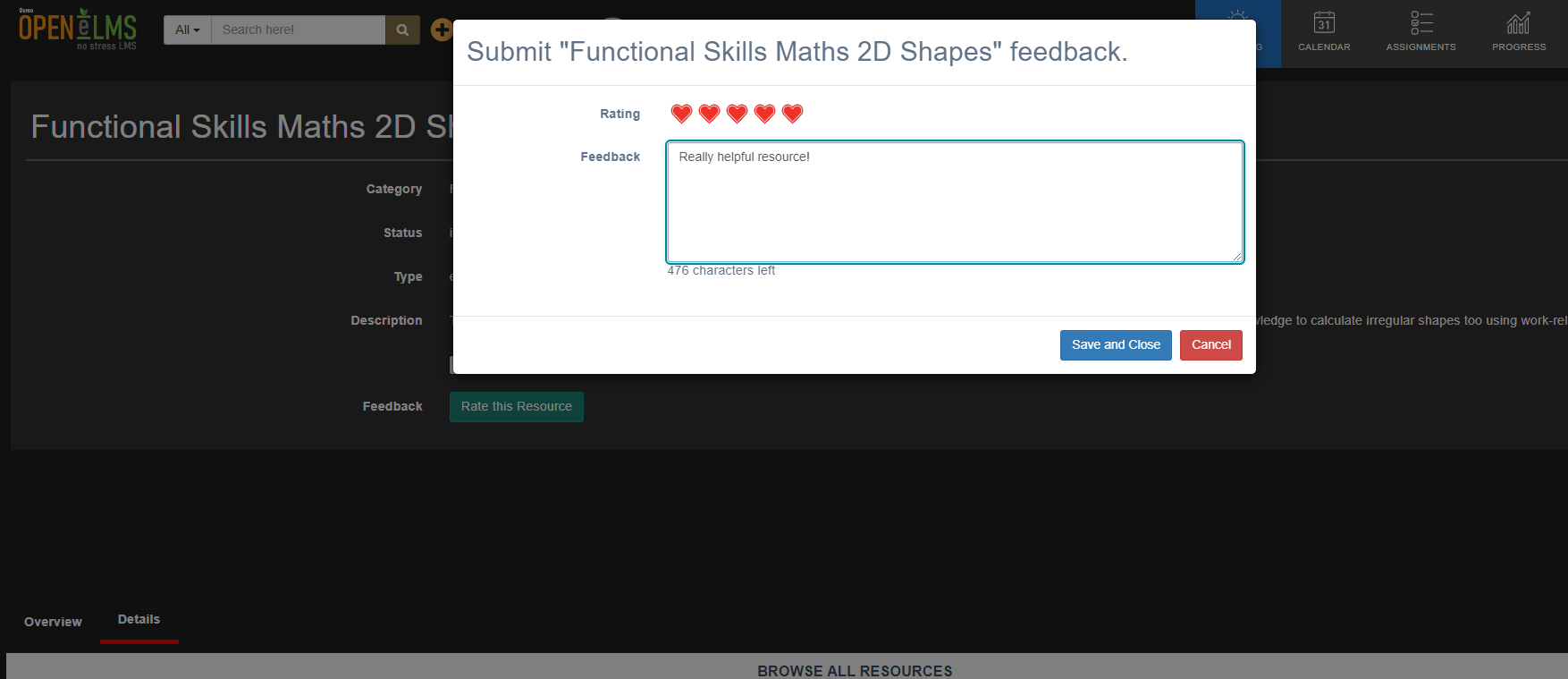
The Feedback section plays a crucial role in maintaining a relevant and engaging learning environment, helping organizations continuously improve their learning offerings to drive user success.
📋 Related articles
- Page:
- Page:
- Page:
- Page:
- Page: