Create new elearning
New elearning can be created from within Open eLMS by using the embedded Open eLMS Creator elearning authoring system. It’s 100% online, twice as easy to use as Captivate and Articulate and the end product is twice as impressive (see software independent review).
Instructions
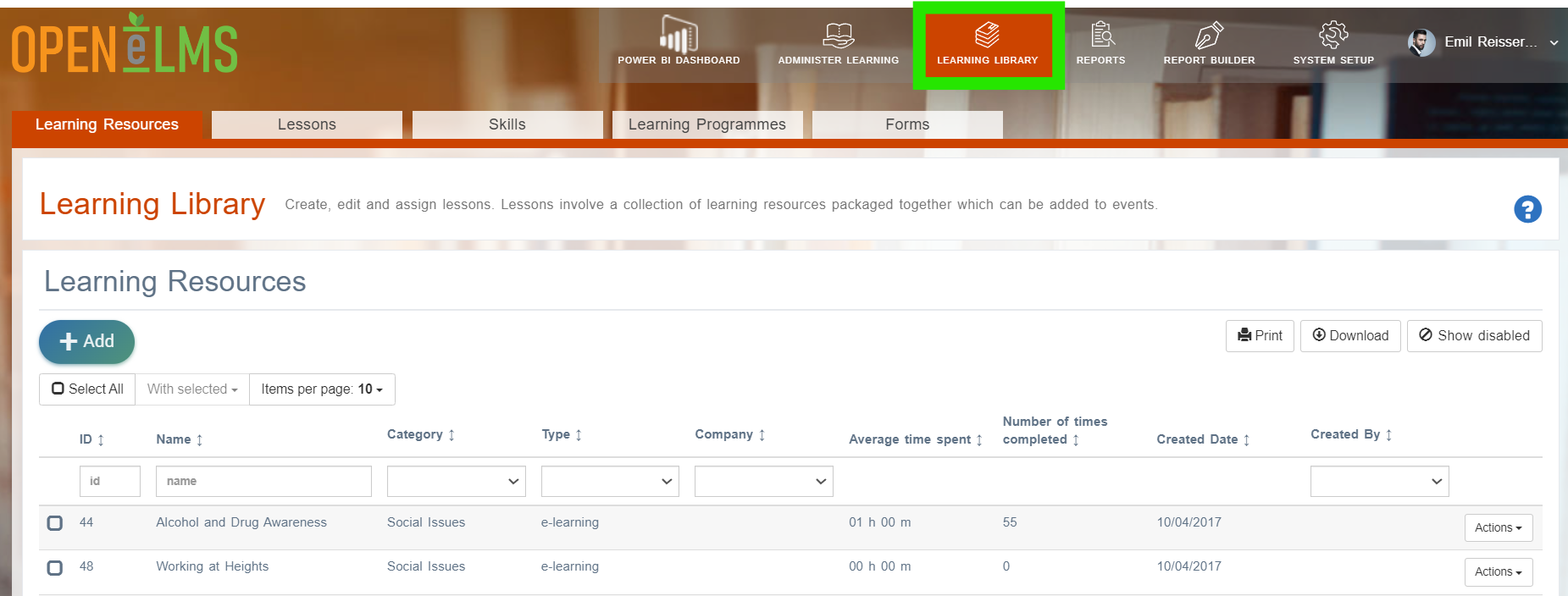
Log in as an Administrator and open the Learning Library.
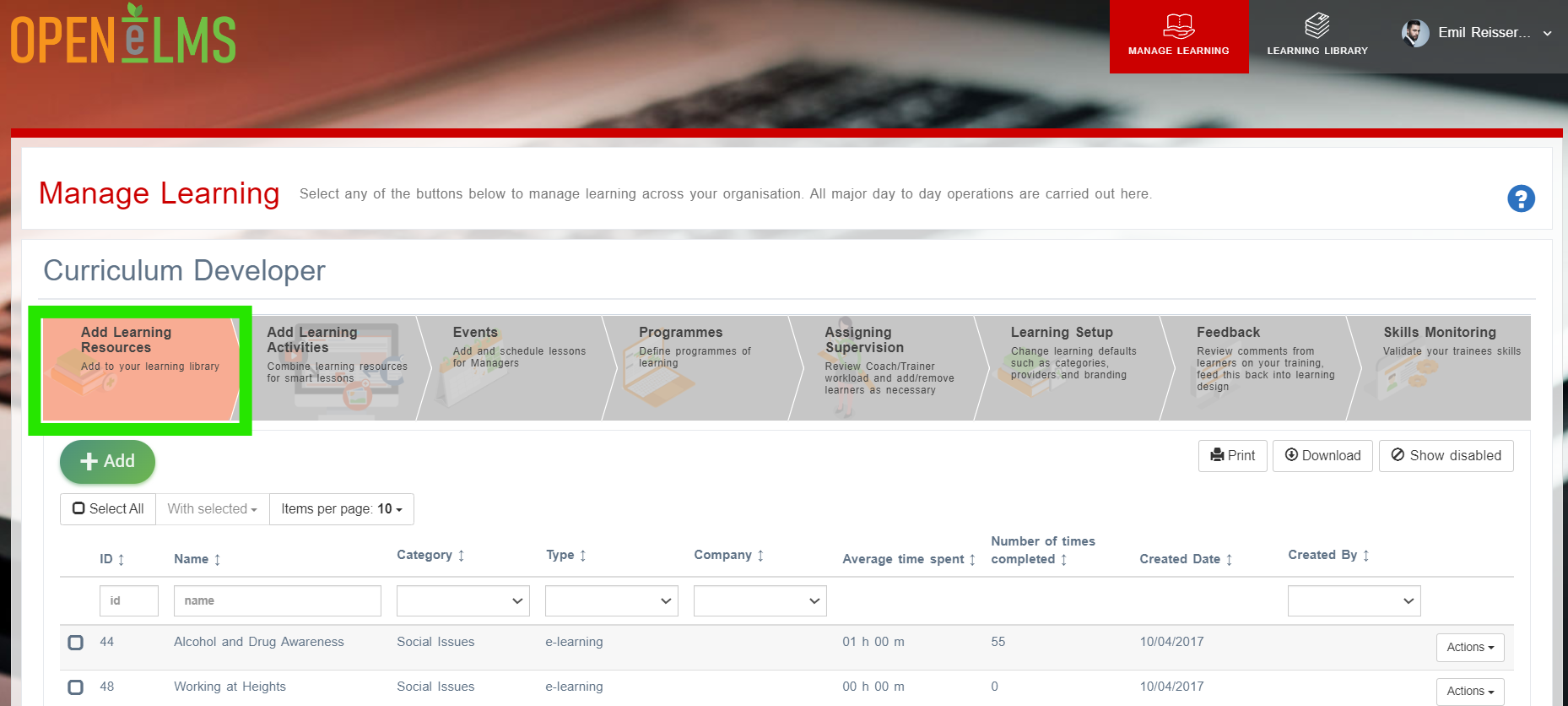
If a Curriculum Developer then access the Learning Library from the main dashboard as shown.
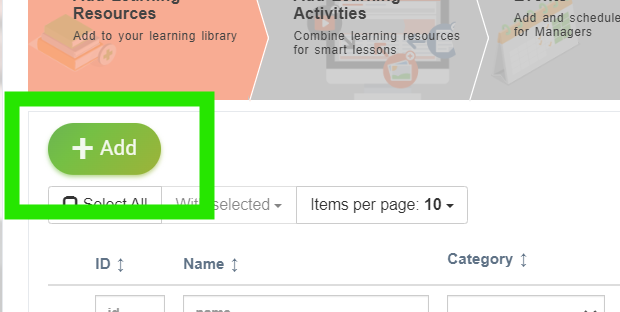
Press on [+ Add] button.
Select the second option Add eLearning.
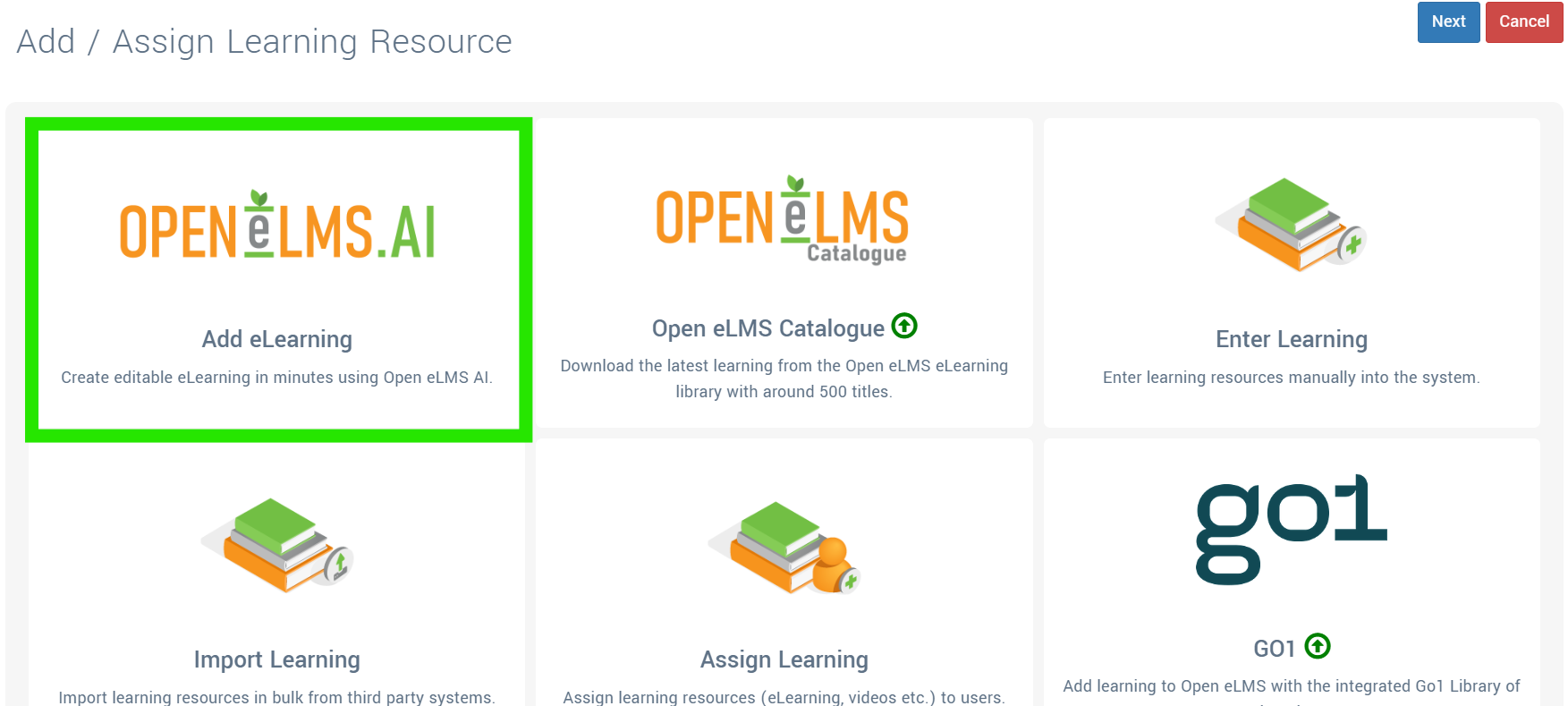
Use Open eLMS AI to create and edit new eLearning.
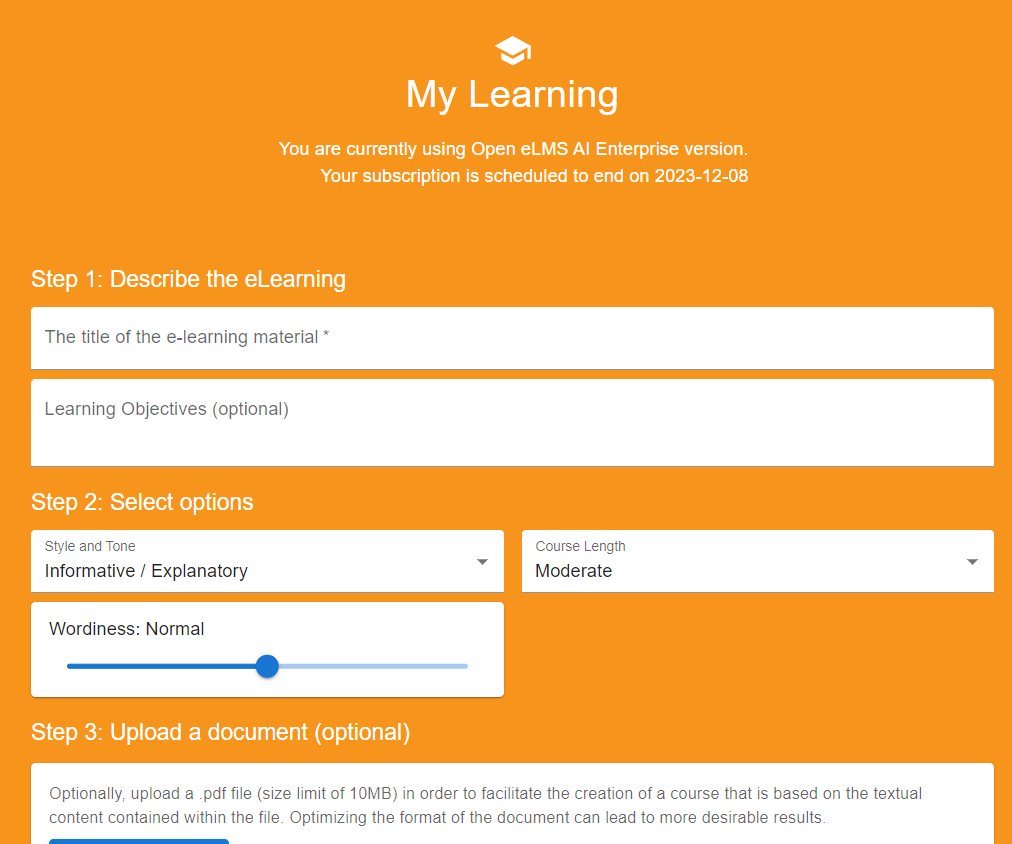
For further details on Open eLMS AI and how to activate it on your installation, visit here - https://youtu.be/e1_s699cBE0 .
Related articles
- Page:
- Page:
- Page:
- Page:
- Page: