How to use the Learning Resource Maintenance tab
The Learning Resource Maintenance section in Open eLMS allows administrators to effectively manage and maintain the quality and functionality of learning resources on the platform. This section offers several key features designed to keep the platform's content up-to-date and optimized for the best possible learning experience.
📘 Instructions
Navigate to System Setup - Learning - Learning Resource Maintenance
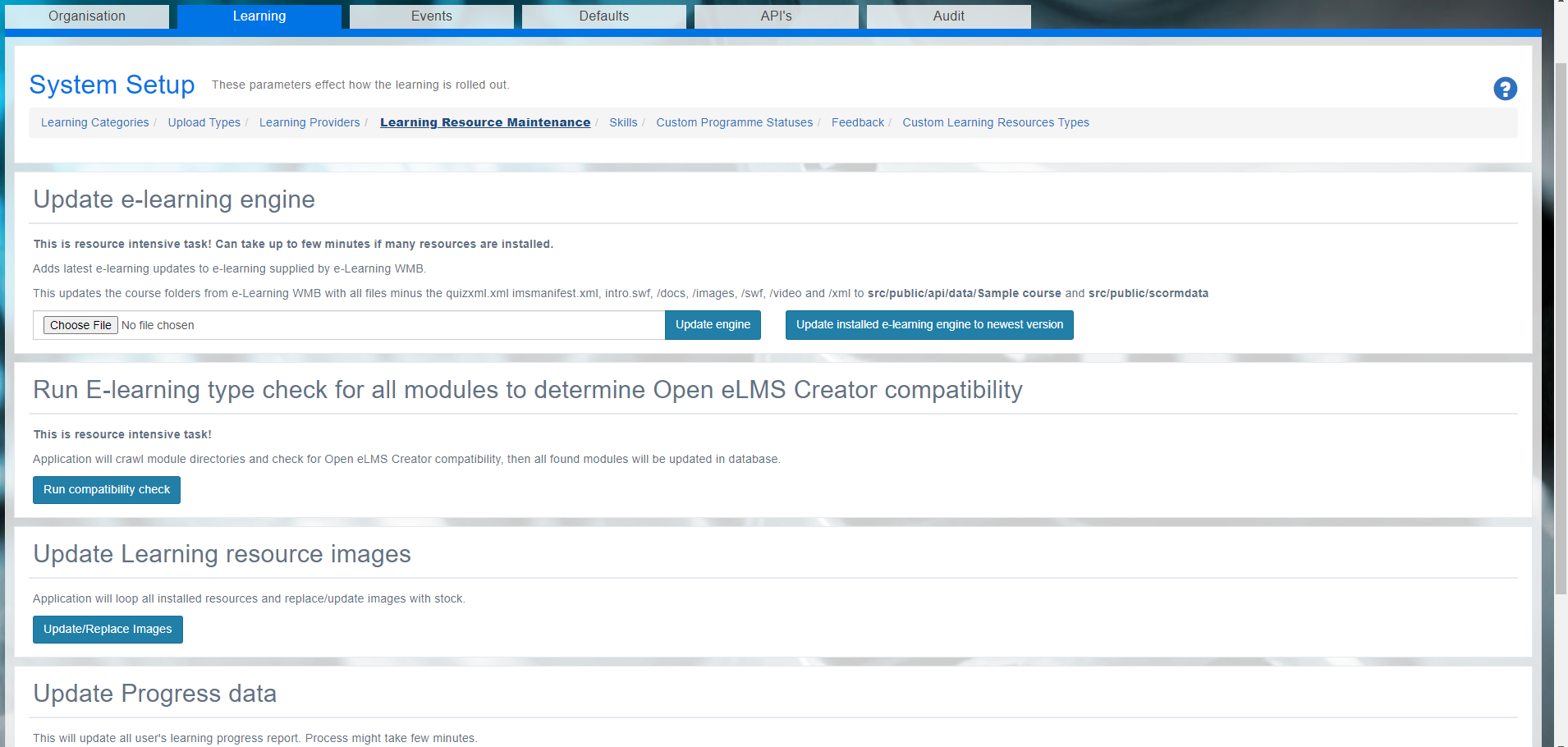
Update E-learning Engine
The Update E-learning Engine feature ensures that the e-learning engine is always up-to-date, providing a seamless and optimized learning experience for users. Regular updates to the e-learning engine can help prevent compatibility issues, improve performance, and introduce new features.
Run E-learning Type Check
The Run E-learning Type Check feature automatically checks all modules for Open eLMS Creator compatibility. This ensures that learning resources can be accessed and used effectively within the platform, avoiding any potential issues that may arise from incompatible formats or outdated files.
Update Learning Resource Images
The Update Learning Resource Images feature allows administrators to manage and update images associated with learning resources. Keeping images up-to-date and visually engaging is essential for maintaining user interest and improving the overall learning experience.
Update Progress Data
The Update Progress Data feature enables administrators to monitor and update user progress data, ensuring that the information accurately reflects learners' achievements and activities. A CRON task regularly updates the progress data on the system but you can also press the Update Progress button here to get the latest data (this task will run in the background).
Import Legacy Data
The Import Legacy Data feature allows administrators to import historical data related to resources and events from previous learning management systems. This ensures a smooth transition and continuity of learning experiences when migrating to Open eLMS from another platform.
By utilizing these features, administrators can ensure that the platform's content remains relevant, engaging, and functional, providing an optimal learning environment for users.
📋 Related articles
- Page:
- Page:
- Page:
- Page:
- Page: