Edit the organisational structure
Your organisational structure should be set up automatically as part of the importing HR data process (reimporting the HR data with amended information will also correct any errors.) Should there be an errors in the import you can also edit any of these parameters directly within Open eLMS.
Instructions
Log in as an administrator and go to System Setup › Organisation.
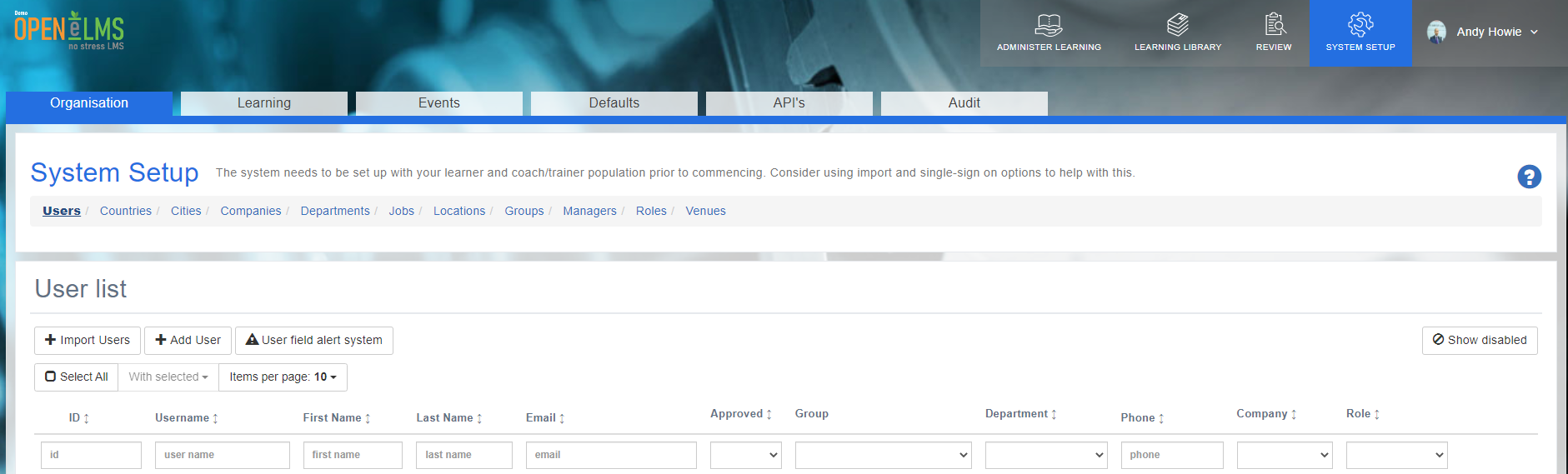
Under Organisation you will see links for each part of the organisational structure.
Select the [Actions] button and Edit to edit the content of each.
Note there is some functionality that can be turned on via the configuration options that incorporates additional functionality which is not imported (e.g. queries attached to departments, companies etc. affecting who is assigned there, Contact Management information attached to company details, learning resources assigned to jobs etc.) These parameters will need to be edited as they will not be updated via an import etc.
The default titles can be edited to match your specific organisation’s naming and structures.
See Editing Labels:
Related articles
- Page:
- Page:
- Page:
- Page:
- Page: