Set up default emails
Default emails enable reminders to be sent out by the system which ensures the system is actively used by the learning population.
Instructions
Emails are defined out of the box - these may not always convey the information you want to send out so please check them and edit them in the following way.
Log in as an administrator and go to System Setup > Defaults (tab) > Emails
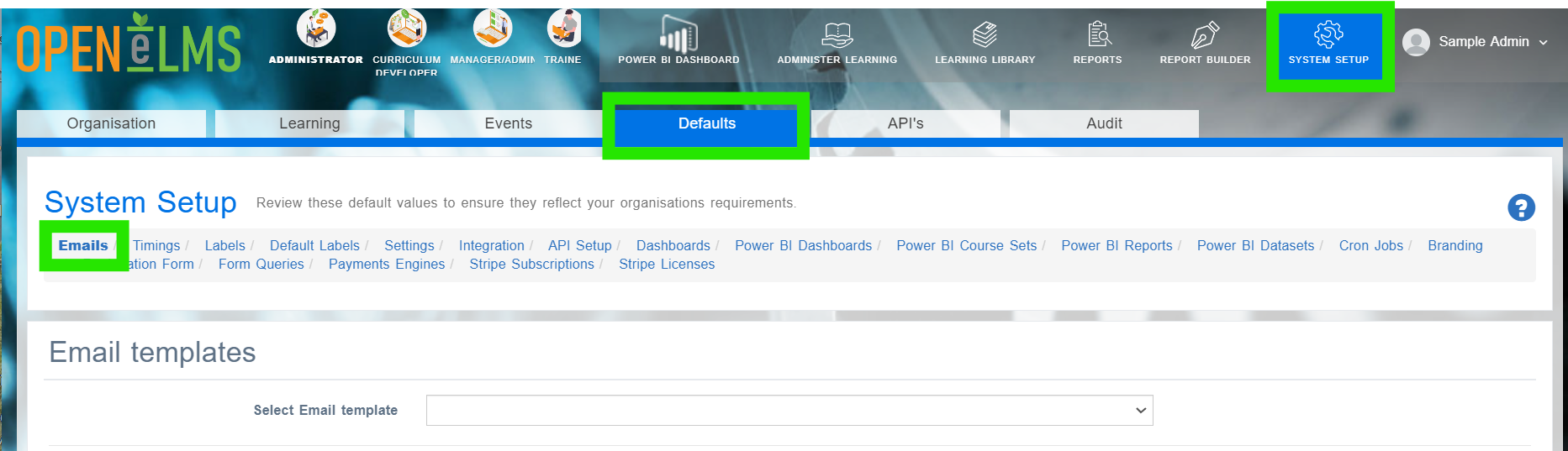
Select the email you wish to edit.
Edit the email - you can customise the content, add attachments and opt to copy the email to the respective manager.
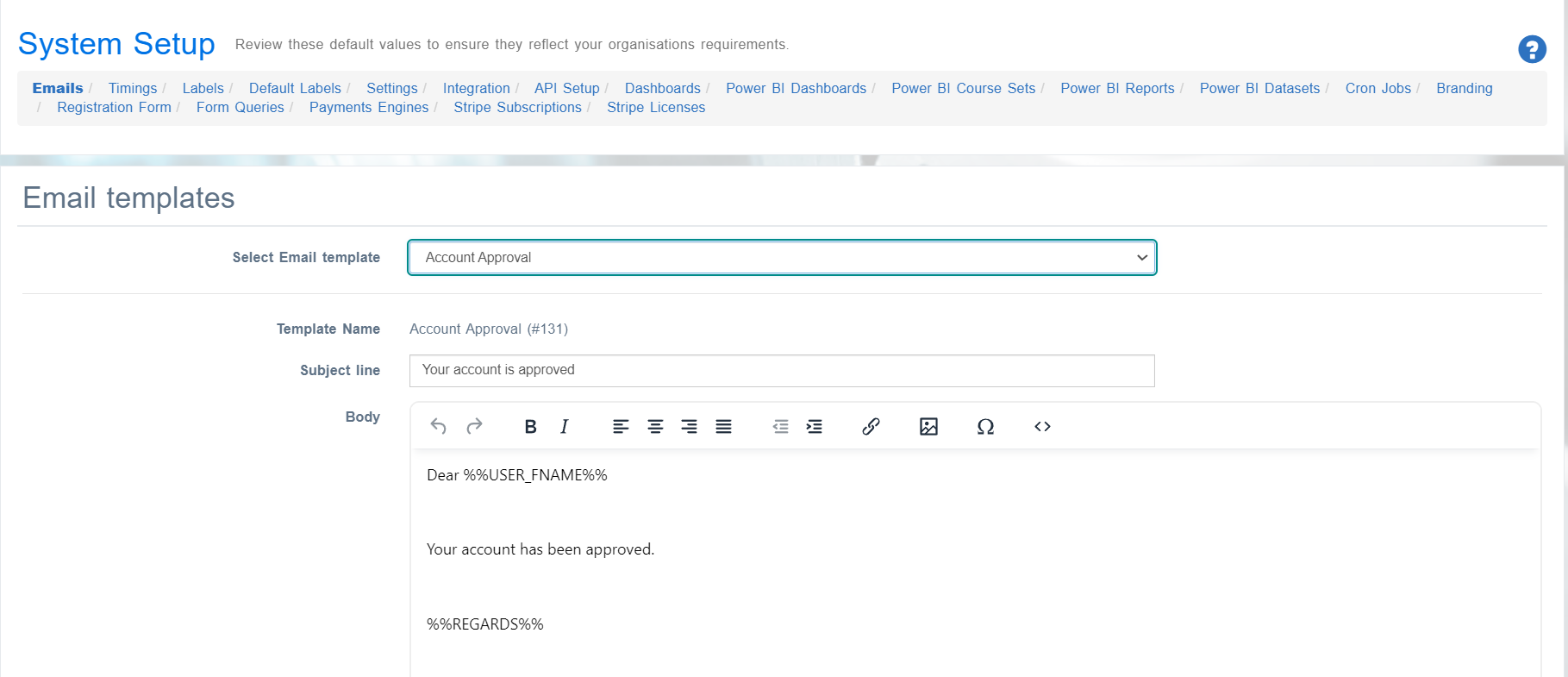
Any email can be toggled as enabled/disabled at any time.

A record of all emails are stored in the Audit section - Also emails sent will be stored on your mail server if we are relaying emails via your company’s mail server. Contact support@openelms.com if you would like this set up.
Related articles
- Page:
- Page:
- Page:
- Page:
- Page: