Add Queries to Form Reporting
Adding a query to a form report will assign all required reports and forms (for collecting the data) to the required personnel.
📘 Instructions
Follow these steps to add form reporting …
Login as an administrator
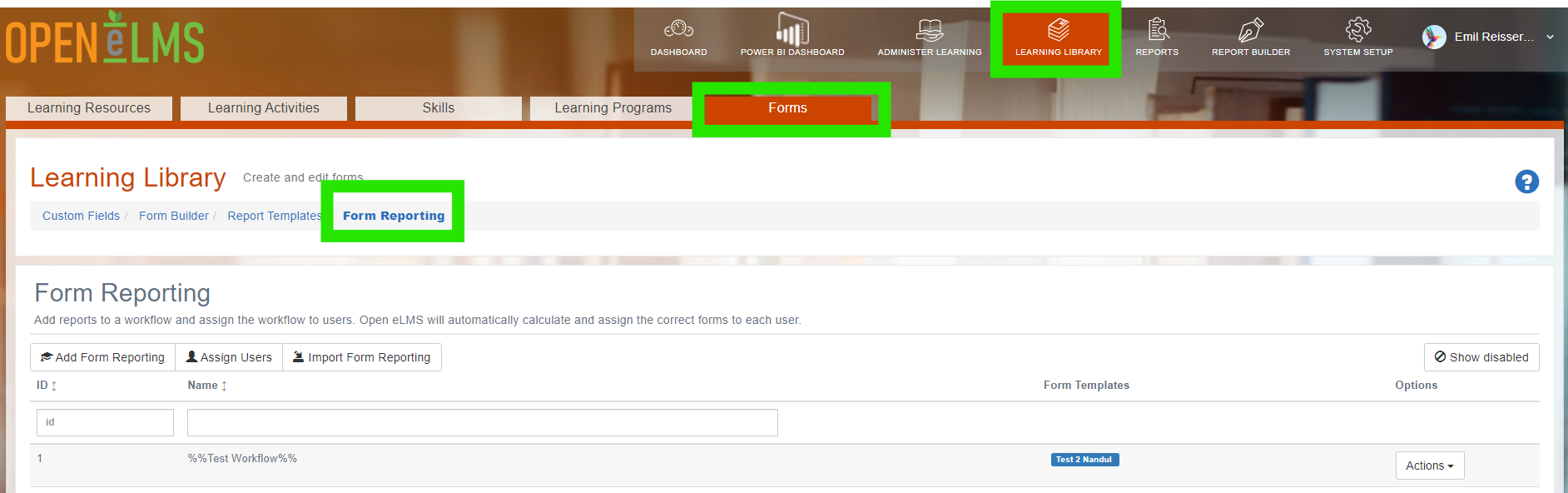
Go to Form Reporting
Add a query to Learning Library > Forms > Form Reporting.
Define the query using the Query Builder and then press Save.
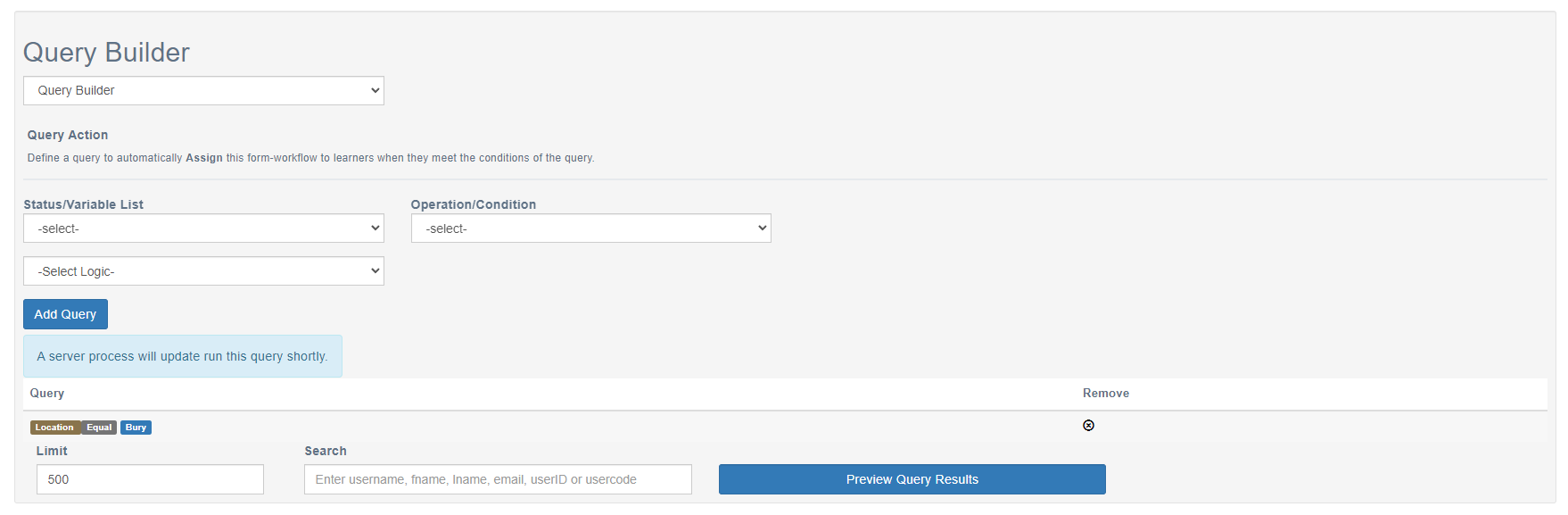
All associated forms are then added to the learners in line with the query
Highlight important information in a panel like this one. To edit this panel's color or style, select one of the options in the menu.
📋 Related articles
- Page:
- Page:
- Page:
- Page:
- Page: