Set up Recommendations
Open eLMS uses AI to compute recommendations based on the behaviour of similar learners within the system. To activate this a CRON (server side) task needs to be activated. This is not a default setting on many installations.
Instructions
To set this up for your users follow these steps:
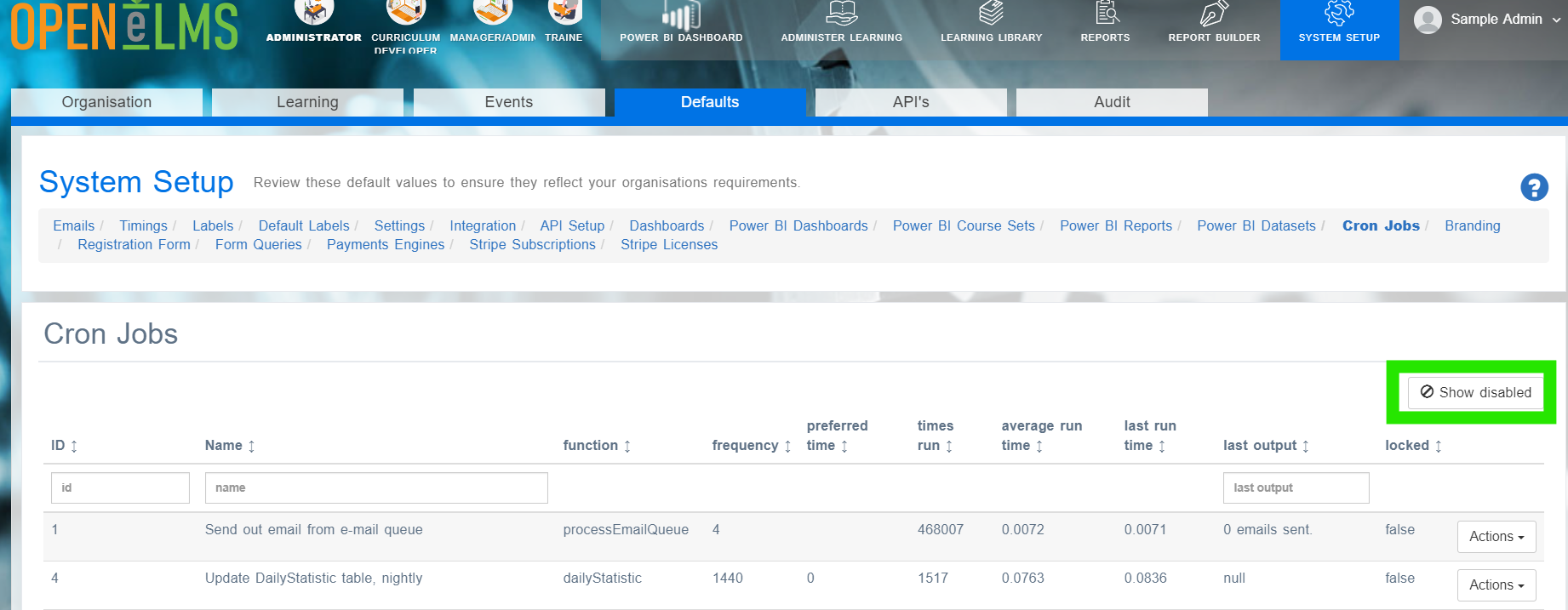
Log in as an administrator and go to System Setup > Defaults > Cron Jobs > Show Disabled
Search for the function called 'Compute recommendations'.
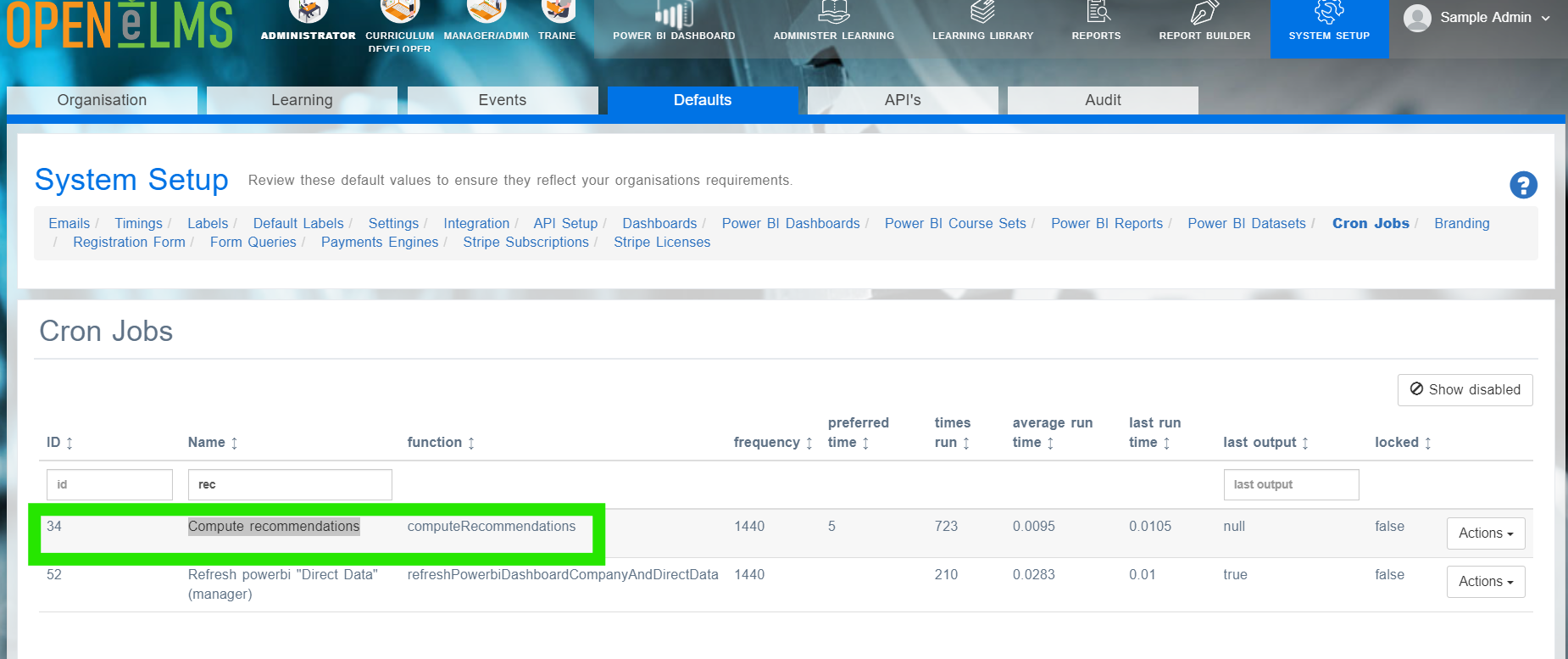
Select Actions > Enable
Wait 3-4 days - learners should start seeing recommendations at the top of the learning screen.
Open eLMS needs sufficient data for the AI to create patterns of behaviour which it uses to create recommendations. If there is insufficient data then recommendations will not be visible till enough learning has been carried out.
Related articles
- Page:
- Page:
- Page:
- Page:
- Page: