Adding Power BI Dashboards
Administrators should use the BI Dashboards to assign pre-prepared Power BI functionality to system users.
📘 Instructions
Log in as an Administrator
Go to System Setup > Defaults > Power BI Dashboards.
Select Add Dashboard
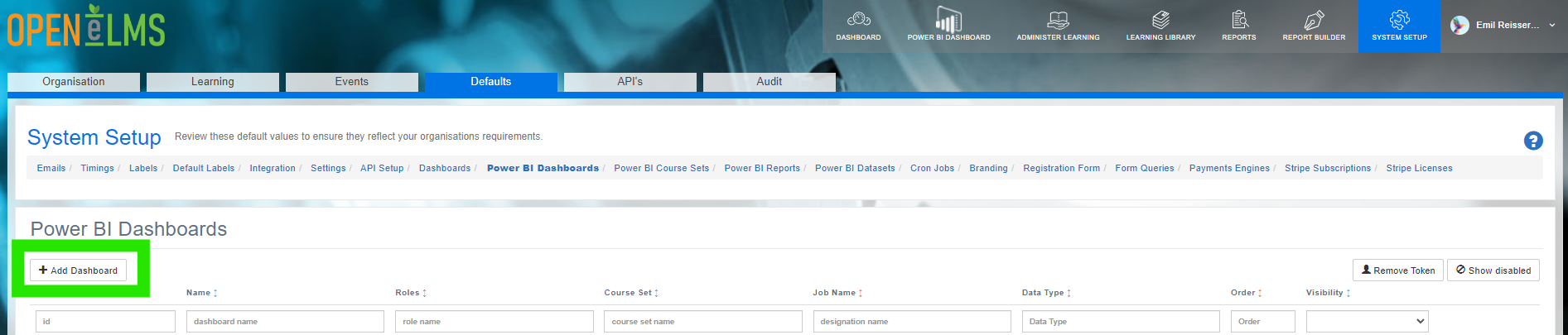
Complete the Power BI Dashboard details, namely:
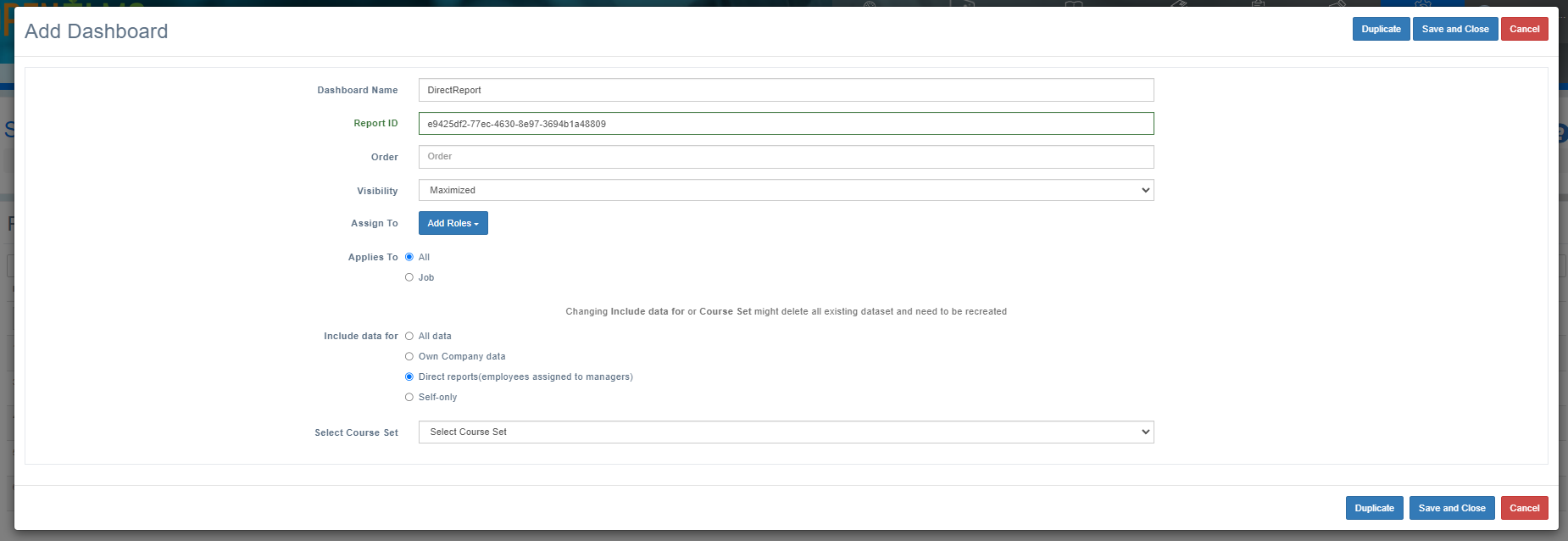
Report ID (selected from the list of Power BI Report IDs already supplied.
Order is the numerical order the report will be listed in a drop down list box if more than one report is assigned to a role etc.
Visibility - Maximised will mean the report loads when the role first loads in, Minimised leaves the report accessible via a list box at the top of the screen.
Applies to allows administrators to select which job(s) have access to the dashboard.
Include data for allows users to select data for certain companies etc.
Select the course set - filters the data by learning - check the Power BI course set for details on what is contained in this filter.
Contact Open eLMS if you want to see different Power BI dashboards - we can customise them to your own unique requirements.
📋 Related articles
- Page:
- Page:
- Page:
- Page:
- Page: