Assign programmes using the query builder
Programmes of learning can be assigned automatically to users who match a predefined query attached to that programme.
📘 Instructions
Follow these instructions to set up a query on a programme.
Log in as an administrator
Access the Learning Library
Access Learning Programmes
Edit a Programme (normal or skills based programme) by selecting Actions > Edit but the selected programme in the table.
Select Show Details button.

Edit the query builder to assign personnel to the programme. Press Add Query
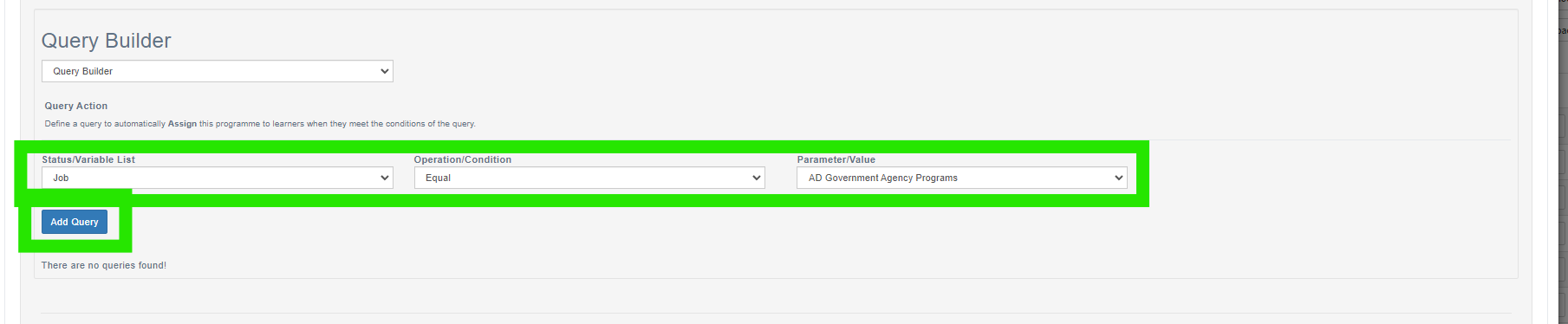
Check that personnel are then added to the programme by pressing Preview Query Results.

This task may also be carried out by Curriculum Developers who can edit programmes from the Programmes button on their Manage Learning dashboard. They will need the appropriate permissions to do this first. Contact your local system Administrator to make this happen.
📋 Related articles
- Page:
- Page:
- Page:
- Page:
- Page: