Add/Edit Event Types and Event Visit Types
As an Administrator, navigate to System Setup - Events
📘 Event Types
Event Types are pre-defined categories that allow administrators to classify and organize various events within Open Elms, such as workshops, meetings, phone calls etc. By assigning appropriate event types to each event, administrators can easily filter and manage events, while users can conveniently search for and enrol in events that match their interests or learning objectives.
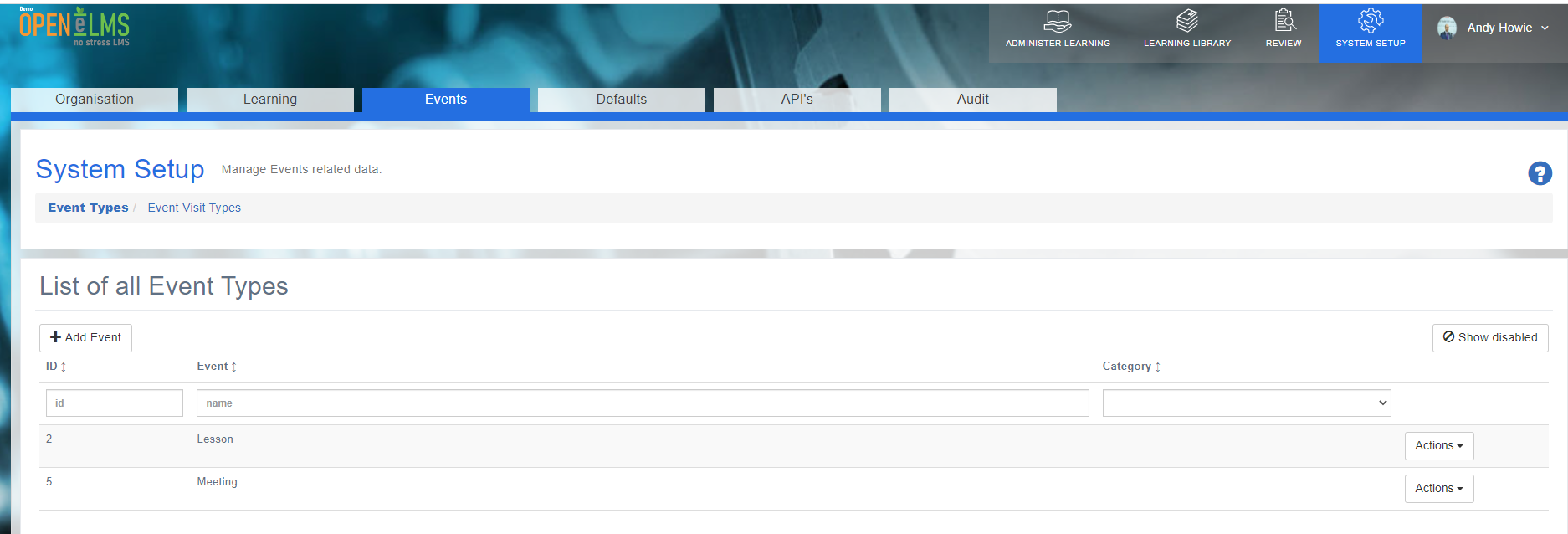
Click on ‘Add Event’
Type name of new event you would like to add (Lesson and Meeting are default on the system).
If you want to use a workflow from Open eLMS Forms to the event type then select from the drop down else Save and Close.
This event will now be available to use when creating events on the system.
📘 Event Visit Types
Event Visit Types categorize the different types of visits that can be associated with events in Open Elms, such as Progress Reviews, virtual check-ins, or on-site visits (these are usually used for 121 meetings). Administrators can define and manage various visit types, enabling them to track and document visit-related activities effectively.
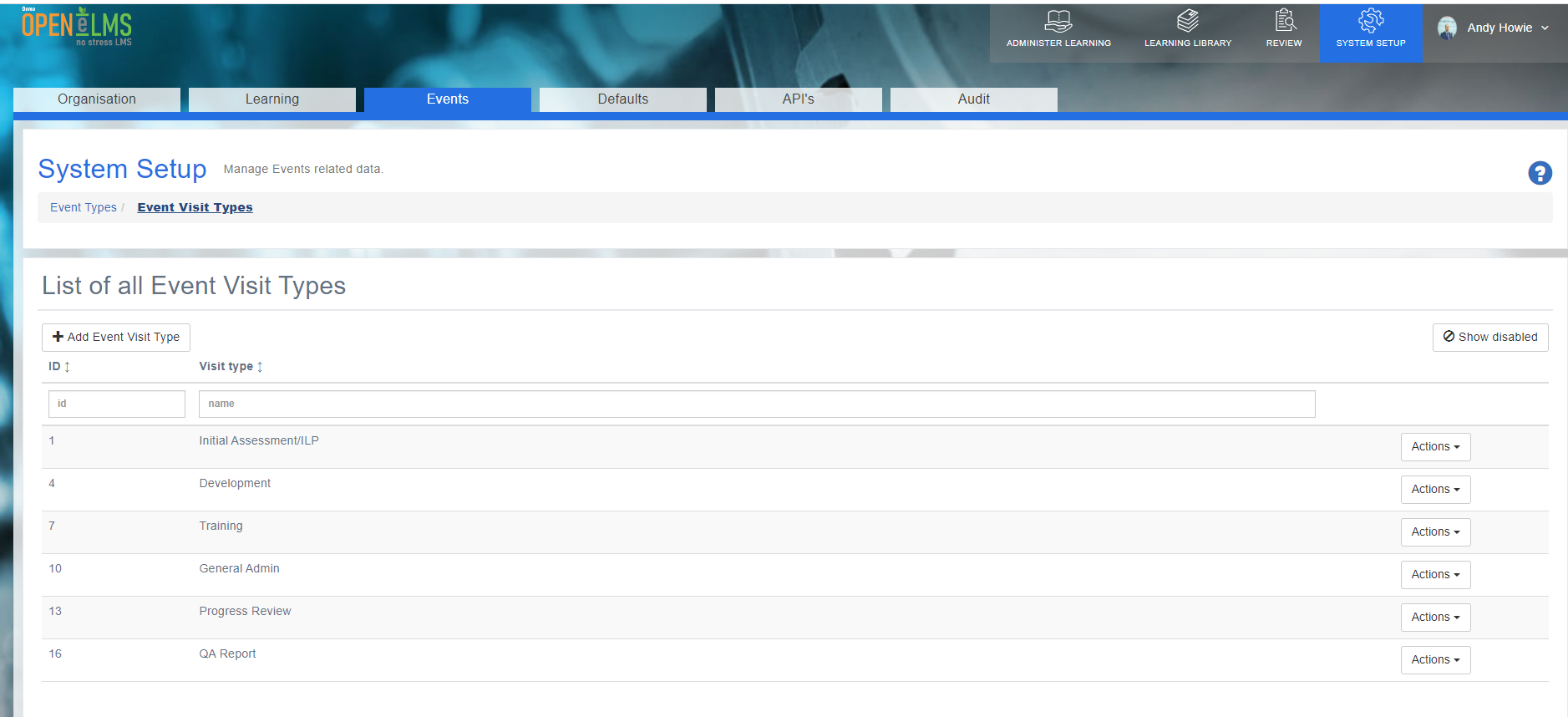
Click on ‘Add Event Visit Type’
Type the name in to the box available
Select whether you would like to use the visit type to calculate when a meeting last took place (for reporting)
If you want to use a workflow from Open eLMS Forms to the event visit type then select from the drop down else Save and Close.
Event Visit Type will now be available as a selection when adding meetings to individual learners.
This feature allows for better organization and reporting on event-related visits, ensuring that critical information is captured and accessible for future reference.
📋 Related articles
- Page:
- Page:
- Page:
- Page:
- Page: