Create the Admin/Manager Role
The admin manager role gives basic admin responsibilities to a company manager. This role is prevalent on the standard and professional versions of Open eLMS where data is stored on a multi-tenanted installation.
📘 Instructions
Log in as a Admin
Go to System Setup > Organisation > Roles
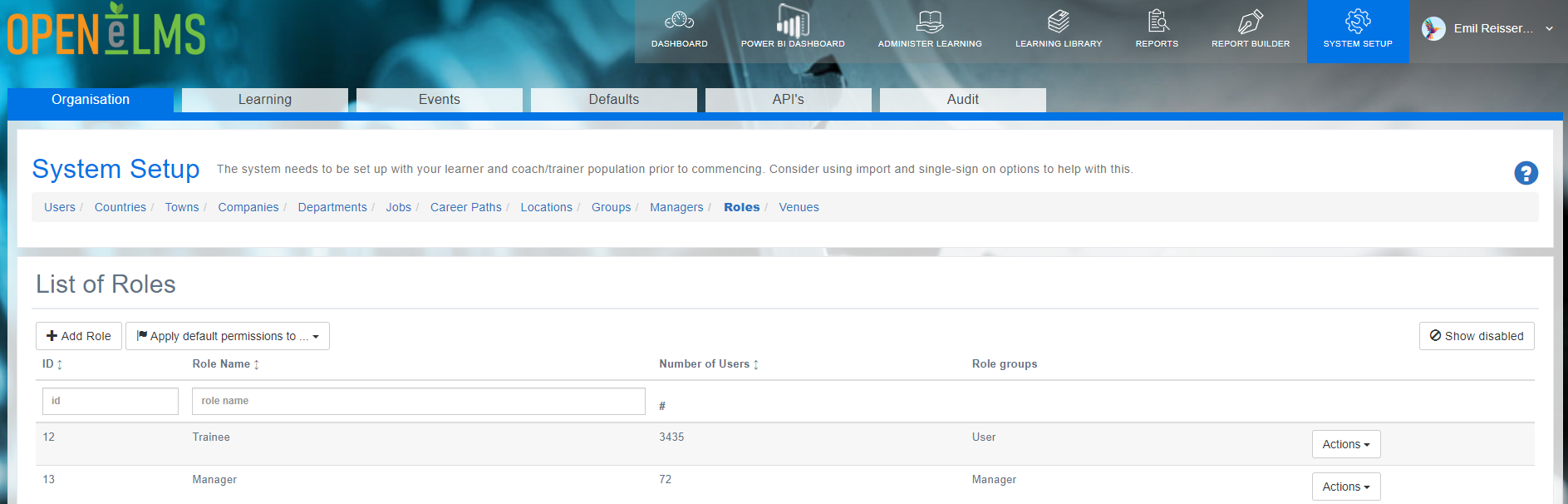
Select Actions > Edit against the manager role.
You will be asked for a password - contact support@openelms.com to get this password. This is designed to protect permissions being changed and causing bugs.
Change the manager role so that Admin Manager is checked in the role details.
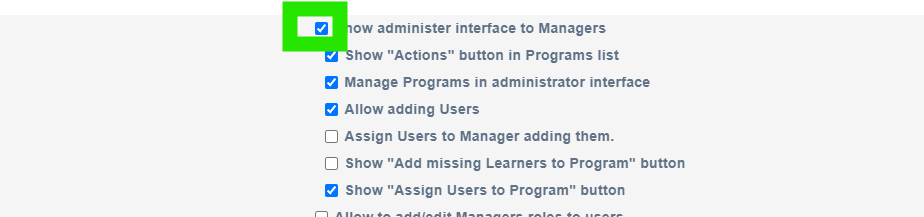
Press Save on the grey panel.
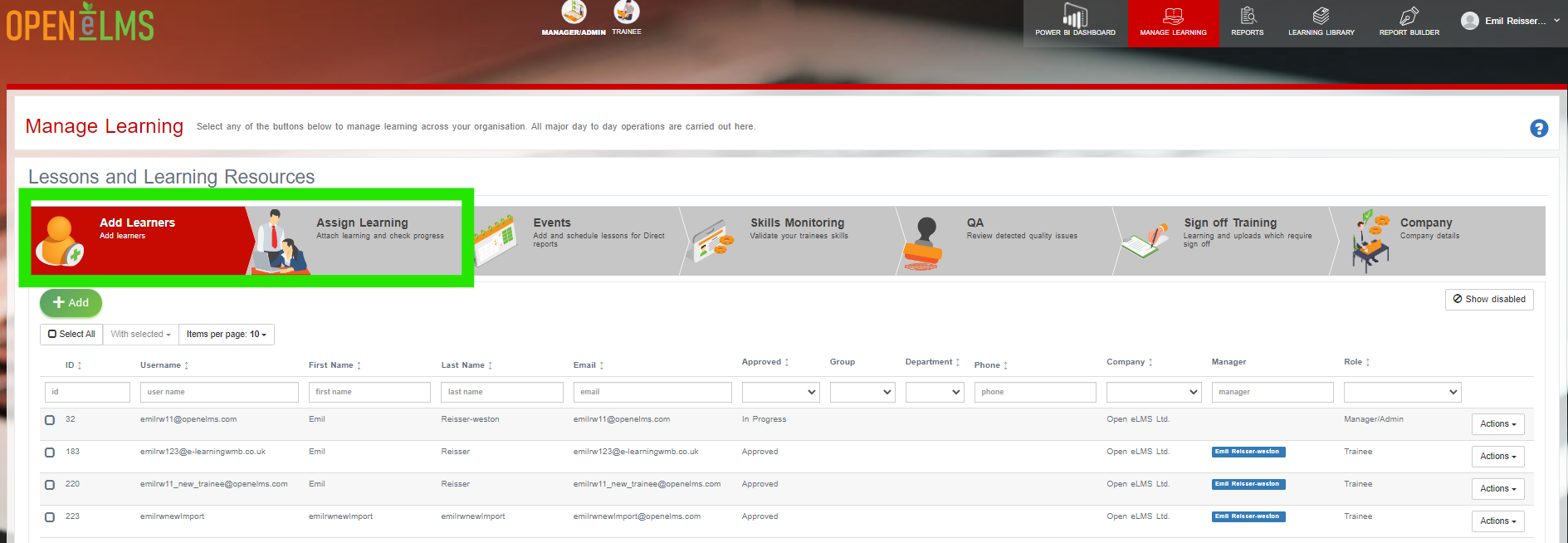
Check the Manager role. It should have the option now of adding in new Users as the first tab as well as assigning users as shown.
📋 Related articles
- Page:
- Page:
- Page:
- Page:
- Page: