Generate an API Endpoint for Open eLMS API
Open eLMS API allows third party applications to send and retrrieve data from the Open eLMS system using a vast array of functions.
📘 Instructions
Follow these instructions to implement the API.
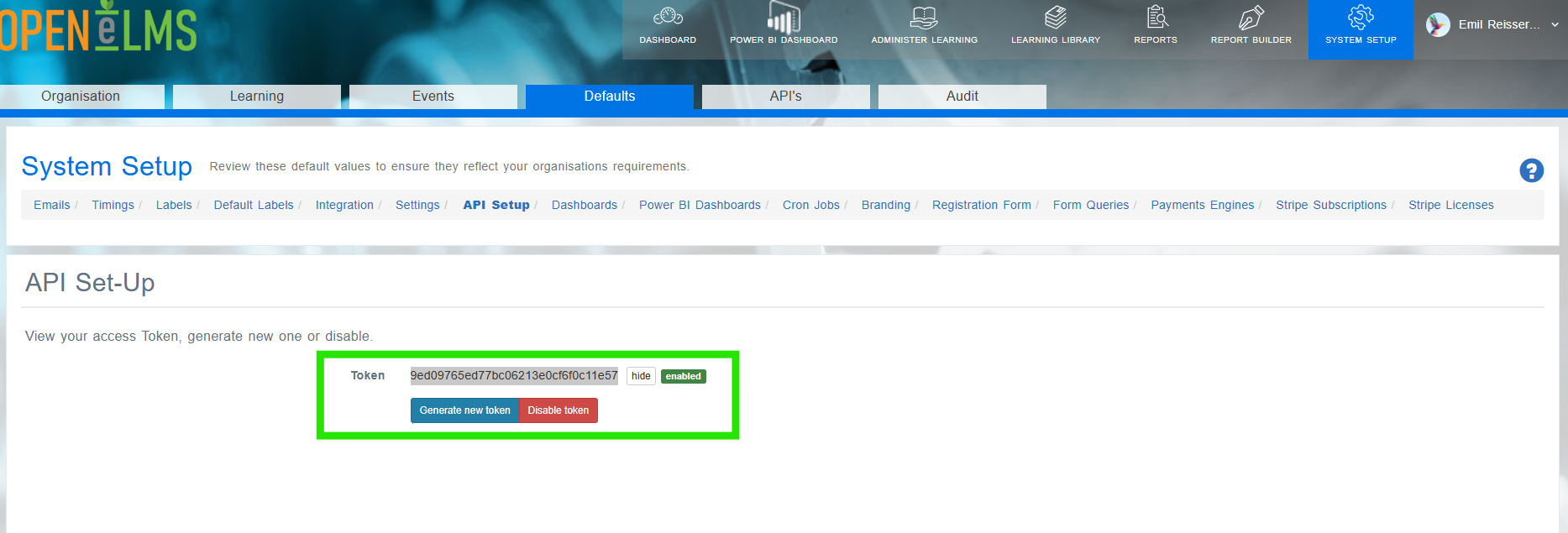
Log in as an Admin (change role to Administrator/Super Administrator) and go to System Setup > Defaults > API Setup.
Click on Generate new token - then highlight the token and copy it - you must do this immediately as you will not get a second chance. Paste this somewhere you can use it later.
The endpoint for your requests will be https://learning.openelms.com/SITE_NAME/backend (check the domain is the same as your site name - the ‘https://learning.openelms.com’ prefix can change from client to client.)
Integrate the endpoint and token into your API calls.
Follow API implementation instructions at https://openelms.com/support-3/open-elms-api/ on the Open eLMS website.
📋 Related articles
- Page:
- Page:
- Page:
- Page:
- Page: