Dashboards
Set up and customise dashboard layouts and widgets for different user roles, providing relevant and personalised information at a glance.
Instructions
Dashboards are used to set up roles with a data driven interface, visible when logging in. Follow these instructions to set up dashboards per role in the system.
Log in as an administrator and and go to System Setup > Defaults (tab) > Dashboards.
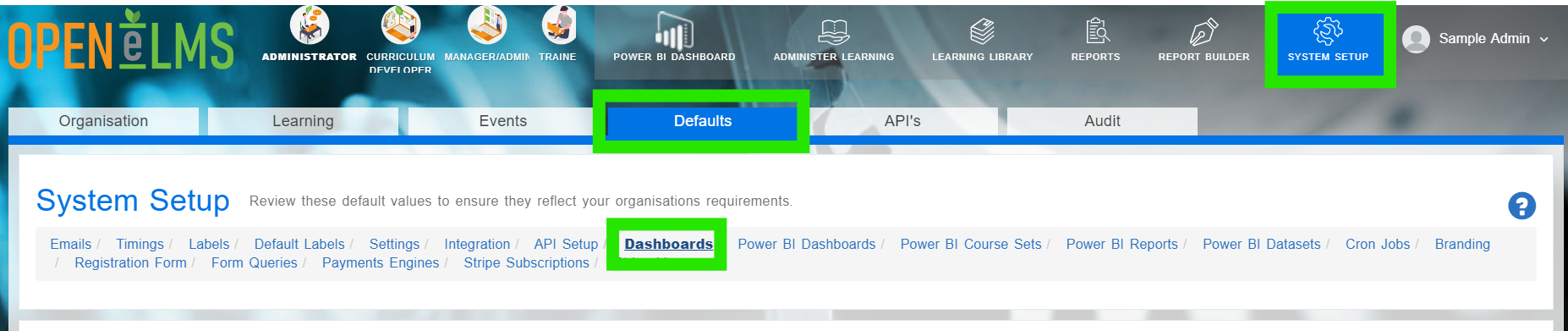
Select + Add Dashboard to display the screen below.
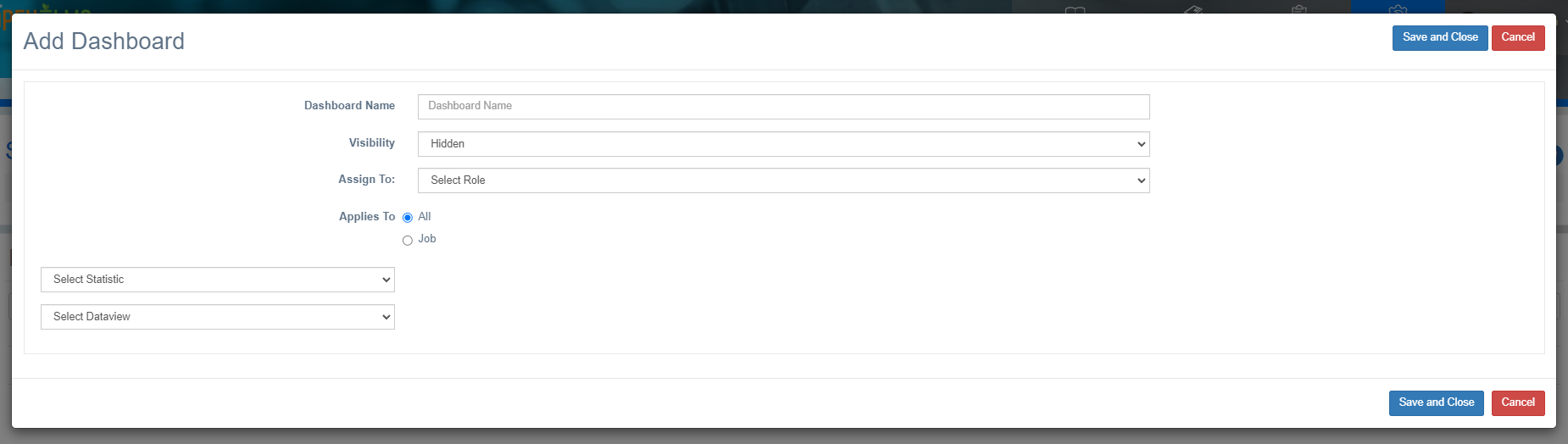
Give the dashboard a name.
Select Visibility:
Hidden makes the dashboard not visisble when logging on, but it can be accessed by the Dashboard button.

Maximised makes the dashboard visible whenever the user logs in or changes back to the role with the dashboard applied.
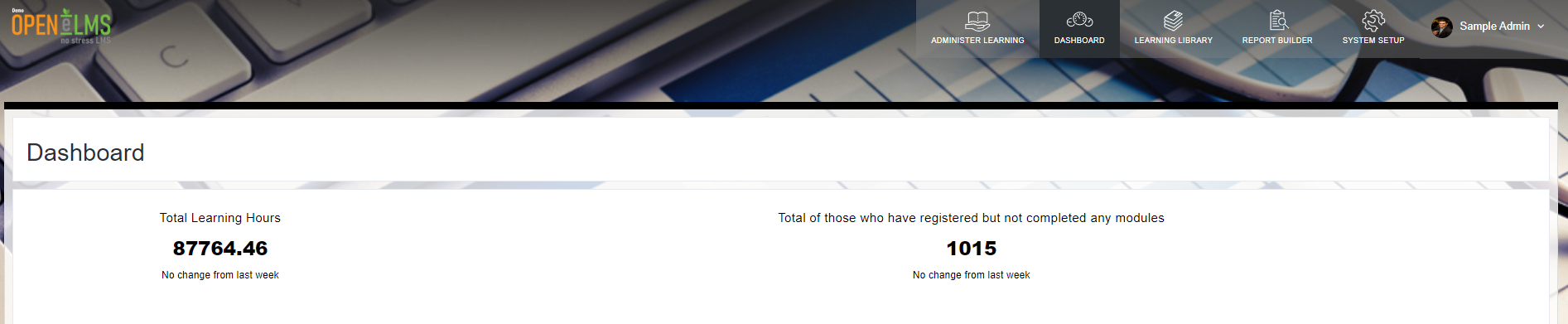
Assign a Role to the dasboard (e.g. learner, administrator etc.)
Assign an optional Job to the dashboard so that this dashboard is only seen by a selected job.

Select Statistic Widgets to be included in the dashboard.
Select Dataviews/Graphs to be included in the dashboard.
Save and Close then refresh the screen or log in and out to see the dashboard.
Dashboards assigned to a role will only be visisble when logged in as that role. For instance a Super Administrator when logged in as a manager will not see the Super Administrator dashboard.
Related articles
- Page:
- Page:
- Page:
- Page:
- Page: