Remove automated emails
Automated emails can be created to regularly send out emails to a target audience. Yhese emails can be stopped at any time.
📘 Instructions
Follow these instructions to remove automated alerts …
Go to Review and select Saved Reports/Emails.

Press the Actions button and select Disable from the menu.
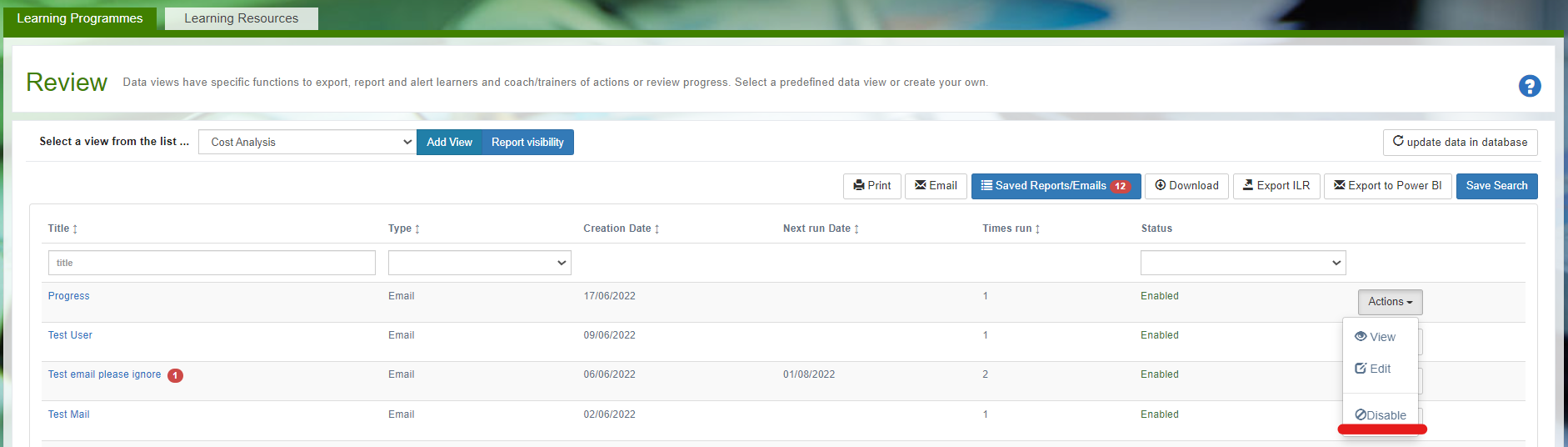
The email will be removed and no longer be sent.
Edit the email alert to change the message or the frequency at which the alert is sent out.
📋 Related articles
- Page:
- Page:
- Page:
- Page:
- Page: