Add a video avatar to a export video
Open eLMS AI will export eLearning directly as video content; this includes voiceover and illustrations. It does not however include a video presenter - common on platforms such as Udemy.
📘 Instructions
Follow these instrctions to rectify this.
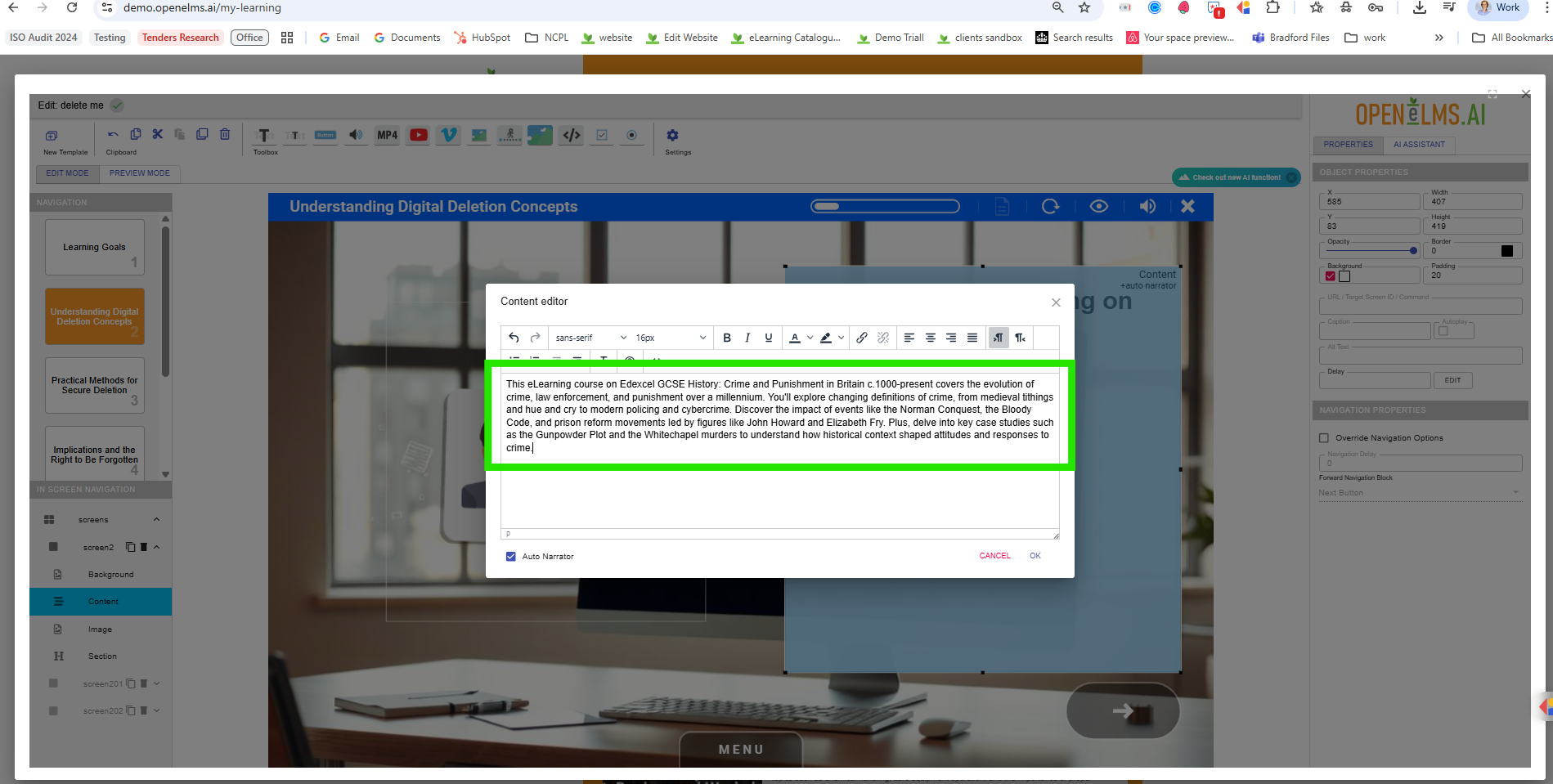
Go to your AI agent and ask for a 30 second summation on the entire course - if your course consists of several eLearning moduels it is only really necessary to do this for the first module. e.g. 'This eLearning course on Edexcel GCSE History: Crime and Punishment in Britain c.1000-present covers the evolution of crime, law enforcement, and punishment over a millennium. You'll explore changing definitions of crime, from medieval tithings and hue and cry to modern policing and cybercrime. Discover the impact of events like the Norman Conquest, the Bloody Code, and prison reform movements led by figures like John Howard and Elizabeth Fry. Plus, delve into key case studies such as the Gunpowder Plot and the Whitechapel murders to understand how historical context shaped attitudes and responses to crime.'
Take this summation and either:
Record this directly to camera.
Log into https://studio.d-id.com/video-studio (or similar) and create your video avatar. This allows you to match the voiceover of the course - to do this enter the text above into Open eLMS AI Edtor into a scratch course …
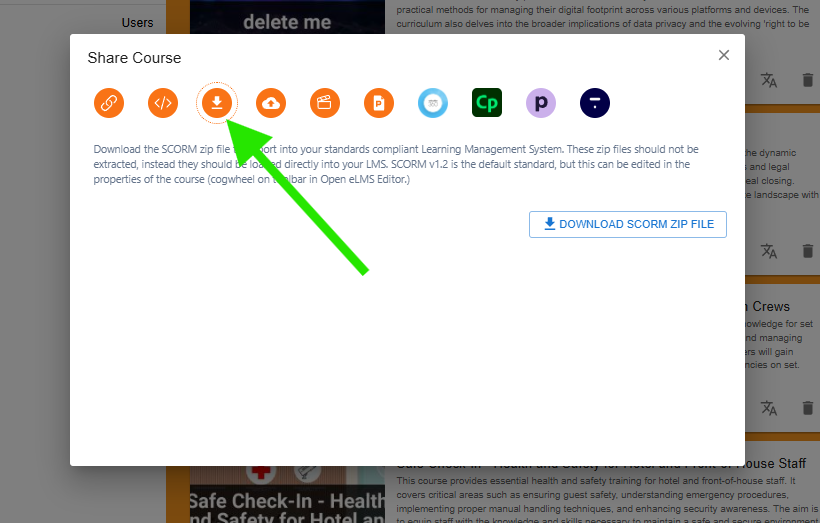
… and then download the course (it will contain the audio in the sounds folder.)
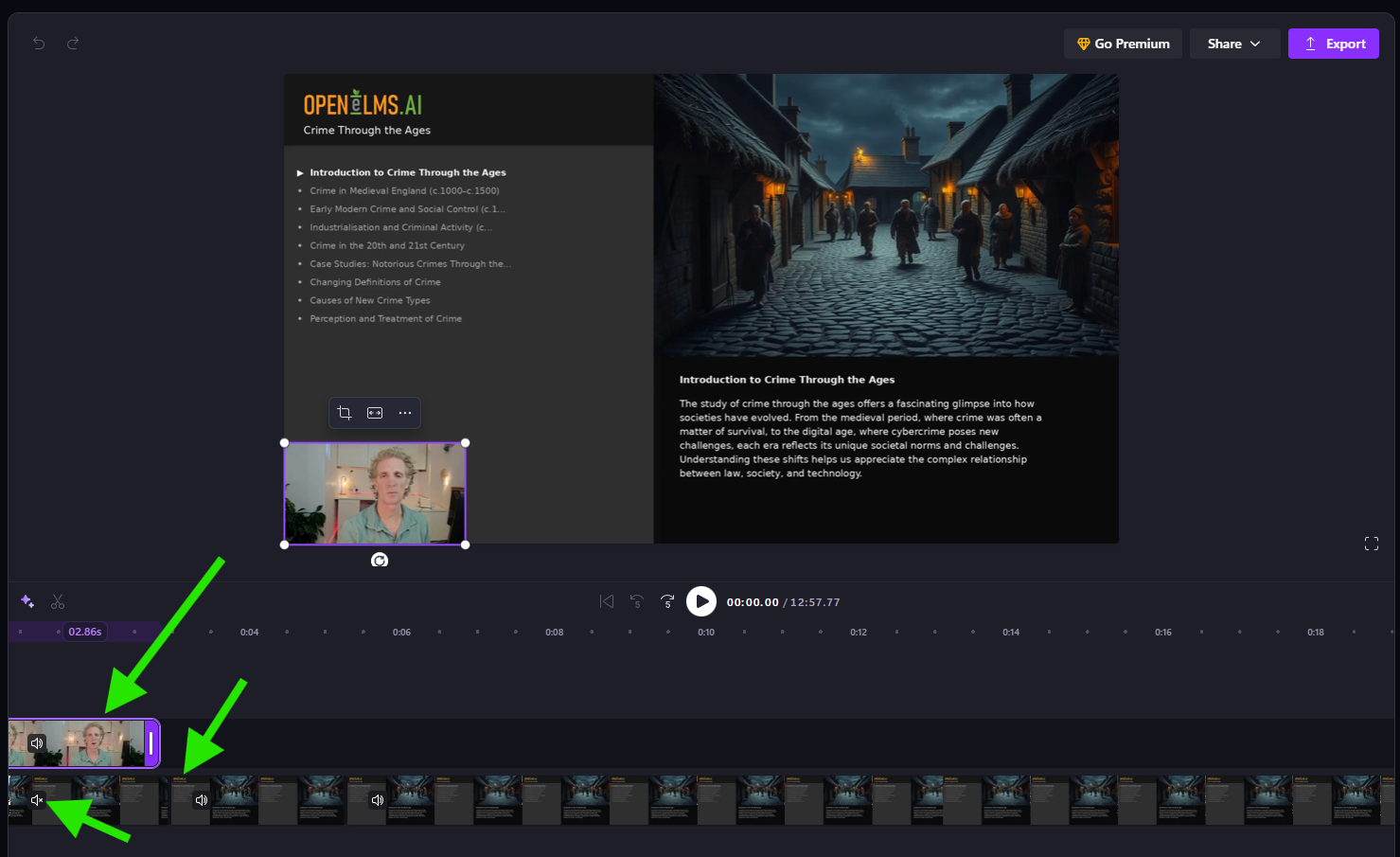
Take a Video editor - e.g. ClipChamp and add the video to the beginning of the timeline. Edit so that the start of the normal video is not overdubbed.
Once finished, export and add to the standard distribution channels e.g. Udemy.
You can add some slight echo to the video voice so make it more in keeping with recording.
📋 Related articles
- Page:
- Page:
- Page:
- Page:
- Page: