Resource Feedback for Curriculum Developers
The Feedback section provides a centralized location to view and analyse user feedback collected upon completion of learning resources.
Curriculum Developers can review this data to the right of the management dashboard by selecting the Feedback tab.
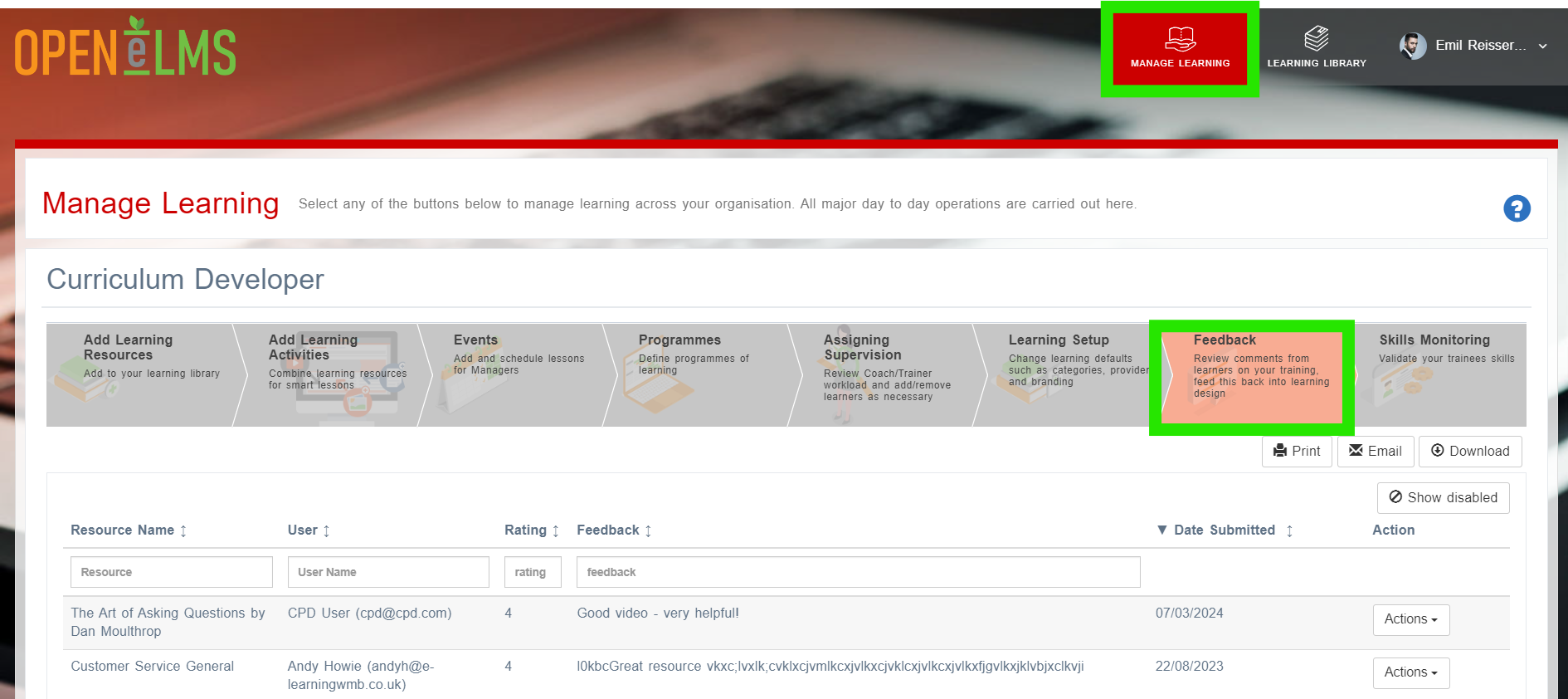
NB: This can also be viewed and downloaded as a default report - go to Review - Learning Resources - Feedback
📘 Overview
This valuable input allows organizations to:
Evaluate Resource Effectiveness: Assess the quality and impact of learning resources based on user experiences and perceptions.
Identify Areas for Improvement: Pinpoint specific aspects of resources that may require updates or enhancements to better meet learners' needs and expectations.
Monitor User Satisfaction: Keep track of user satisfaction levels, ensuring a positive learning experience that encourages engagement and retention.
Inform Future Content Development: Use feedback to inform the creation of new resources or the revision of existing content, aligning materials more closely with user needs and preferences.
Example Feedback area for learner:
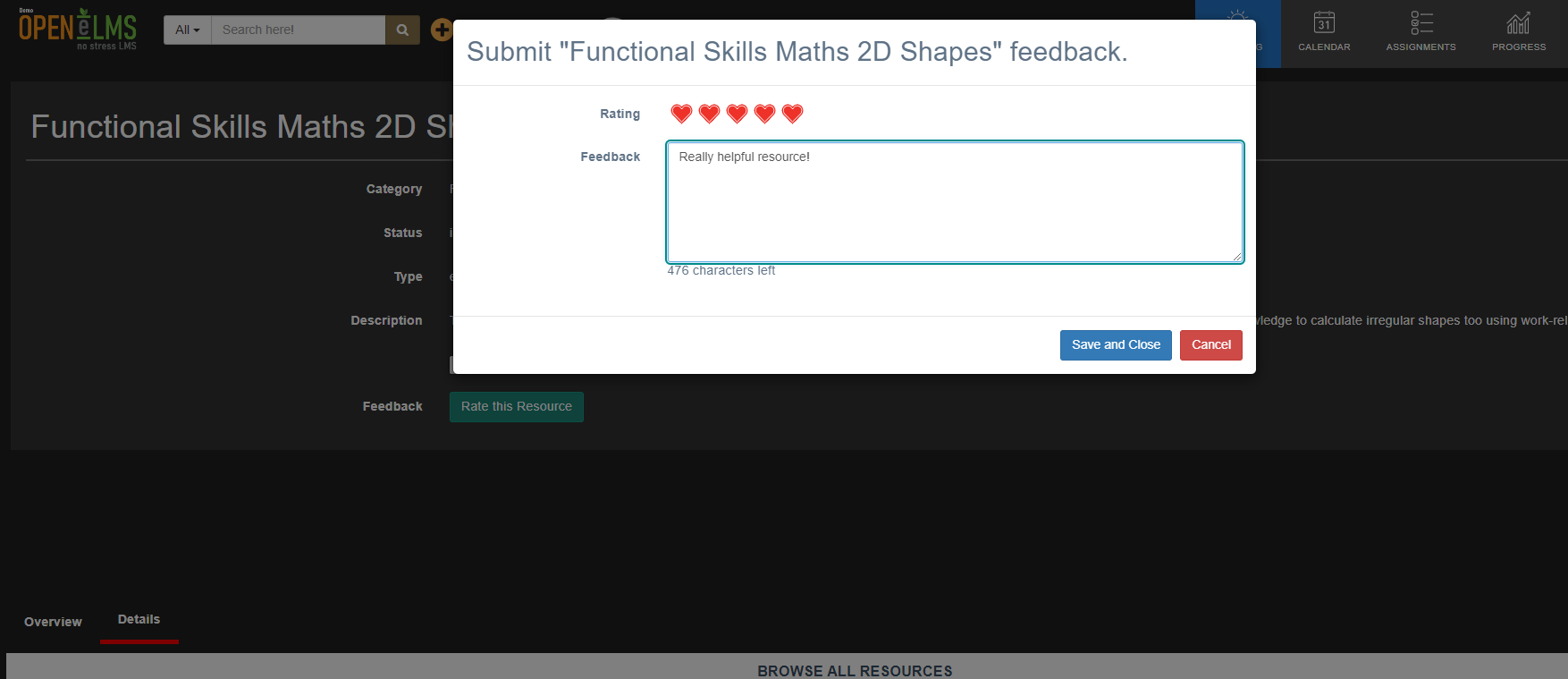
The Feedback section plays a crucial role in maintaining a relevant and engaging learning environment, helping organizations continuously improve their learning offerings to drive user success.
📋 Related articles
- Page:
- Page:
- Page:
- Page:
- Page: