Link Microsoft Teams for Learners
If you want to your managers/coaches to give access to their Teams channel so learners can contact them via Open eLMS, follow the instructions below:
📘 Instructions
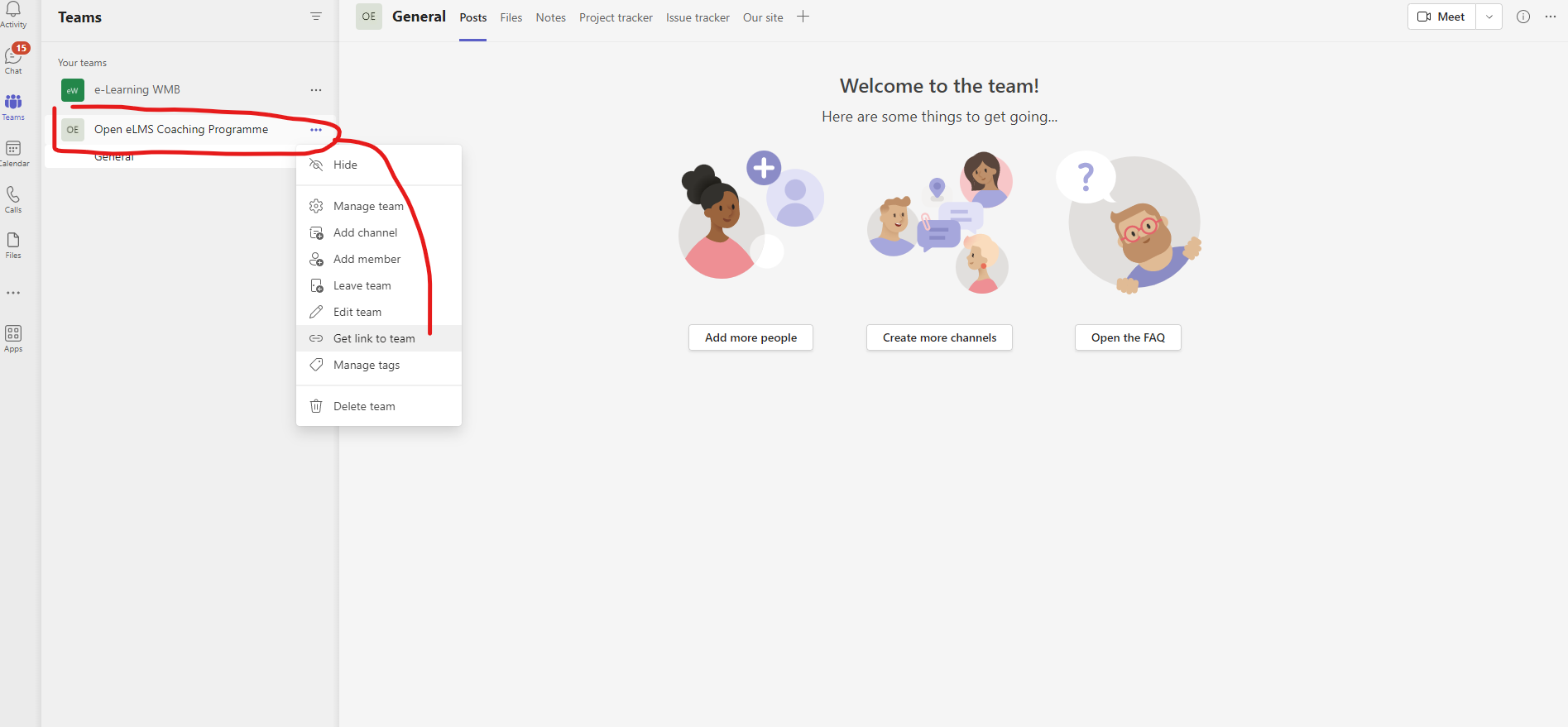
Get the link from Teams Channel you want to give learner access to:
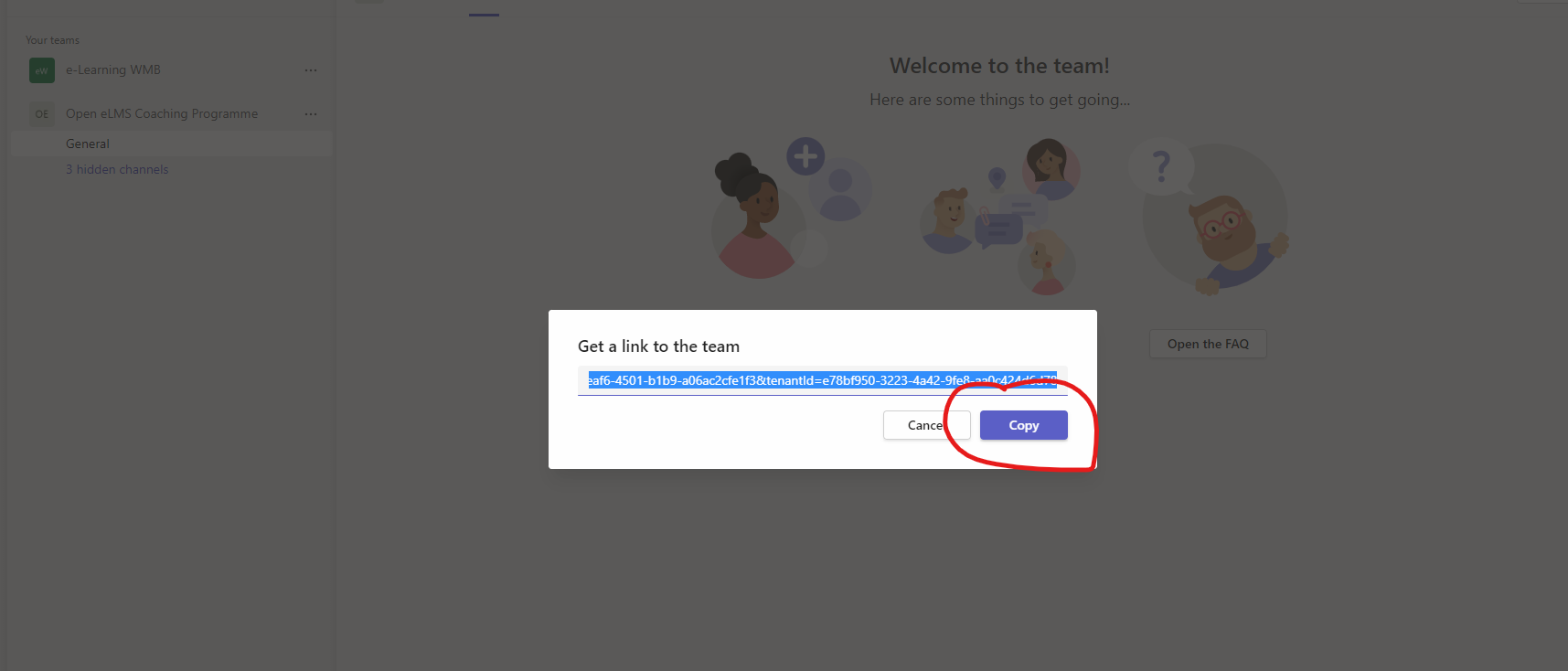
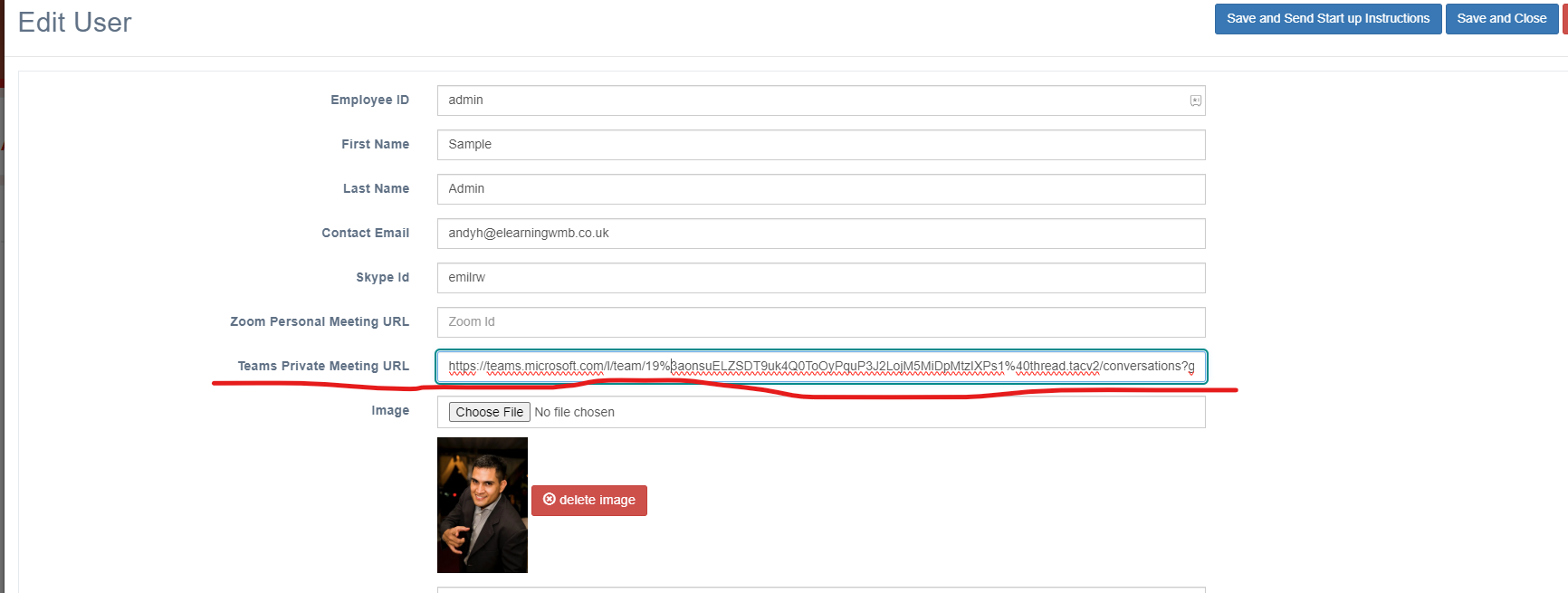
Paste this in the Manager/Coach profile - then Save and Close:
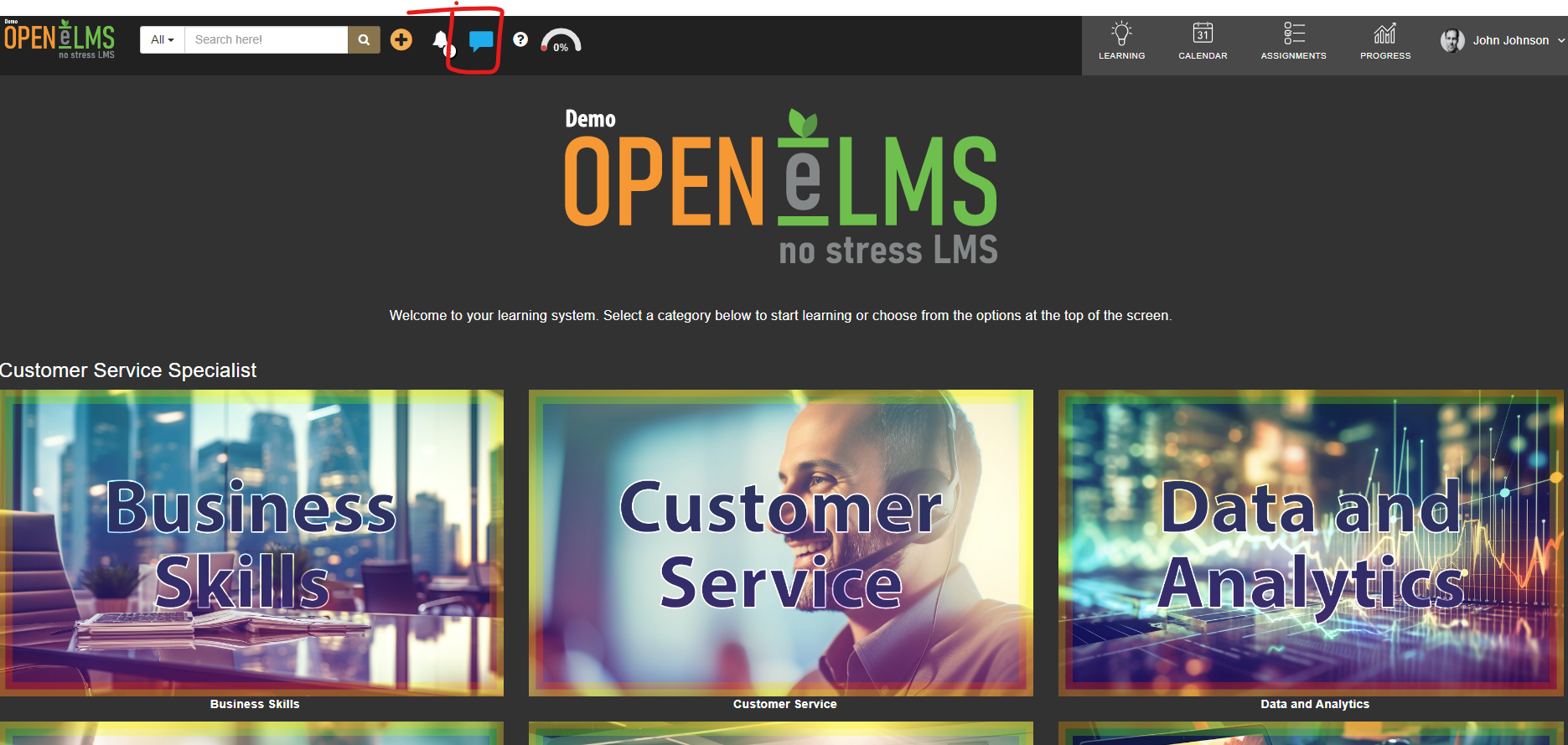
If learner has this Manager assigned and has been added to the Teams Channel - they will be able to contact their Manager here:
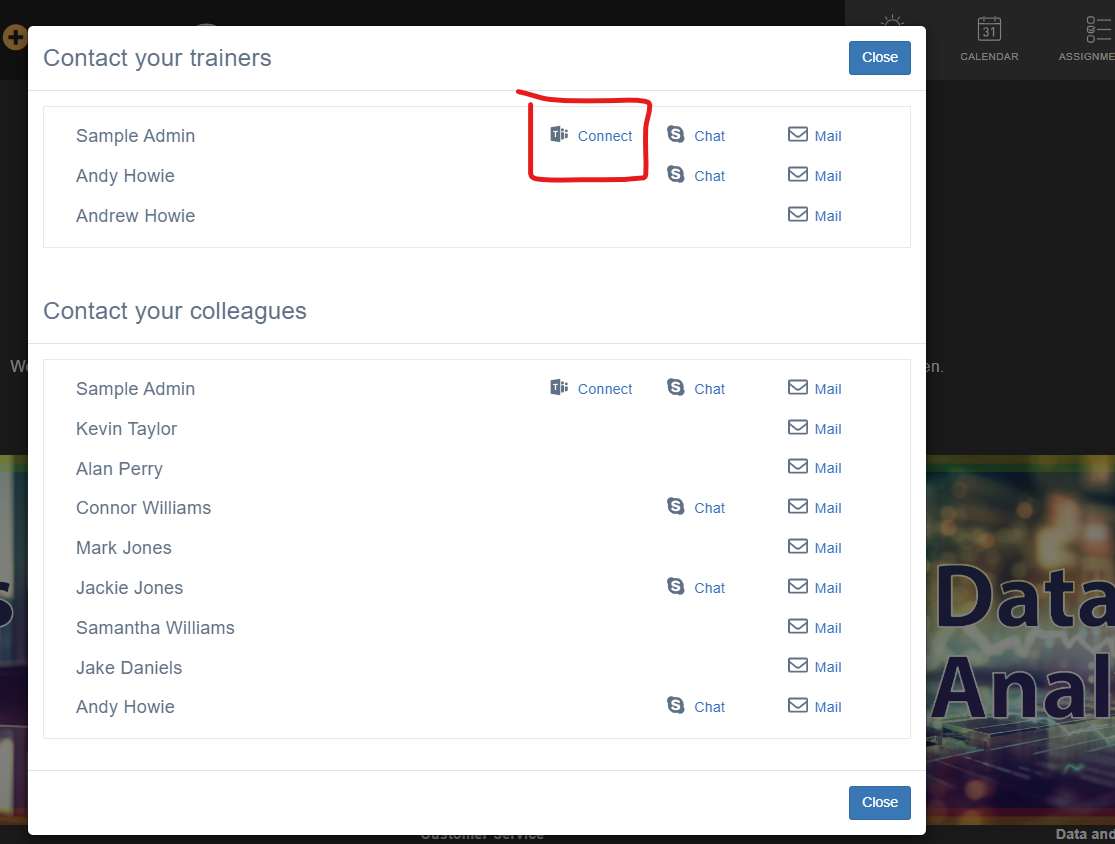
If you want to give learners access to the channel in Teams - you MUST add them in your Teams Channel.
📋 Related articles
- Page:
- Page:
- Page:
- Page:
- Page: