CRON Jobs
The Cron Jobs section provides administrators with a comprehensive list of all processes running in the background of the system.
Instructions
These scheduled tasks automate various operations, such as data synchronisation, report generation, and notifications, ensuring that the platform remains up-to-date and delivers timely and accurate information to users and administrators. Follow these instructions to view details of any CRON jobs in the system.
Log in as an administrator and and go to System Setup > Defaults (tab) > CRON Jobs.
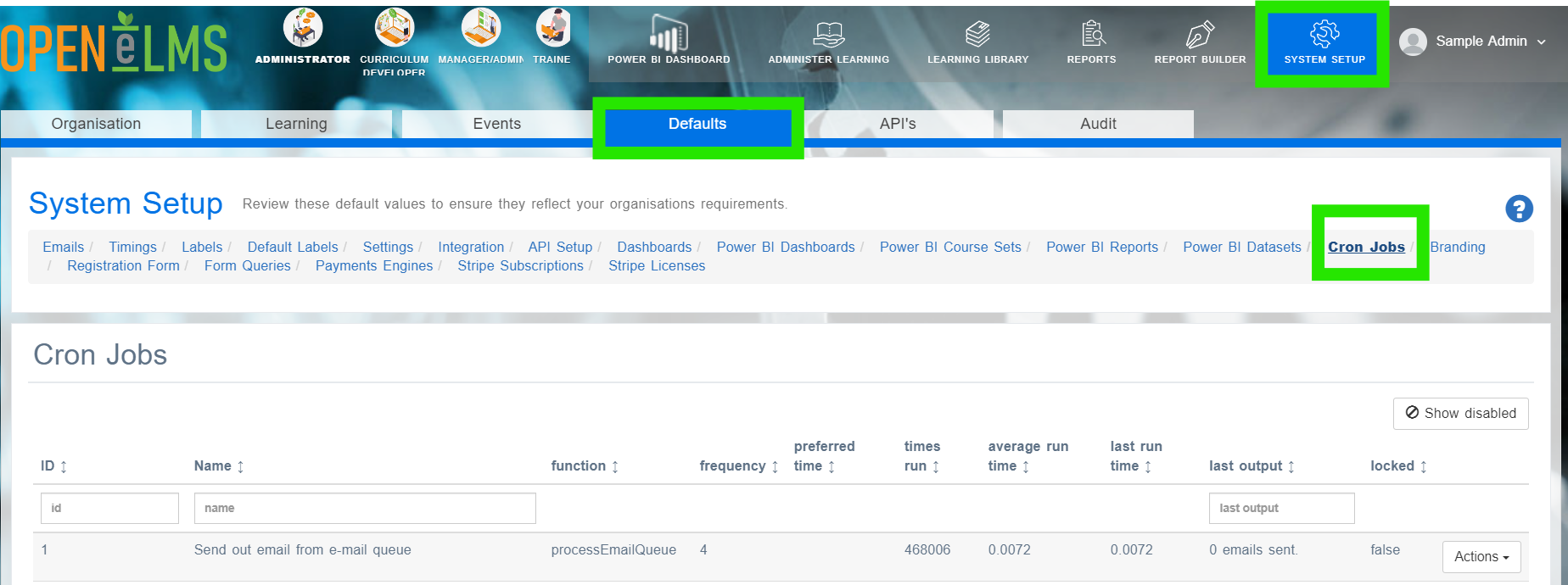
Review the table, here you will see details of any CRON jobs in the system. The frequency means the time in minutes when each job is run, the most frequent jobs will update data used on a daily basis within the system - by default every 4 minutes. These include:
Send out email from e-mail queue
Batch Reports
Process Scheduled Events
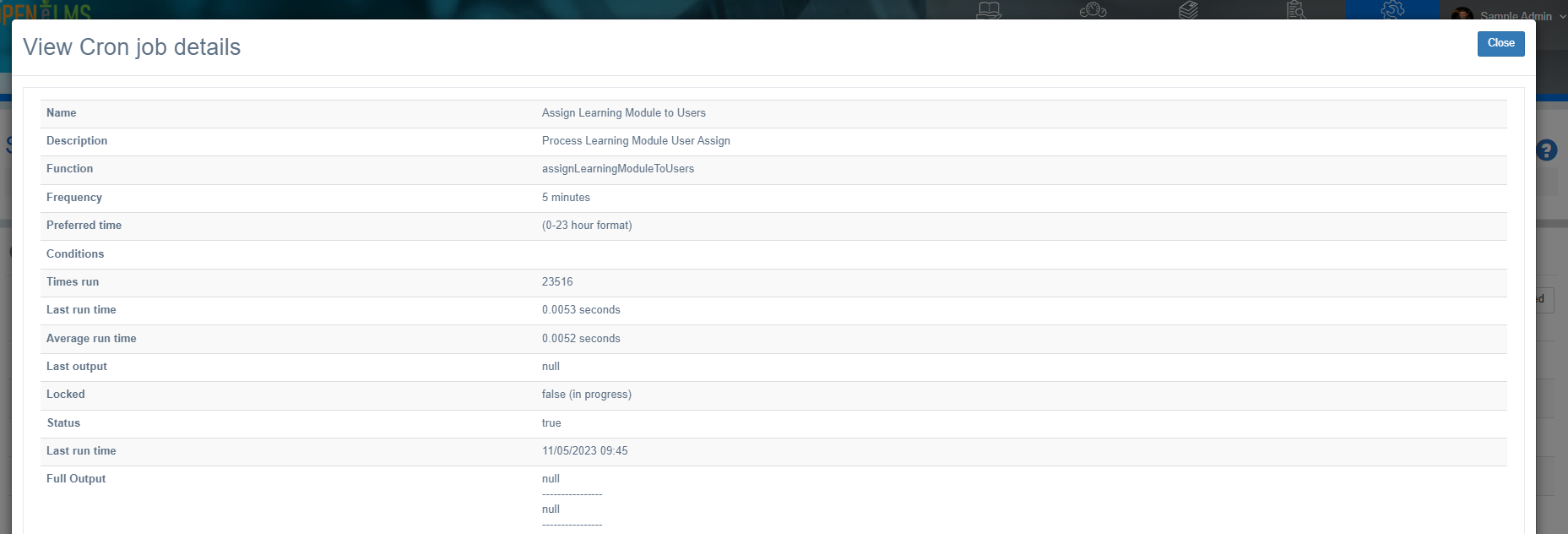
Select Actions > View Details for any CRON Job. Here you can check details of what the CRON Job does and check the output of any job to see that it is working correctly.
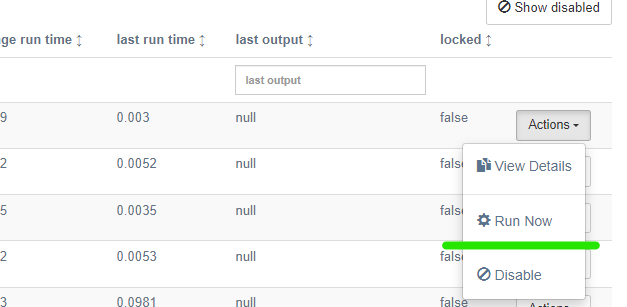
Should a case arise (perhaps in testing) when you cannot wait for a job to run, administrators can run the job manually by selecting Actions > Run Now.
CRON Jobs can only be edited and set up by Open eLMS. This ensures the robustness of the installation. Contact support@openelms.com or your account manager to change any of the settings contained therein.
Related articles
- Page:
- Page:
- Page:
- Page:
- Page: