Create Thumbnail and Promo Images for Learning Resources
There are various images on the site which have recommended sites. Prepare them in the following way.
📘 Instructions
Access the site as a Curriculum Manager or Administrator (and access the Learning Library > Learning Resources).
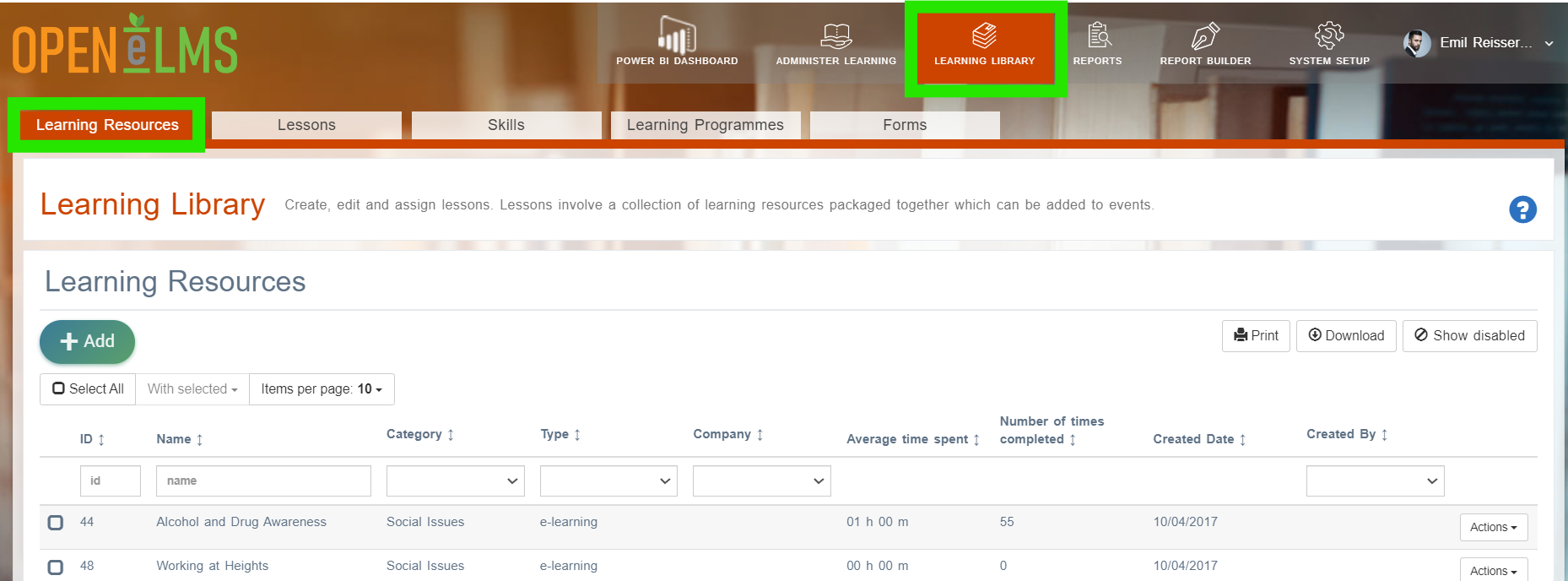
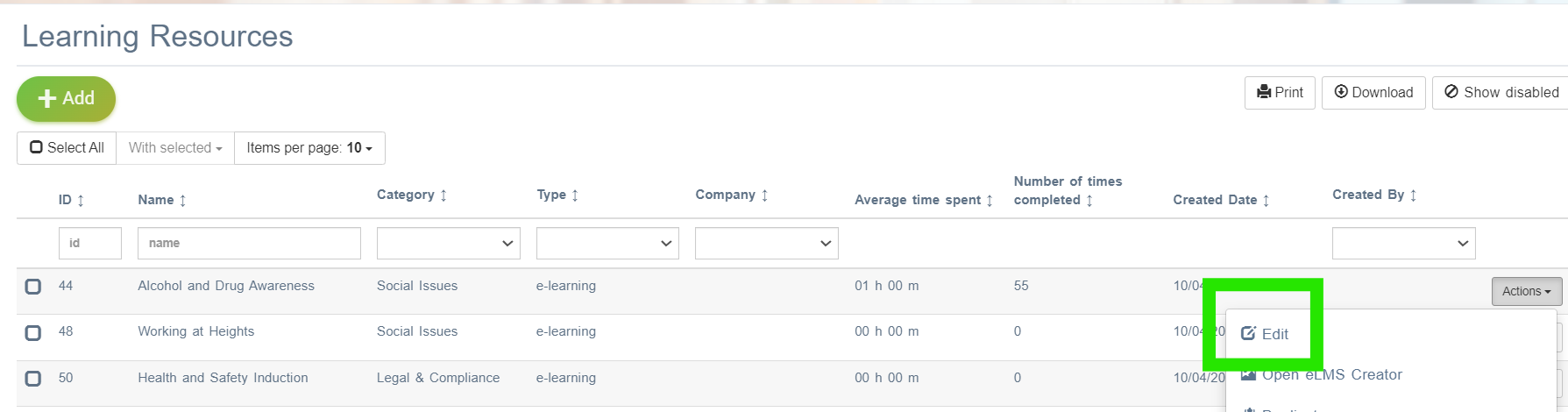
Search for and then Edit the correct resource.
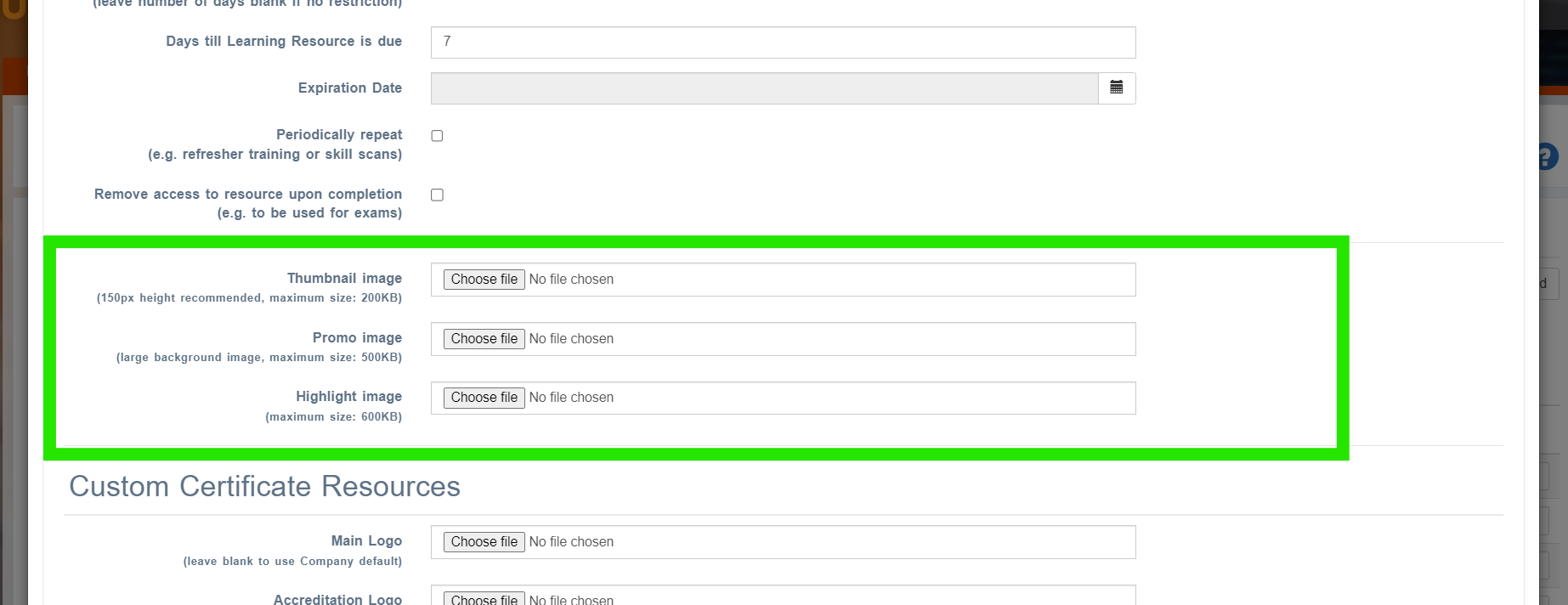
Scroll down and add the following images with dimensions in pixels.
1. Thumbnails - 350w x 213h2. Promo Images - 1070w x 650h
3. Category Thumbnails - 525w x 293h
Here they are displayed on the site: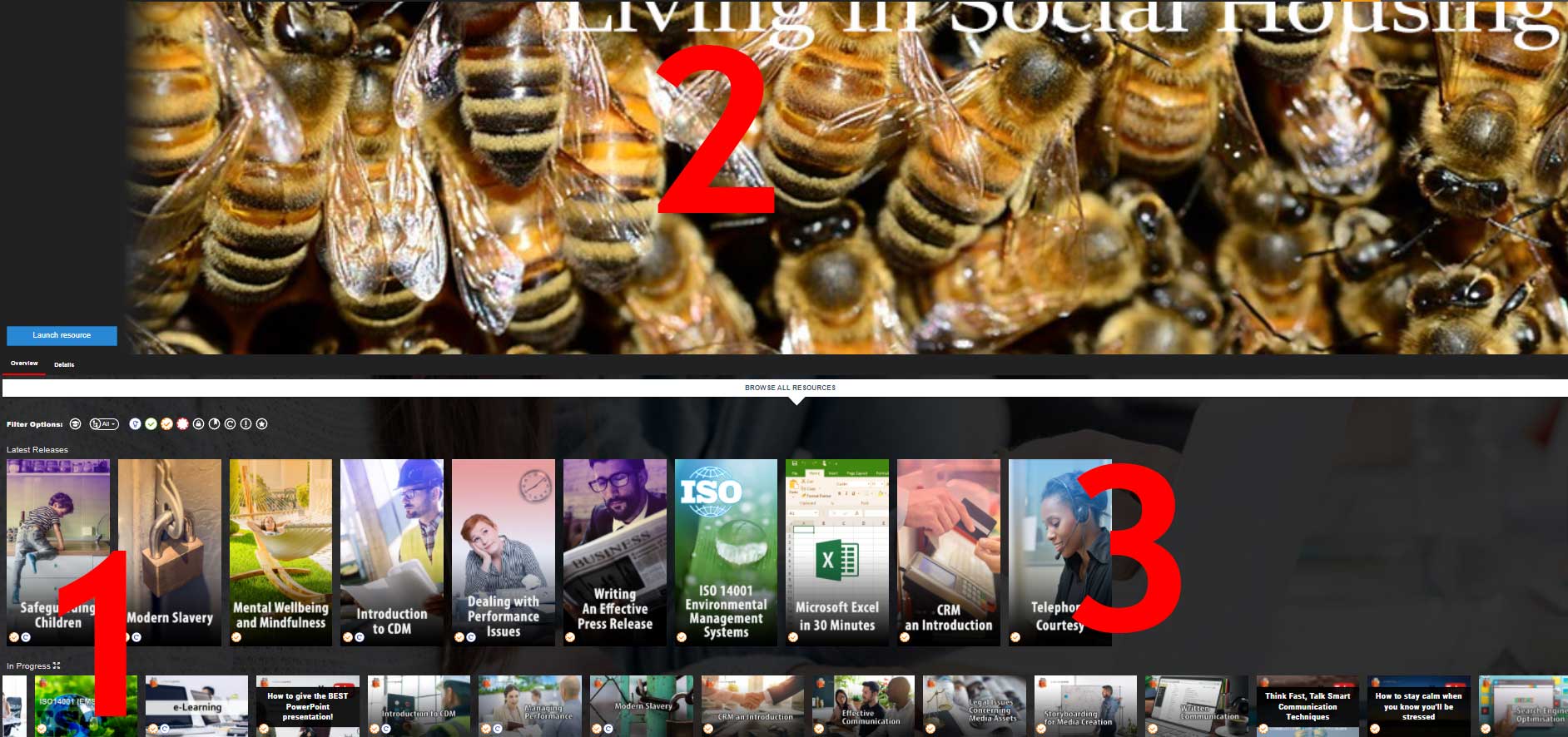
Including large images will slow down the site. Save images at 72dpi screen resolution.
📋 Related articles
- Page:Adding Lessons to Off the Job Hours