Export ILR data to the hub
This functionality is only available in the Open eLMS for Apprenticecships version of the system. It is designed specifically for drawing down funds from the hub for the payment of apprenticeship placements.
Instructions
Exports are scheduled monthly, these are used to connect to the UK Government Hub to draw down funds directly into the training provider’s bank account. To do this, follow these steps.
Log in as an Administrator (or a Manager with reporting rights) and go to Report Builder.
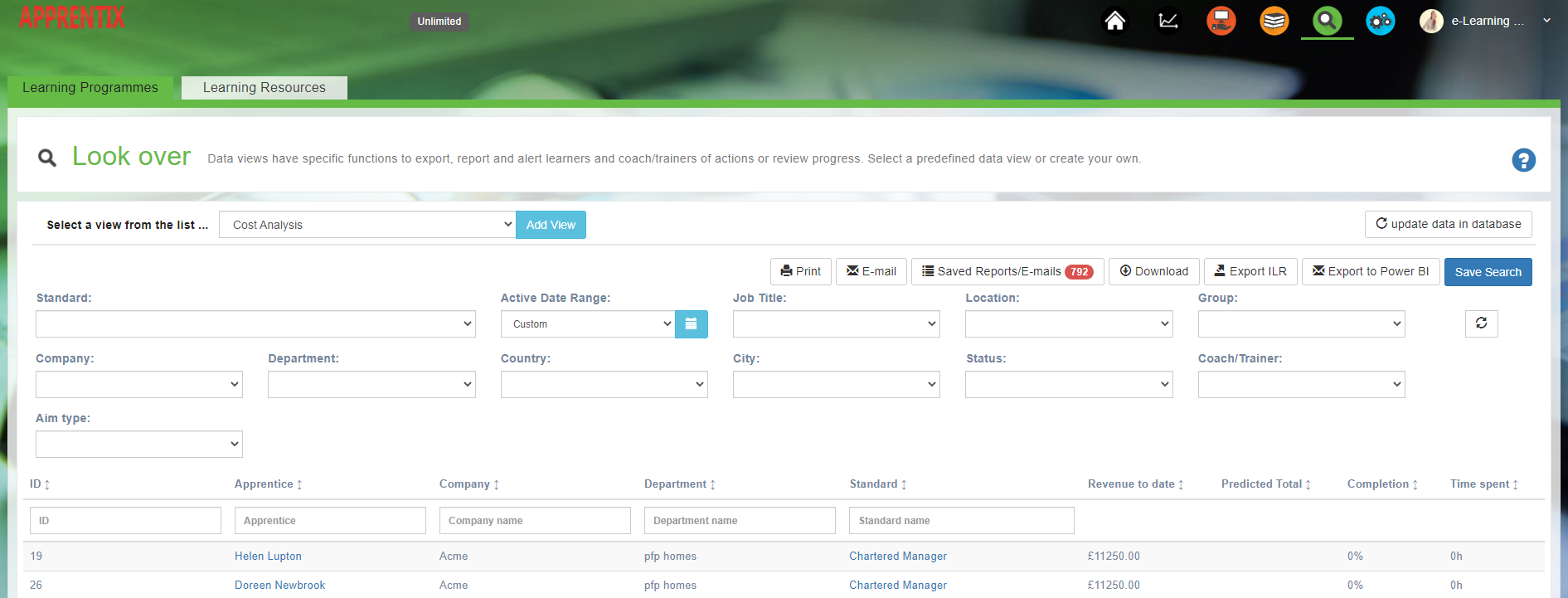
Click on the Export ILR button and follow the instructions on screen.

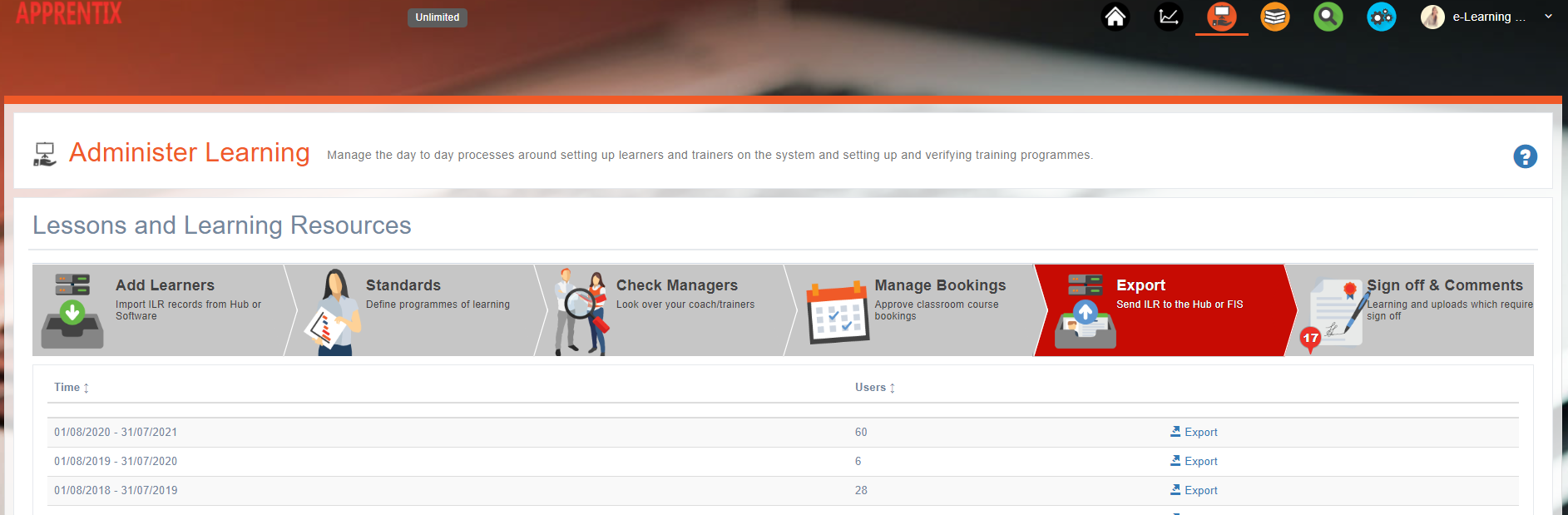
Each of these exports, once made, are stored in the system. You can access them by logging in as an Administrator and access the Export link on the main dashboard. Here you can find your ILR exports ready to export.
Related articles
- Page:
- Page:
- Page:
- Page:
- Page: