Assign users to managers
Administrators will need to have the ability to add and remove the link of learners to their respective line management accounts. Edits can be made to effect who managers can oversee so that they can provide guidance or support to those under them.
Instructions
Log in as Admin (Managers/Tutors/Trainers can also be assigned this functionality but it is not assigned by default). Go to the main dashboard and select Assign users to managers as shown ('Tutors', 'Trainers' will be used in other versions.)
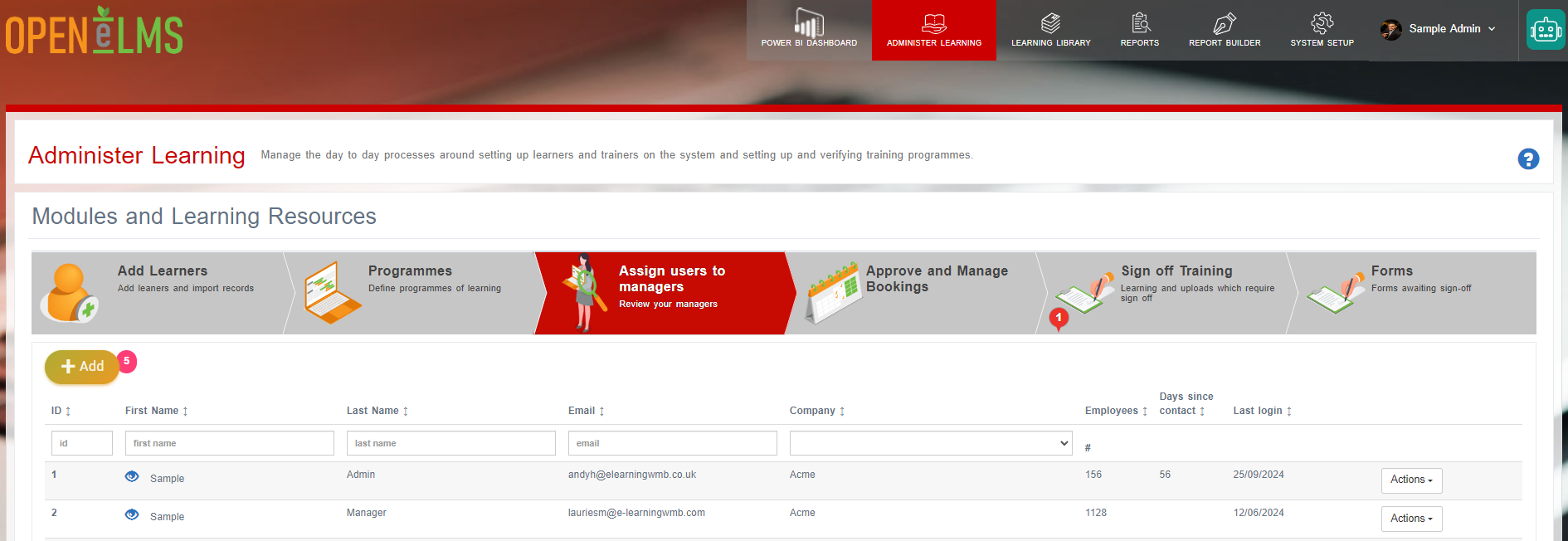
Select Modify Access to the right of the manager that needs editing.
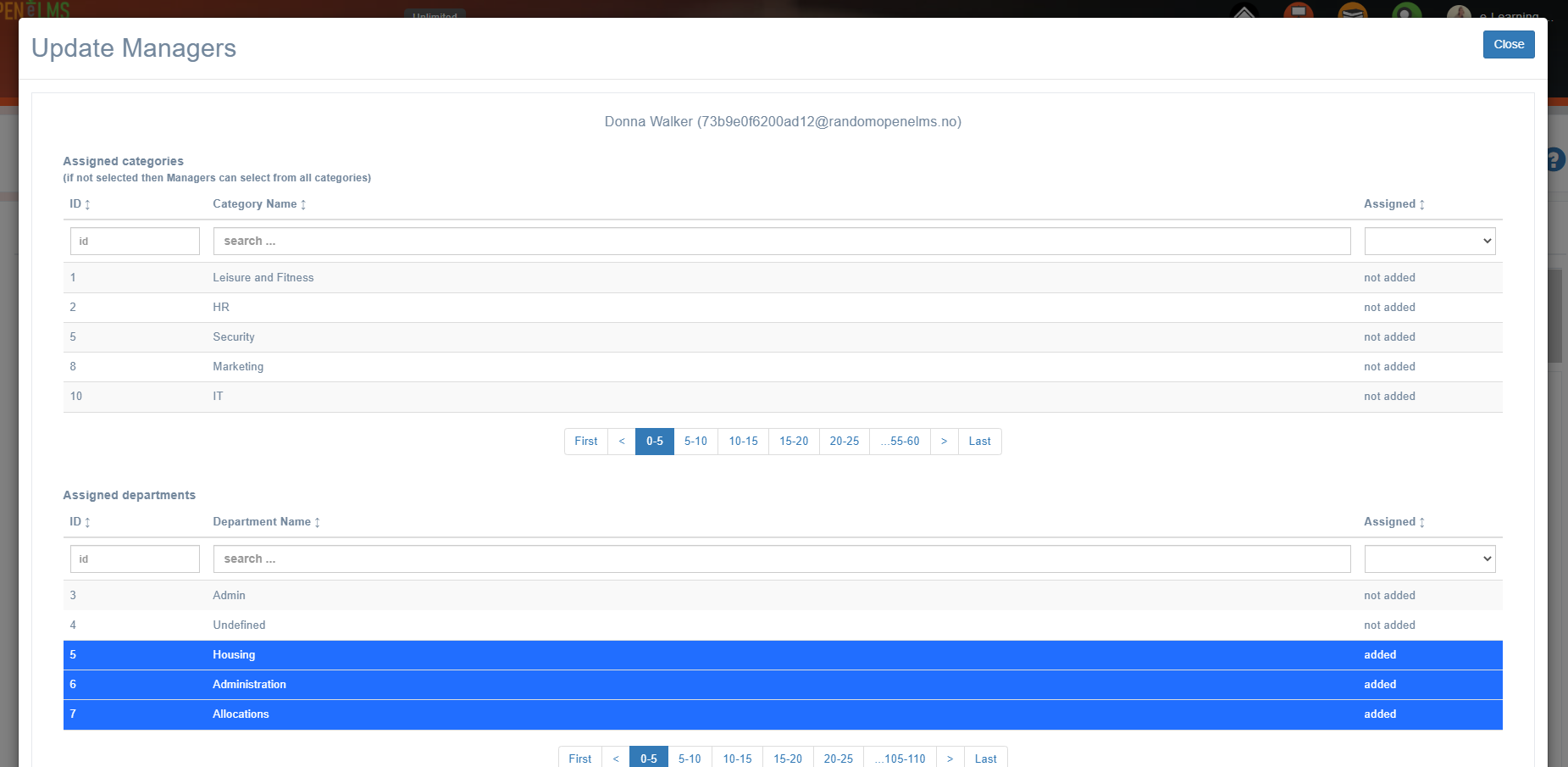
Select Categories, Departments, Groups and Learners to add/remove them from the selected manager.
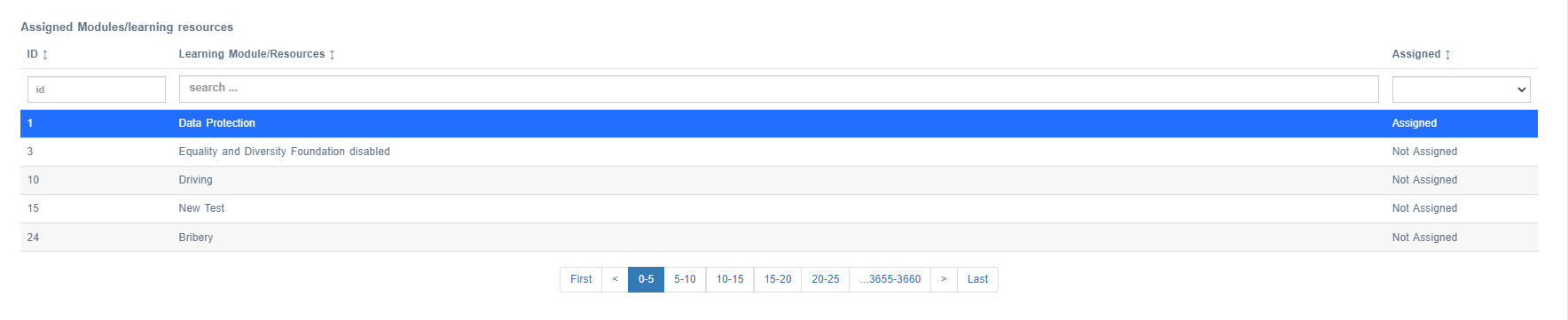
You can also select Learning Resources and Lessons - so that anyone who is assigned that learning will have the selected manager assigned to them.
NB: The same function can be done via System Setup - Organisation - Managers
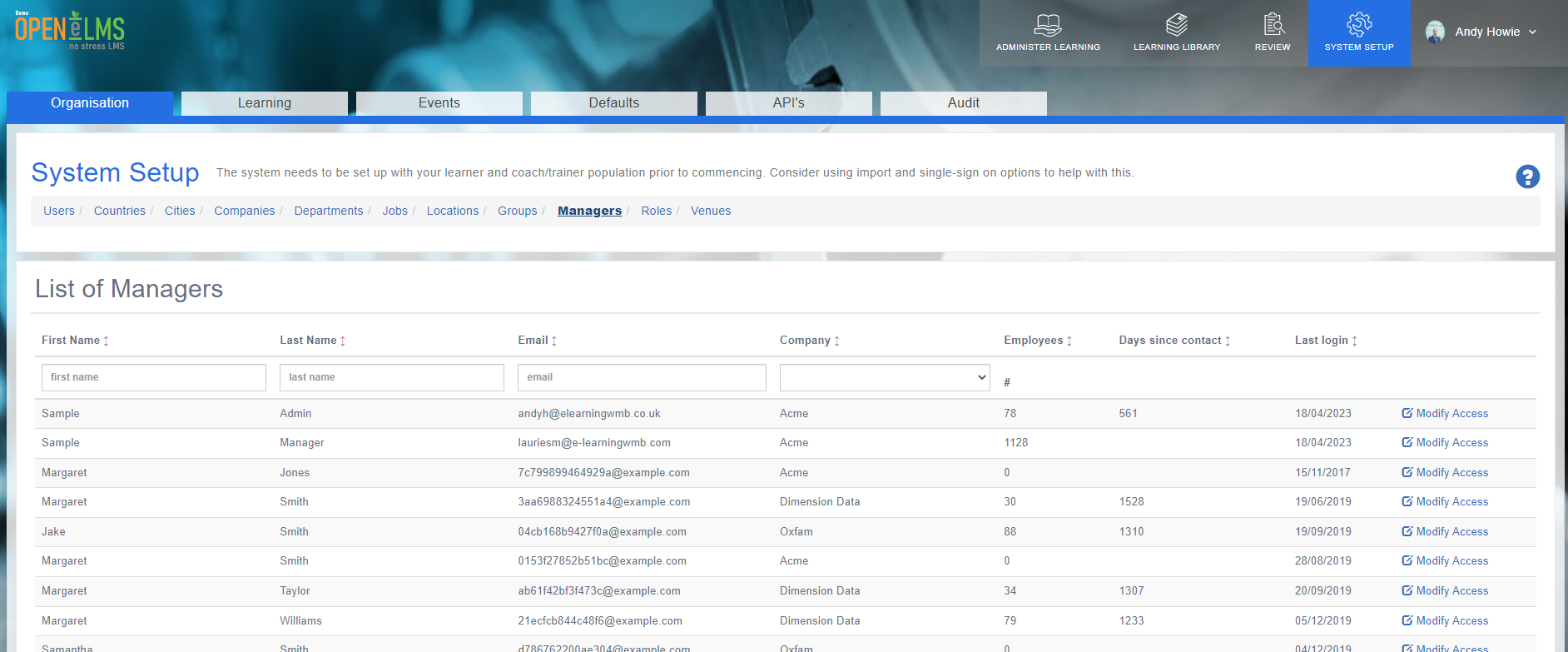
In this view you can see how many learners have been assigned to a manager and the last time the manager logged in to the system.
Related articles
- Page:
- Page:
- Page:
- Page:
- Page: