How to Setup the Events Feature
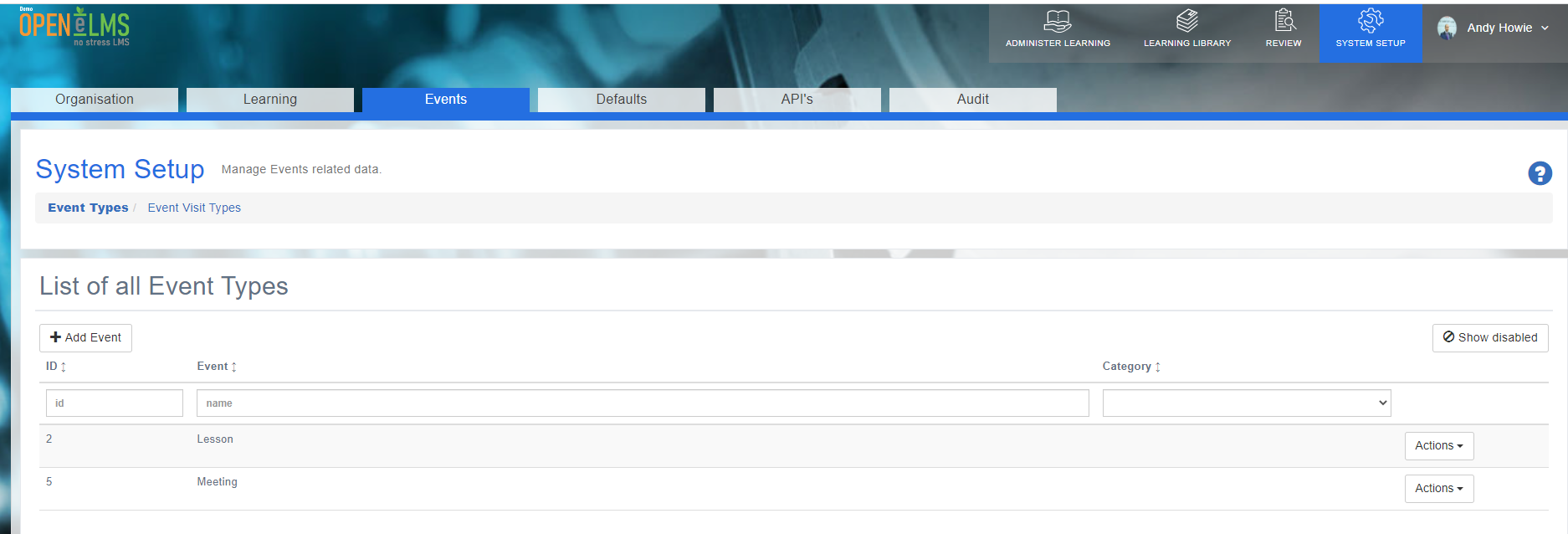
The Events Configuration section provides administrators with powerful tools to customize and manage event-related settings.
As an Administrator, navigate to System Setup - Events. This area enables the creation and organization of event types and event visit types, ensuring that events are accurately categorized and documented within the platform. By tailoring the configuration to meet an organization's unique requirements, administrators can optimize the event management process, enhancing the user experience and streamlining reporting and analytics.
📘 Overview
Key features include:
Direct Assignment of Events and Visits: Open Elms forms can be used to directly assign events and visits, allowing administrators to manage a sign-off process if needed. This ensures a streamlined approach to tracking event completions and related visits. When adding or editing an event type, you can add a forms workflow which will ensure a form is automatically assigned when adding this event type to a user or group of users.
Tracking and Auditing: Visit types can serve as a way to monitor the last time a meeting took place, providing essential information for auditing purposes. This helps organizations maintain compliance and track essential activities over time. Simply tick the ‘Used to calculate the time since a review was last carried out’ option in the edit visit type area.
Reporting: Data on events and visits, including the last time a meeting occurred, can be accessed in the reporting area. This enables administrators and managers to gain insights into event-related activities and ensure proper documentation.
By tailoring the configuration to meet an organization's unique requirements, administrators can optimize the event management process, enhancing the user experience and streamlining reporting and analytics.
📋 Related articles
- Page:
- Page:
- Page:
- Page:
- Page: