Add Groups
The Groups section in Open eLMS allows administrators to create and manage groups of users based on specific criteria, such as job roles, departments, or programmes. These groups can be used to assign learning resources and track progress collectively. This guide will walk you through the process of adding and managing groups in Open eLMS, ensuring that your users have access to the appropriate learning resources.
📘 Instructions
Navigate to the Groups section of the Open eLMS platform. System Setup - Organisation - Groups
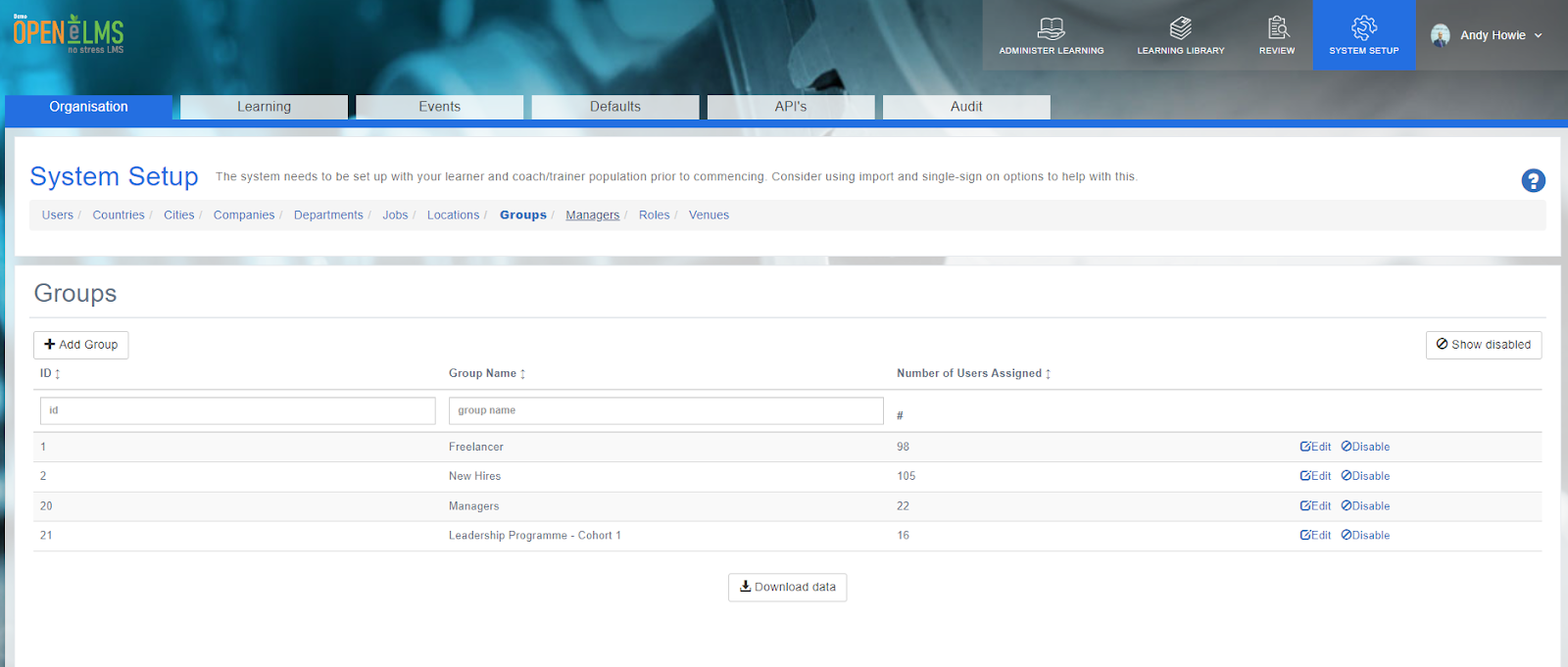
Click on the "Add Group" button.
Add the group name
Click "Save" to create the new group.
Managing Group Members
Locate the group you wish to manage members for in the Groups section
Click on the "Edit" button.
In the "Users" column, select the users that you want to add to or remove from the group.
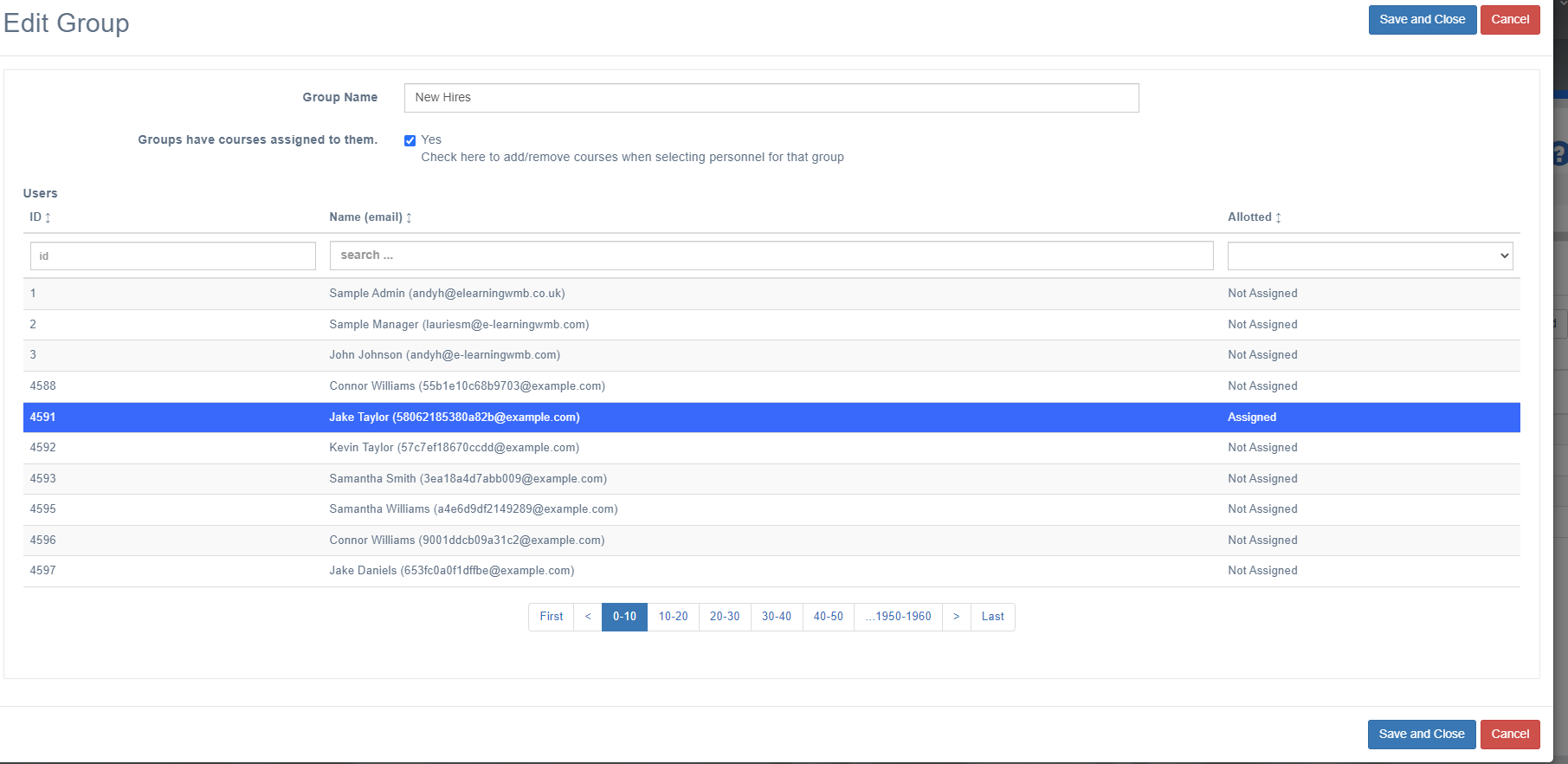
Click "Save" to apply the changes to the group's members.
NB: Users can be assigned multiple groups.
📋 Related articles
Group
- Page:
- Page:
- Page:
- Page:
- Page: