Impersonate a User
Sometimes for support reasons or to amend a record, you may wish to impersonate a user. Open eLMS has the ability to use this.
📘 Instructions
Follow these steps to set this up on your system.
Log in as an Admin and go to Admin > System Setup > Defaults > Settings.
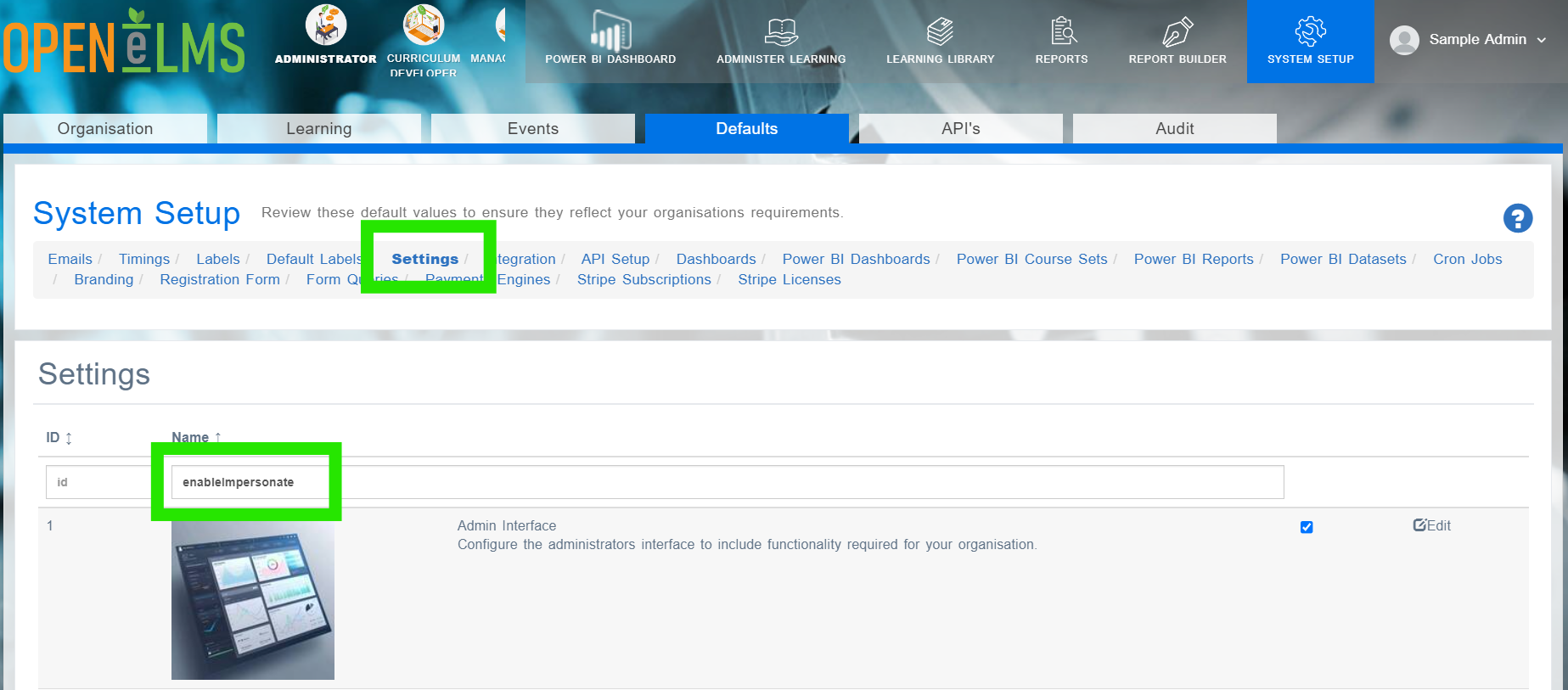
Find the key in the table called enableImpersonate and change its value to true.
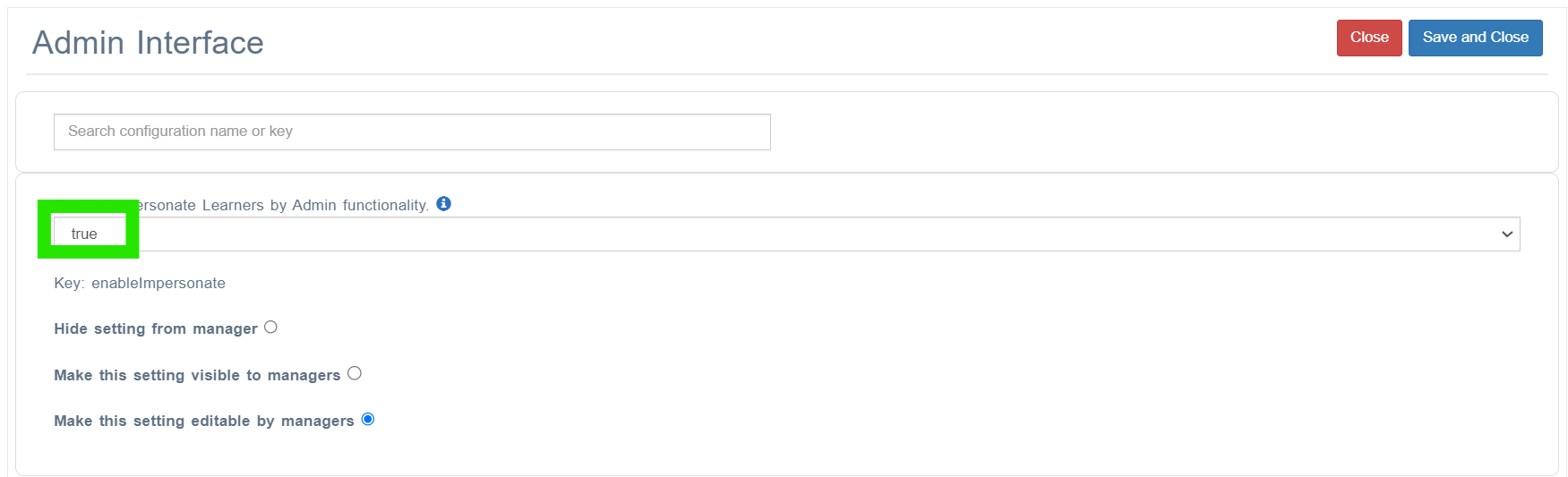
Change this value to true.
Go to System Setup > Organisation > Users and click on the actions button then select Impersonate.
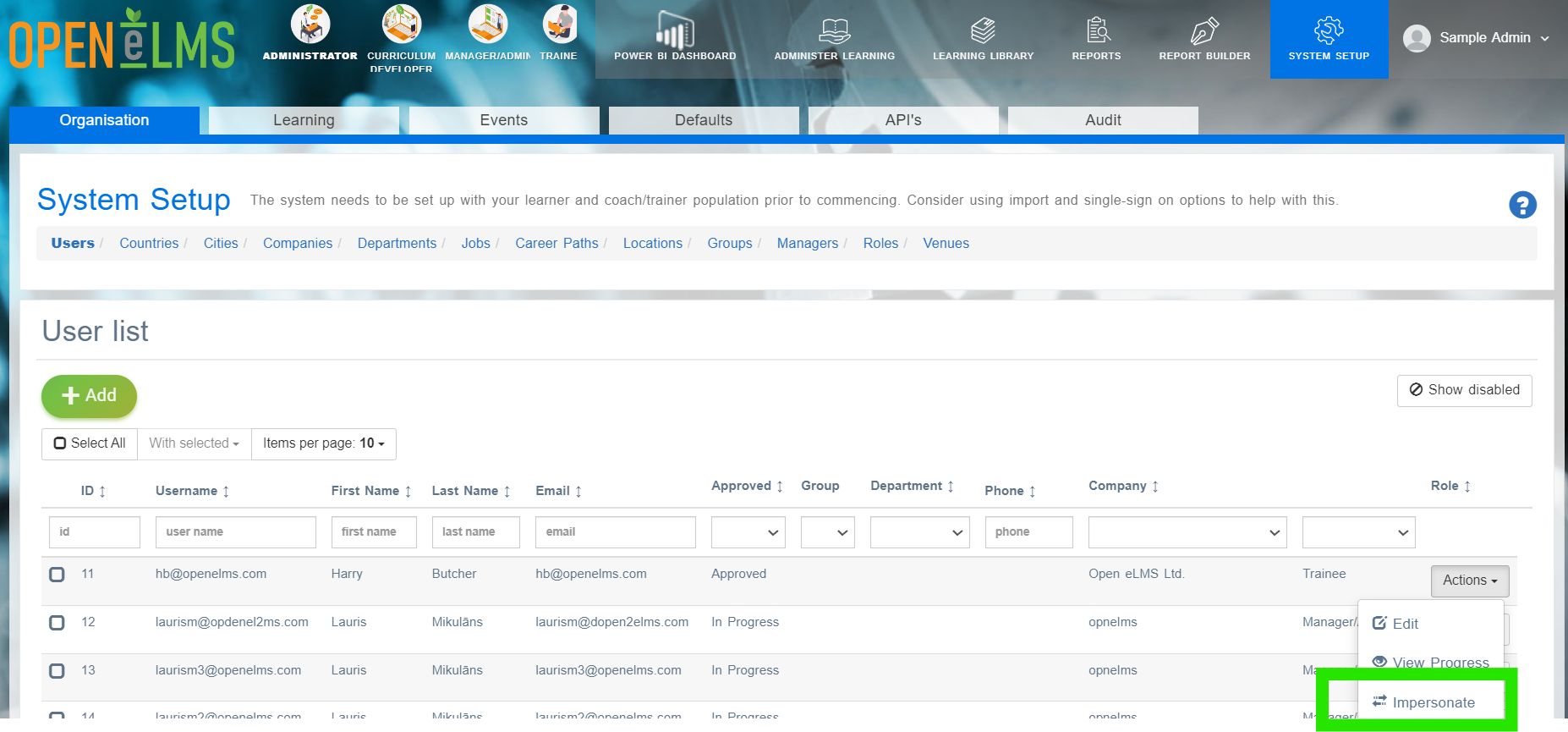
This will allow you to log in as that user.
Note if using this functionality to complete other users' training it may invalidate any compliance training requirements since there is no proof who completed the training.
📋 Related articles
- Page:
- Page:
- Page:
- Page:
- Page: