Run a learning event as a manager with Zoom
Open eLMS allows you to run webinar learning event and meetings with an integrated Zoom app. Attendance on these Zoom meetings is recorded on the learners portfolios, along with a copy of the event resources and a video recording where appropriate.
Instructions
Learning events are key to implementing a true blended learning experience.
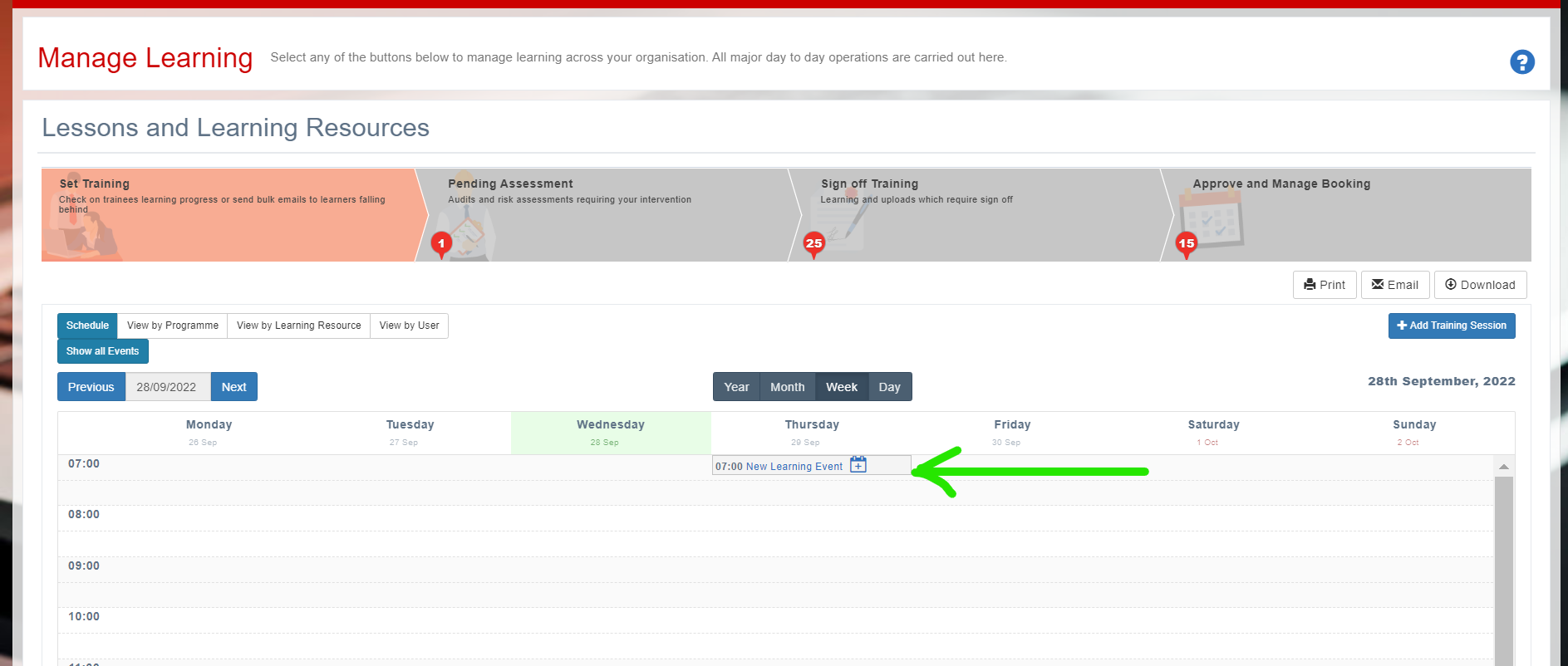
Log in as a Manager/Trainer/Tutor etc. and click on Set Training in the main dashboard. You will see the calendar below which you can add events to.
Select the training session you want to run - you will get a warning email before it starts.
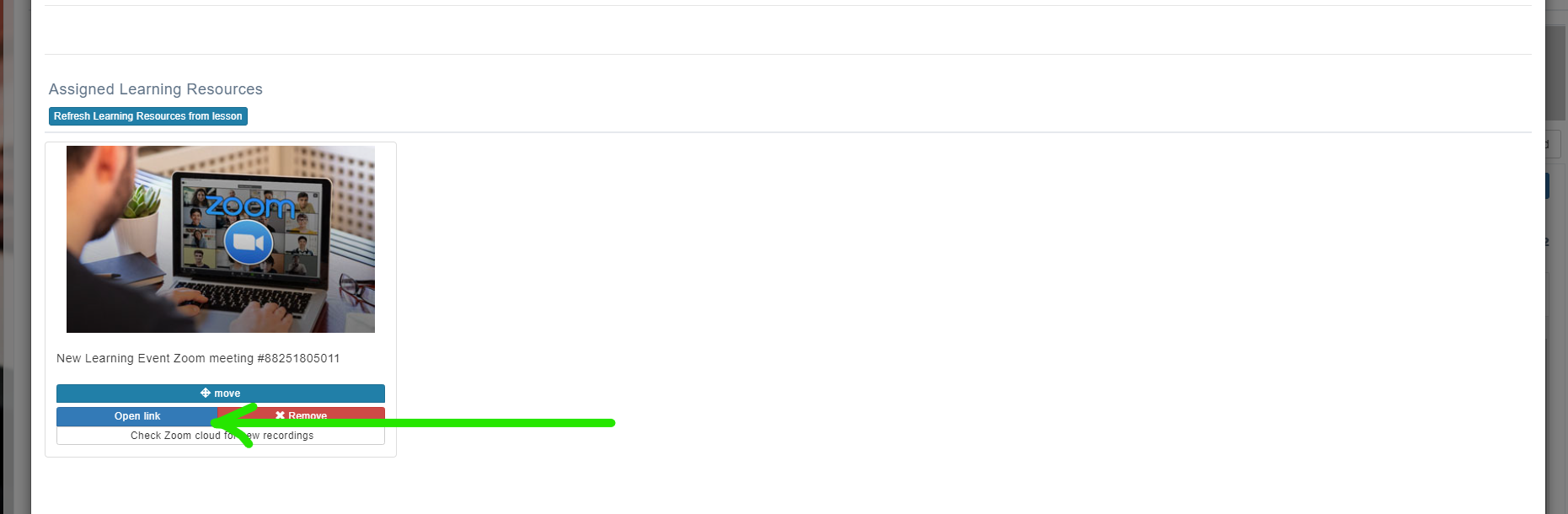
If there is no associated learning which needs to be run concurrently then simply select the Open link to start the session.
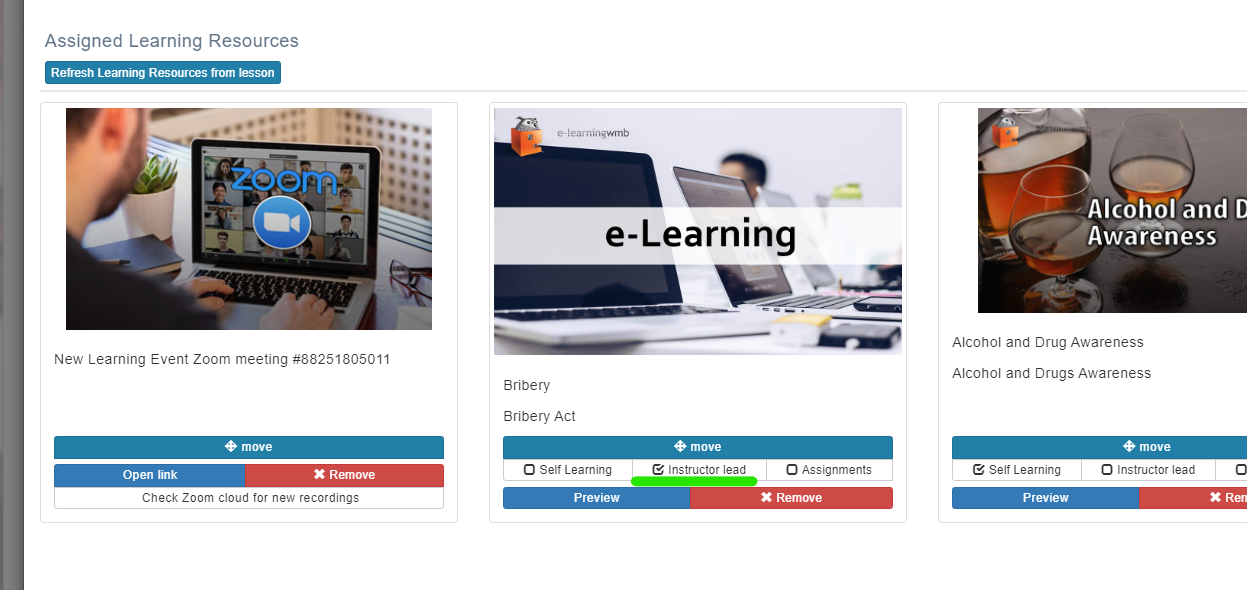
If learning has been attached to the link which requires it to be Instructor lead as shown.
Then scroll upwards to access the lesson via the Lead Lesson link.
Here you will see an alternative link which allows you to open the Zoom session …
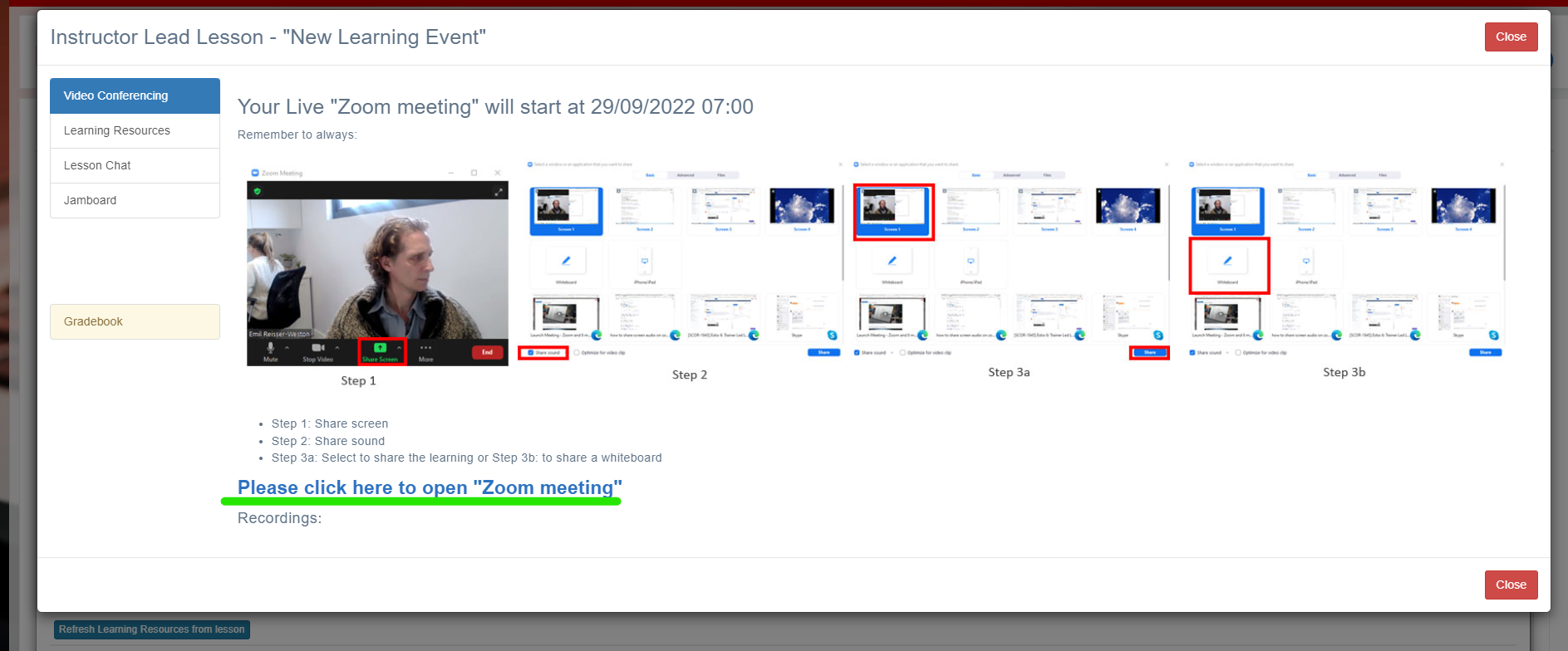
… with access to learning resources which can be used in the lesson.
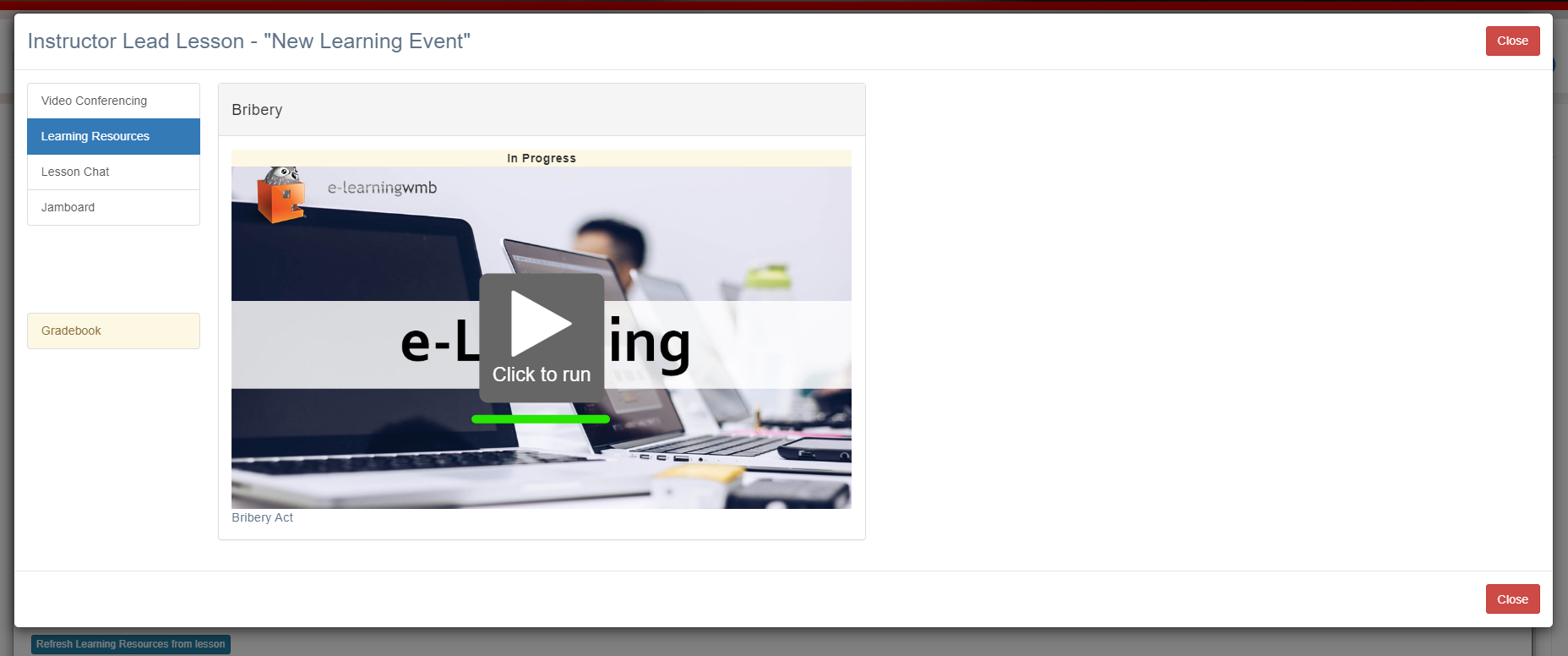
Widgets such as Yammer and Jamboard can be added via configuration settings (see Change Configuration Options).
Related articles
- Page:
- Page:
- Page:
- Page:
- Page: