Add a checkbox/radio button question to eLearning using Open eLMS AI's editor
Questions can be added within the eLearning to add interactivity to the presentation and regularly check that knowledge has been retained. Open eLMS enables this with the inclusion of checkbox/radio button questions.
📘 Instructions
Follow these steps to create a checkbox question embedded within the eLearning (this is separate from creating a quiz at the end of the eLearning.) the instructions are the same for creating a radio button quiz (except the radio button control is selected instead of the checkbox control on the toolbar.)
Select the checkbox control on the toolbar.
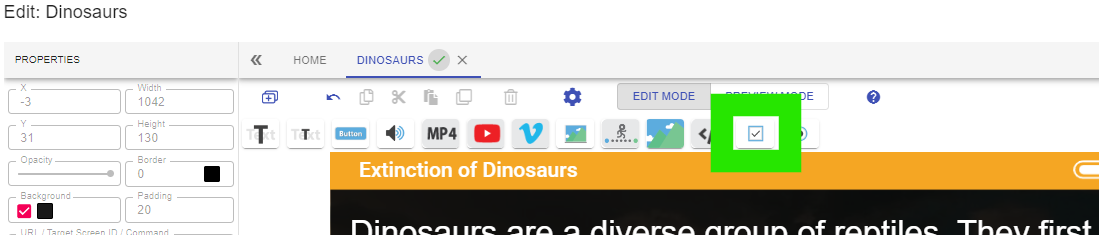
The checkbox will appear on screen as shown. This can be moved to a more suitable location as required.
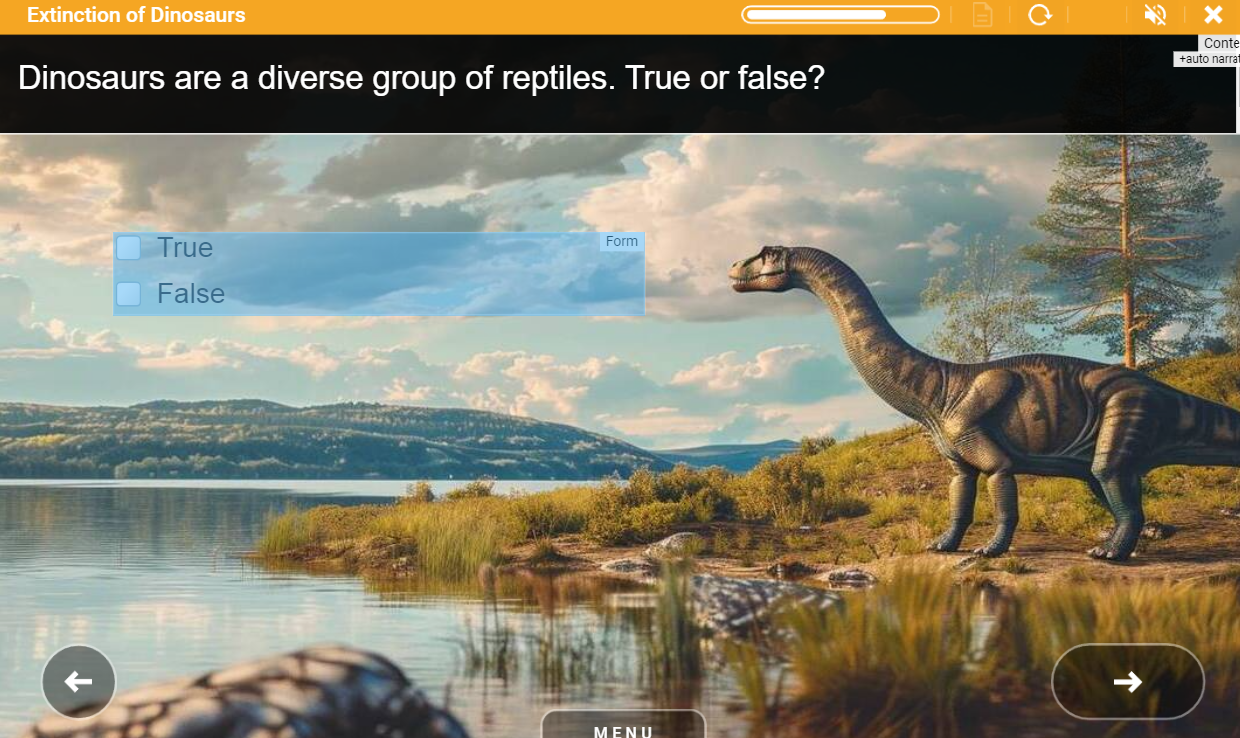
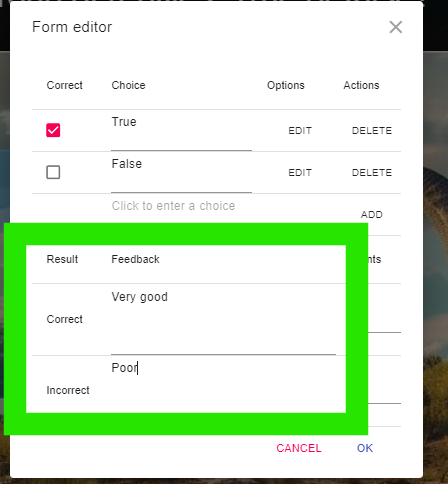
Double click on the checkbox form to edit it. Here you can add more options …
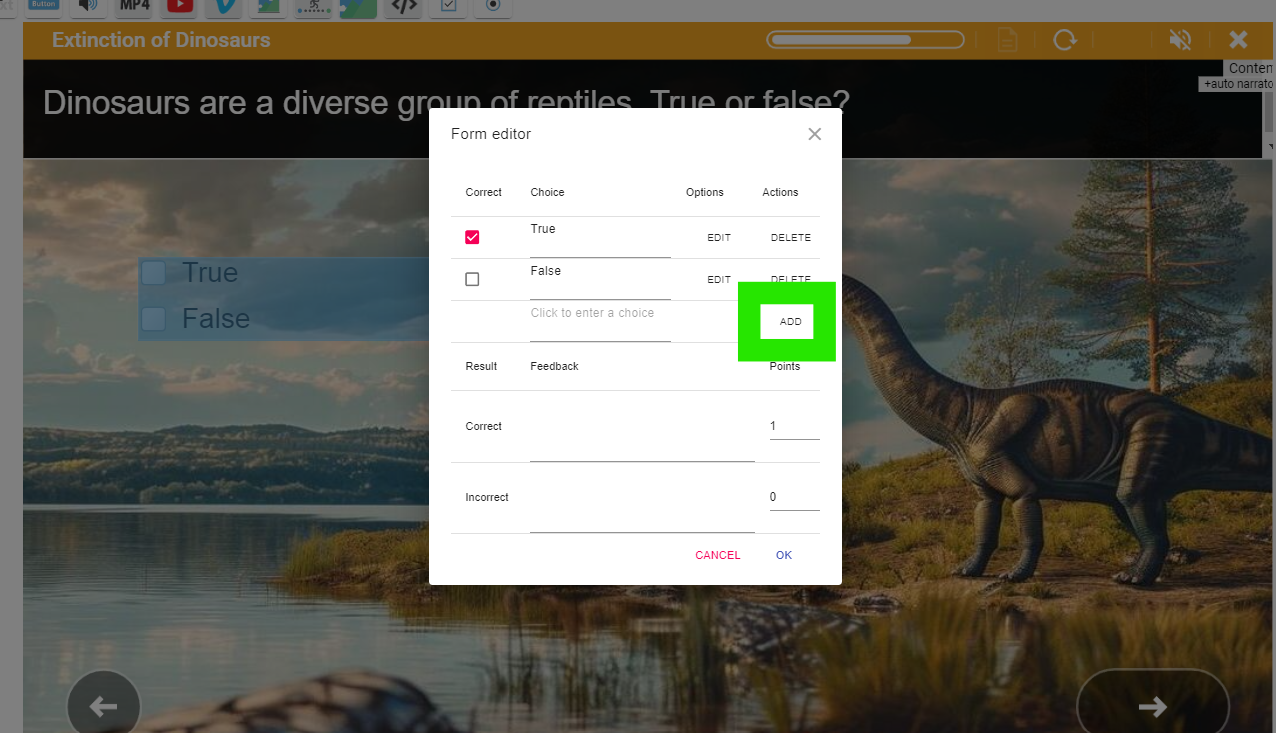
.. the correct answer(s) can be selected …
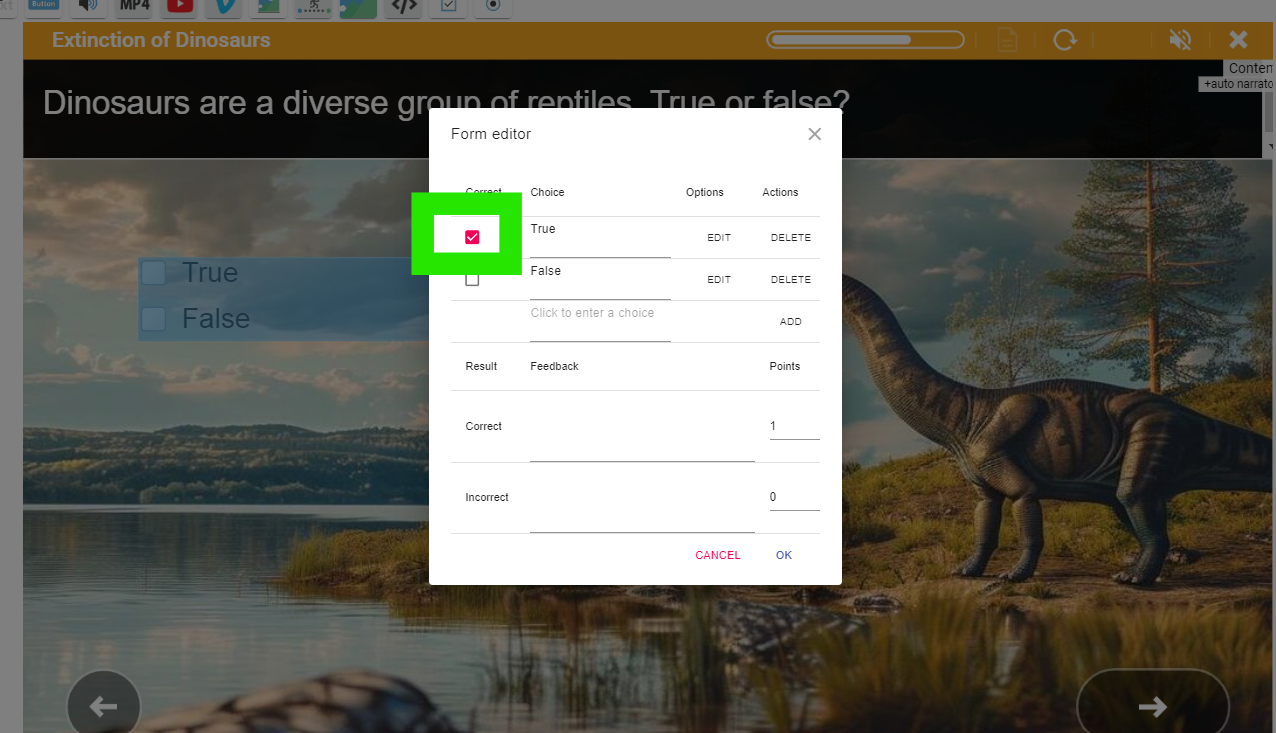
… and feedback can be given corresponding to answers given.
You can switch to preview mode and test the question form.

Remember these questions are not a substitute for a quiz. Open eLMS AI creates quizzes automatically, these can be edited at a later stage. It is these quizzes which are tracked via SCORM tracking and contribute to Pass/Fail status.
📋 Related articles
- Page:
- Page:
- Page:
- Page:
- Page: