Assign and Unassign Learning Resources/Lessons from the Learning Library
This guide demonstrates how to assign learning resources and lessons to individuals or groups of learners from the Learning Library, as well as how to remove these assignments using the same process.
Overview
The Learning Library's Assign Learning function allows administrators to:
Assign learning resources/lessons to individuals, departments, groups, or job roles
Remove existing learning from learners
Manage bulk assignments efficiently
Maintain control over who has access to specific learning content
From Learning Resource Section

From Lessons Section

Assigning Learning Resources
Step 1: Access the Learning Library
Log in as an Administrator
Go to Learning Library › Learning Resources
Step 2: Choose Content Type and Navigate to Assignment
Select either:
Learning Resources tab - for individual learning objects
Lessons tab - for grouped learning activities (multiple learning objects combined)
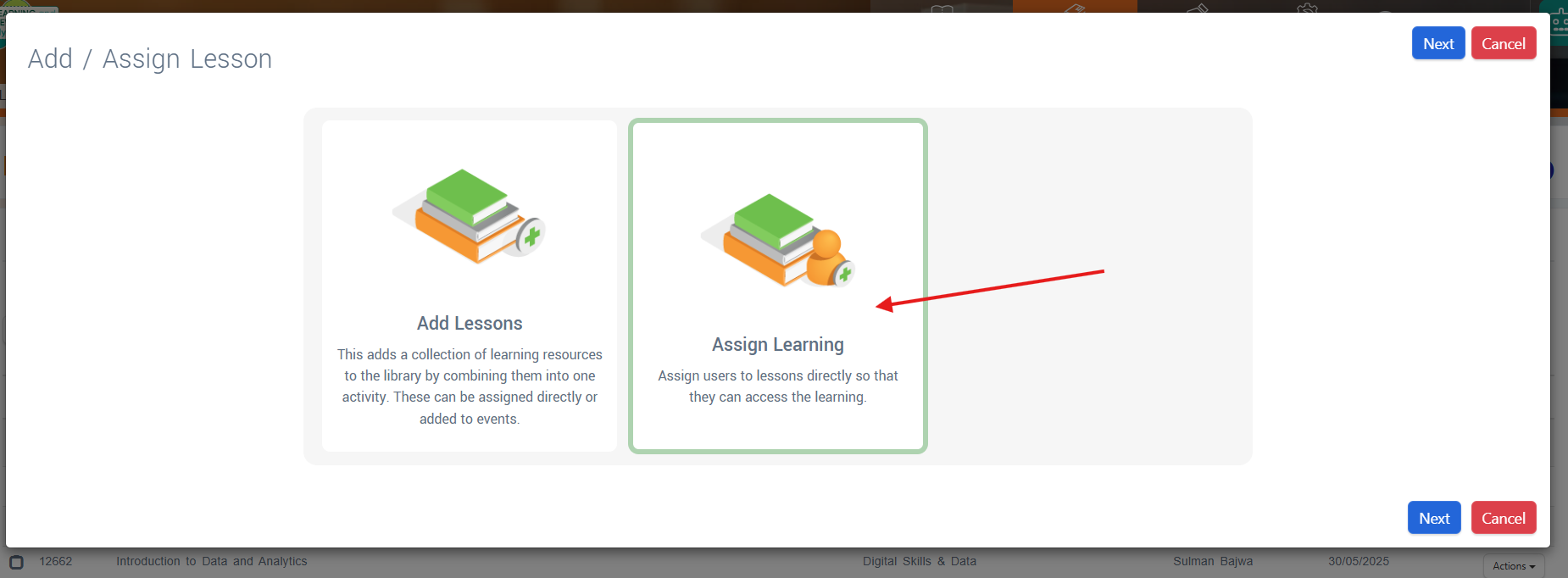
Click the Add button
Double-click on Assign Learning
Note: The assignment process is identical whether you're working with individual learning resources or lessons containing multiple learning objects.
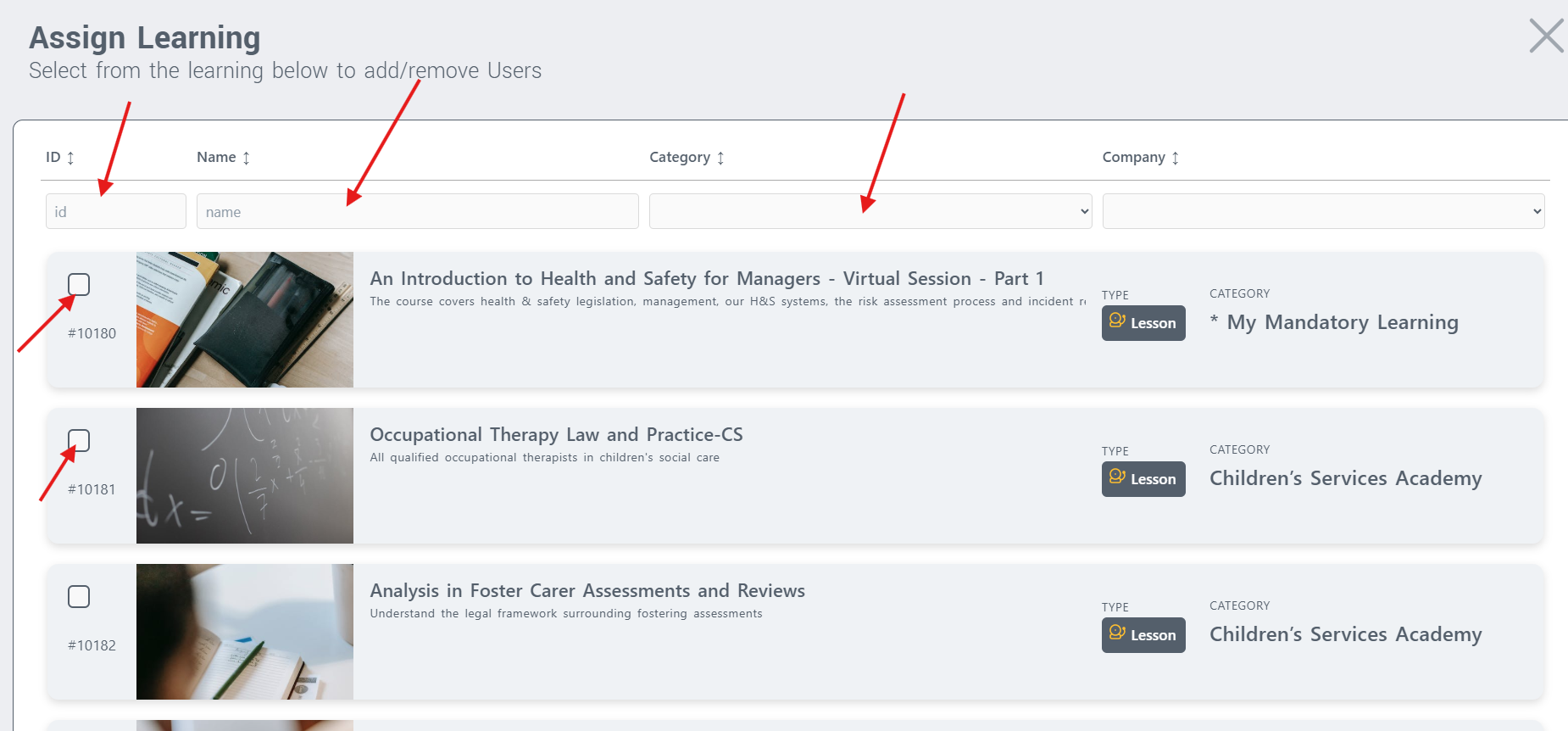
Step 3: Select Learning Content
Browse or search for the learning content you want to assign:
Learning Resources - Individual learning objects (courses, videos, documents)
Lessons - Complete lessons containing multiple learning resources
Select the checkbox next to each item you wish to assign
You can select multiple items for bulk assignment across both content types
Step 4: Choose Assignment Targets
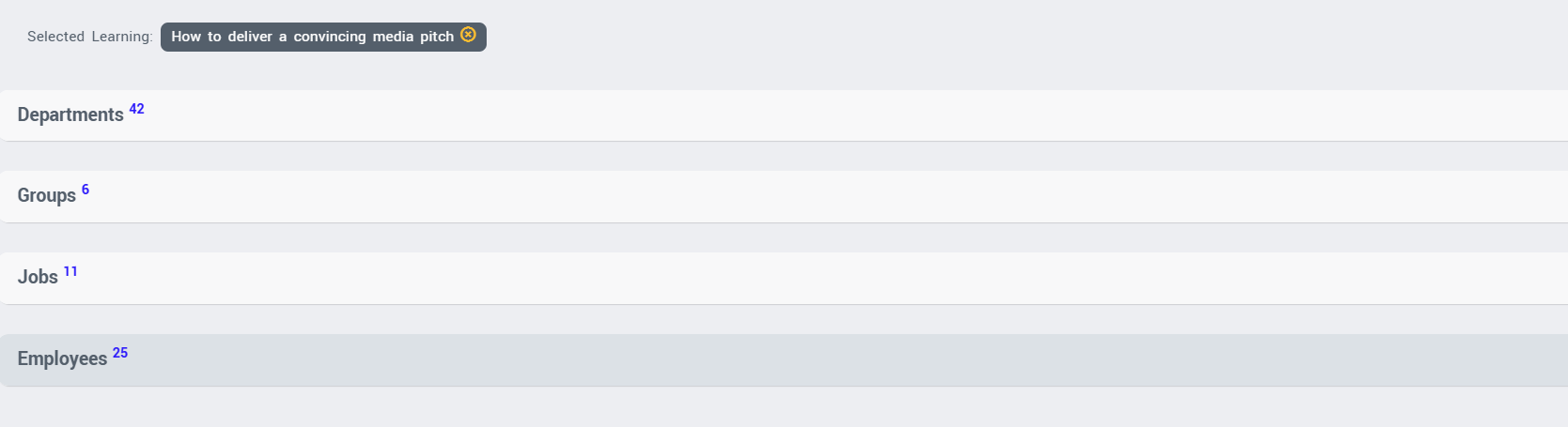
Select who will receive the learning assignments by choosing from:
Departments - Assign to entire departments
Groups - Assign to predefined user groups
Jobs/Roles - Assign to specific job roles
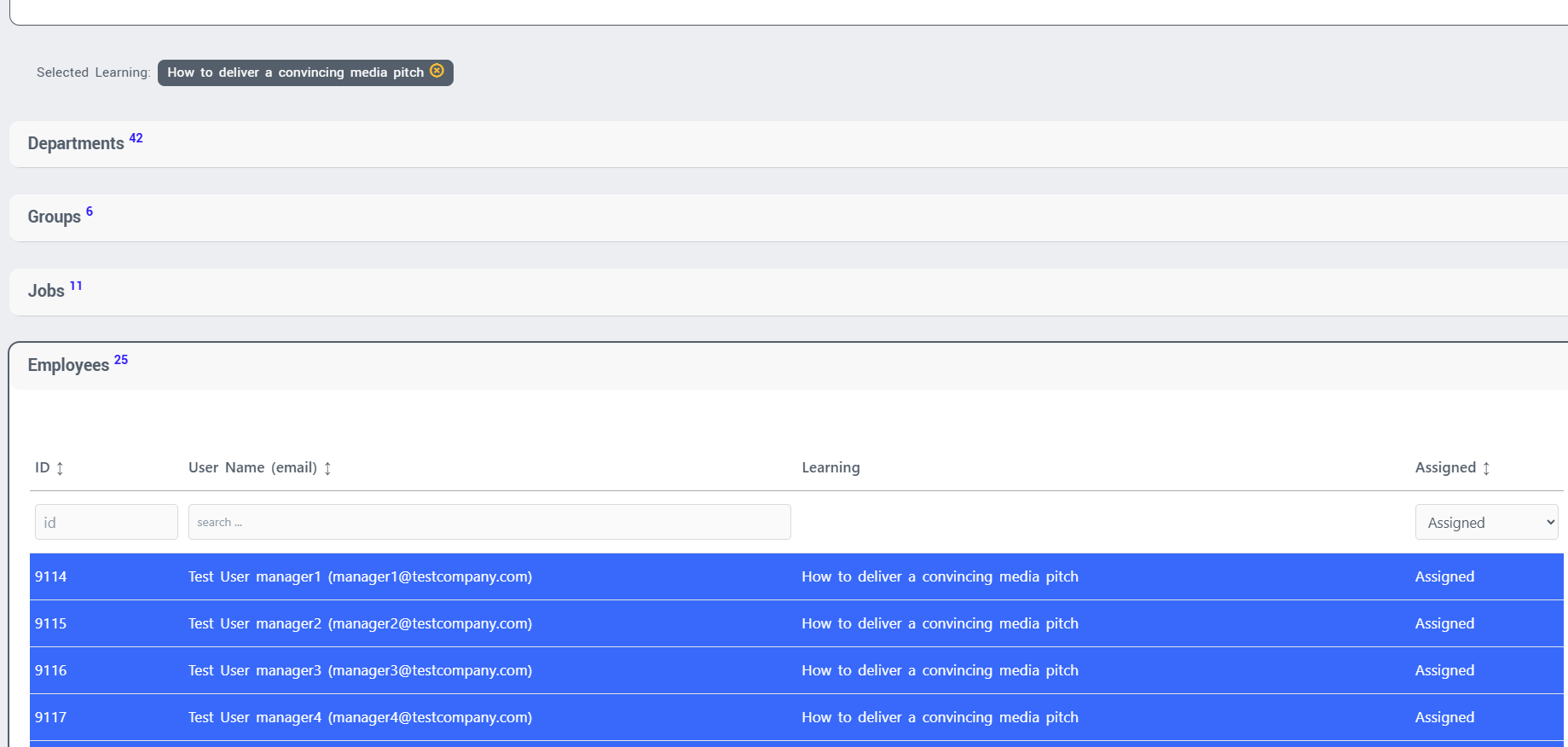
Individual Employees - Assign to specific learners
Step 5: Confirm Assignment
Review your selections in the assignment summary
Click Assign to confirm the assignments
The system will process the assignments (this may take several minutes for large groups)
Unassigning (Removing) Learning Content
Important: The same process used for assigning can be used to remove both learning resource and lesson assignments by deselecting content.
Step 1: Access Assign Learning
Follow Steps 1-2 from the assignment process above to reach the Assign Learning interface for either Learning Resources or Lessons tab.
Step 2: Locate Current Assignments
Navigate to the learning content you want to remove (either individual learning resource or lesson)
Find the target assignment (department, group, job, or individual)
You'll see that currently assigned content appears selected/highlighted
Step 3: Remove the Assignment
Deselect (unhighlight) the Department, Group, Job or Employees
For individual learners, ensure you're removing from the correct person
This process works identically for both individual learning resources and lessons
Best Practices
Before Assigning Learning
Choose the appropriate content type - Individual learning resources for specific learning objects, or lessons for grouped learning activities
Plan your assignments - Consider using groups or job roles rather than individual assignments for easier management
Check prerequisites - Ensure learners have access to required prior learning
Consider timing - Think about when learners need to complete the training
Note: If your organisation uses the Query Builder function, assignments may be managed differently
Before Removing Learning
Check completion status - Consider whether learners have already started or completed the learning content
Understand content type - Removing a lesson will remove access to all learning resources within that lesson
Maintain compliance records - For compliance-critical training, consider whether historical records need to be preserved
Communicate with learners - Inform affected learners if removing in-progress learning
Audit Considerations
All assignment and removal actions are automatically logged in the system audit trail
Removal actions capture:
Timestamp of removal
Administrator who performed the action
Affected learners
Learning content removed (individual resources or complete lessons)
Any existing progress data
Alternative Assignment Methods
Query Builder Function - Some organisations may use the Query Builder for more complex assignment rules
Individual Learner Assignment - Learning can also be assigned directly from individual learner profiles