Add Remove Query to Learning Programme
Learning Programmes can be removed from learner accounts automatically if they do not meet a defned query. This can ensure that only relevant learning is assigned to a company’s users.
📘 Instructions
Log in as an Administrator
Go to Learning Library > Learning Prorgammes
Assign a Learning Programme to a test account
Edit that Learning Programme and add a “Remove” query to that account which removes the accounts defined by that query from the programme.
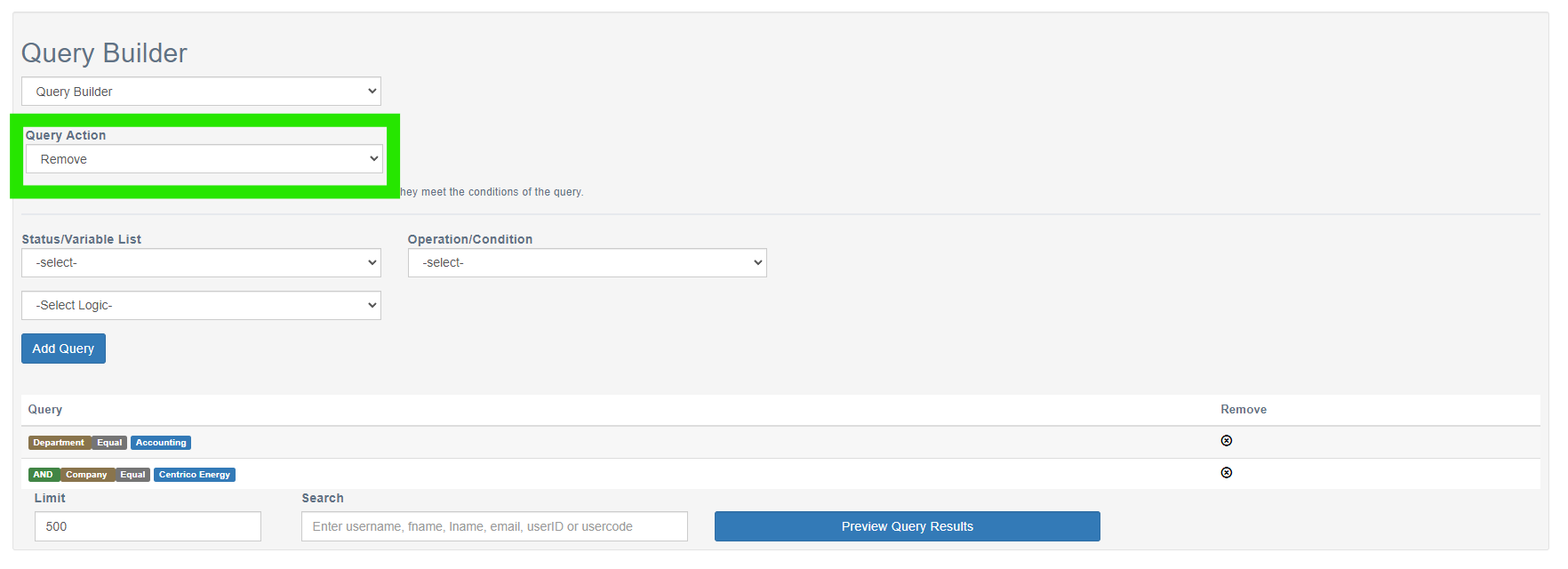
Run Preview Query Results prior to saving to ensure you have the correct personnel.
Remove queries will remove this programme from those in the list when pressing Preview Query Results.
📋 Related articles
- Page:
- Page:
- Page:
- Page:
- Page: