Make Uploaded Data Perishable
Uploaded documents can take up a lot of diskspace and you may want to remove these documents after a while to maintain the health of your installation and comply with GDPR responsibilities without having to manually delete user accounts.
📘 Instructions
Follow these actions …
Log in as an Administrator and go to System Setup > Learning > Activity Log Types* - * This term can also be known as ‘Upload Types’ or similar.
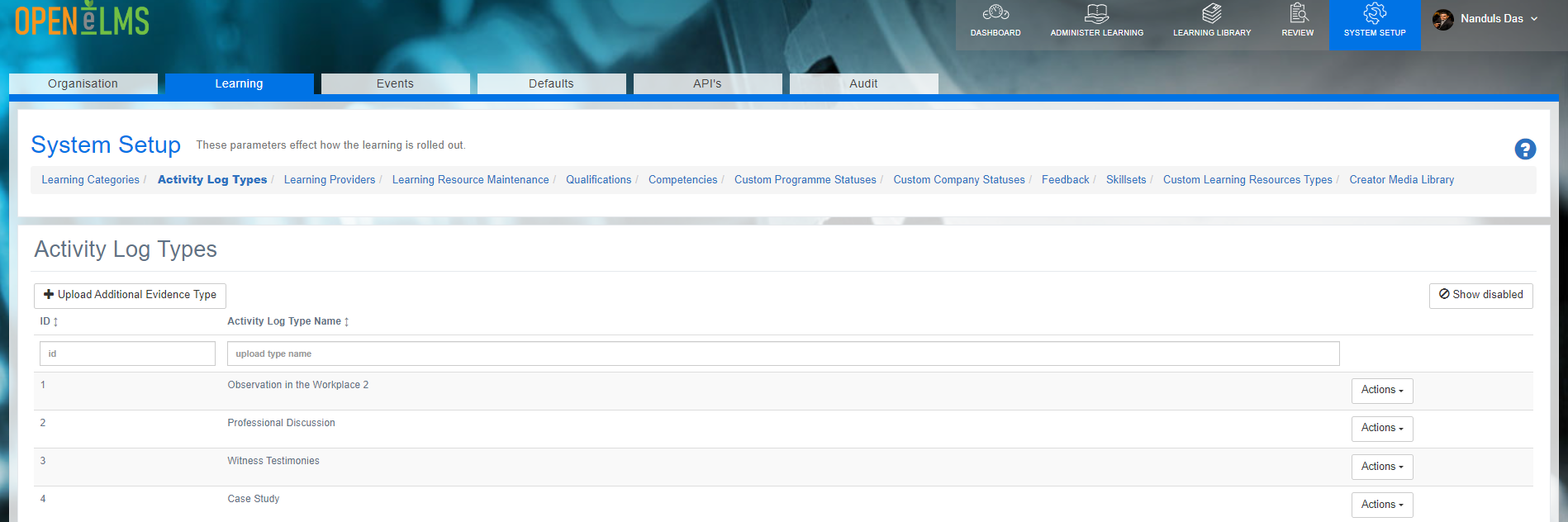
Edit one of these types and click on the checkbox for Make data perishable.
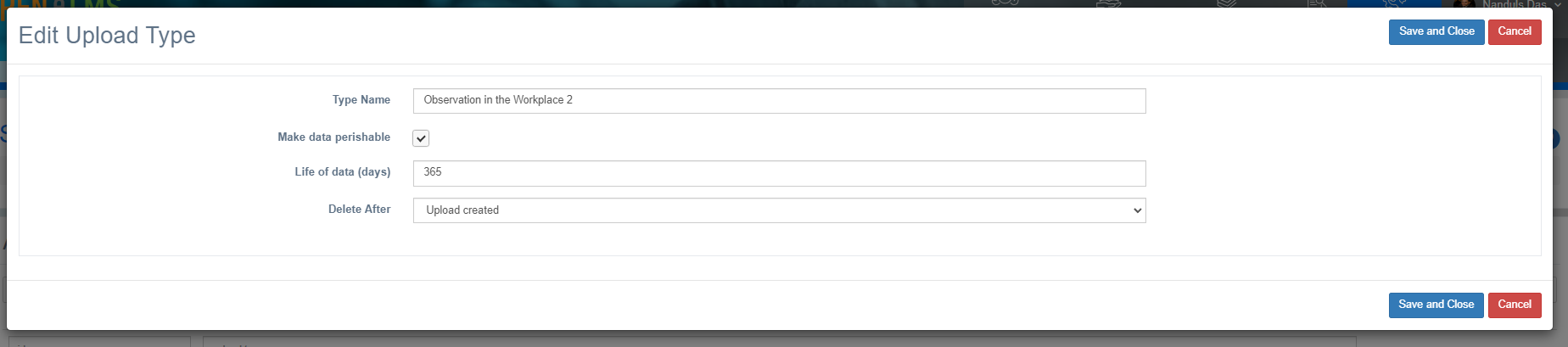
Then you can decide whether to remove the data after the learner has left the organisation or at a time after the upload has been added to the server.
The upload archive period is measured in days (not years)!
📋 Related articles
- Page:Adding Lessons to Off the Job Hours