Define a programme's options
Options can be set up so that depending upon which selections are made, different parts of that programme are switched on/off.
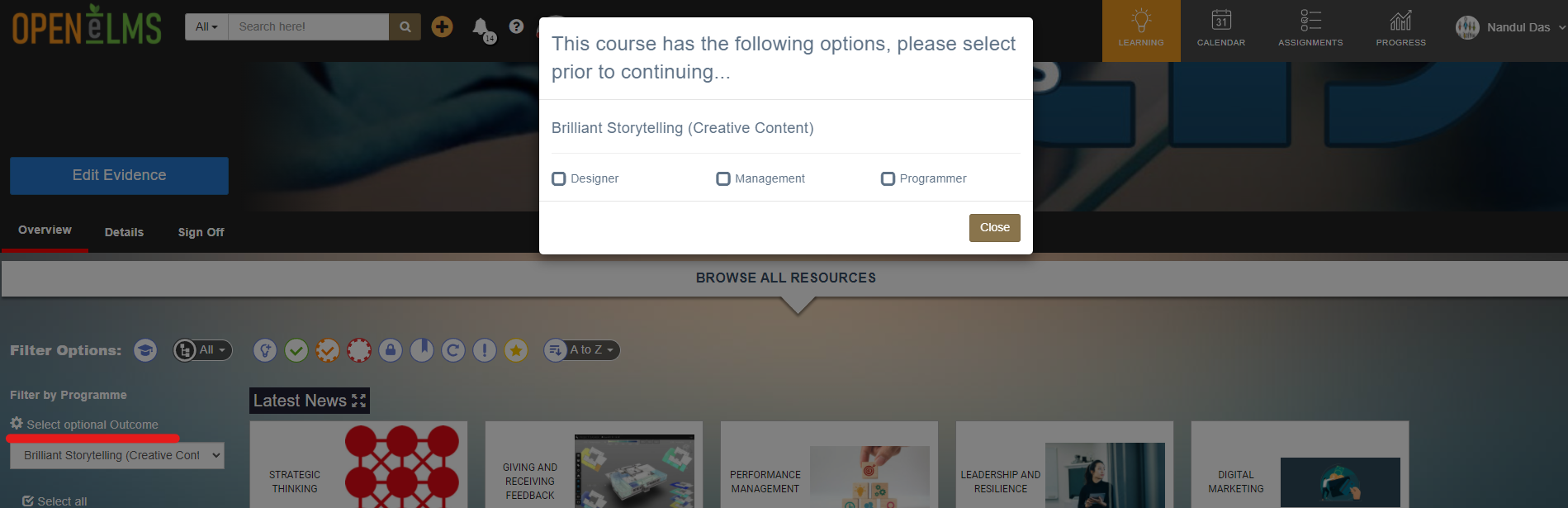
In the case above Designer, Management and/or Programmer options can be selected.
📘 Instructions
Follow these steps to add options to your learning programme.
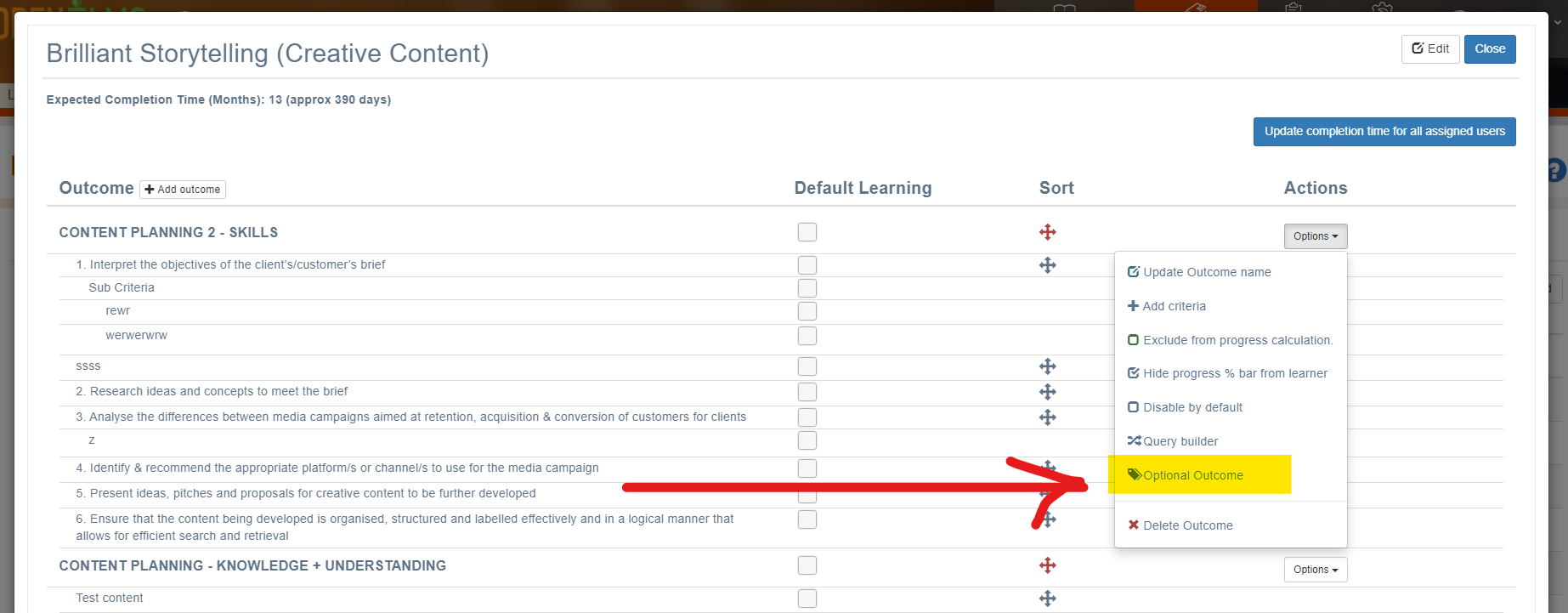
Select the appropriate Outcome (top level of programme) you want to make optional and select the Options > Optional Outcome selection.
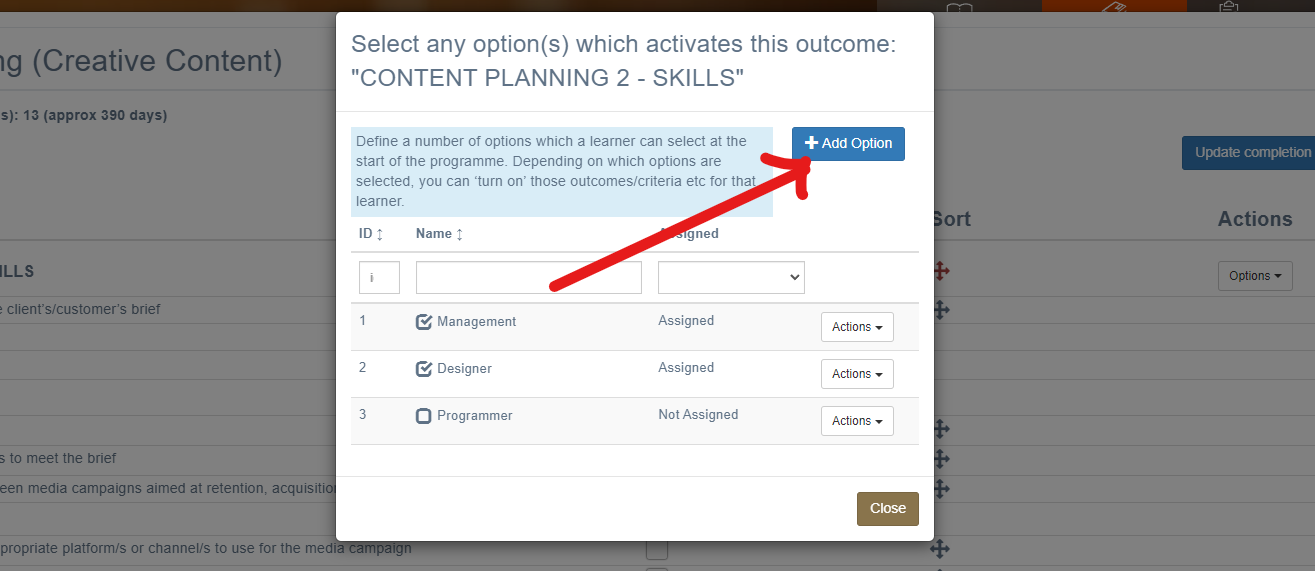
Add options for the user to select. In this case Management, Designer and Programmer have already been defined.
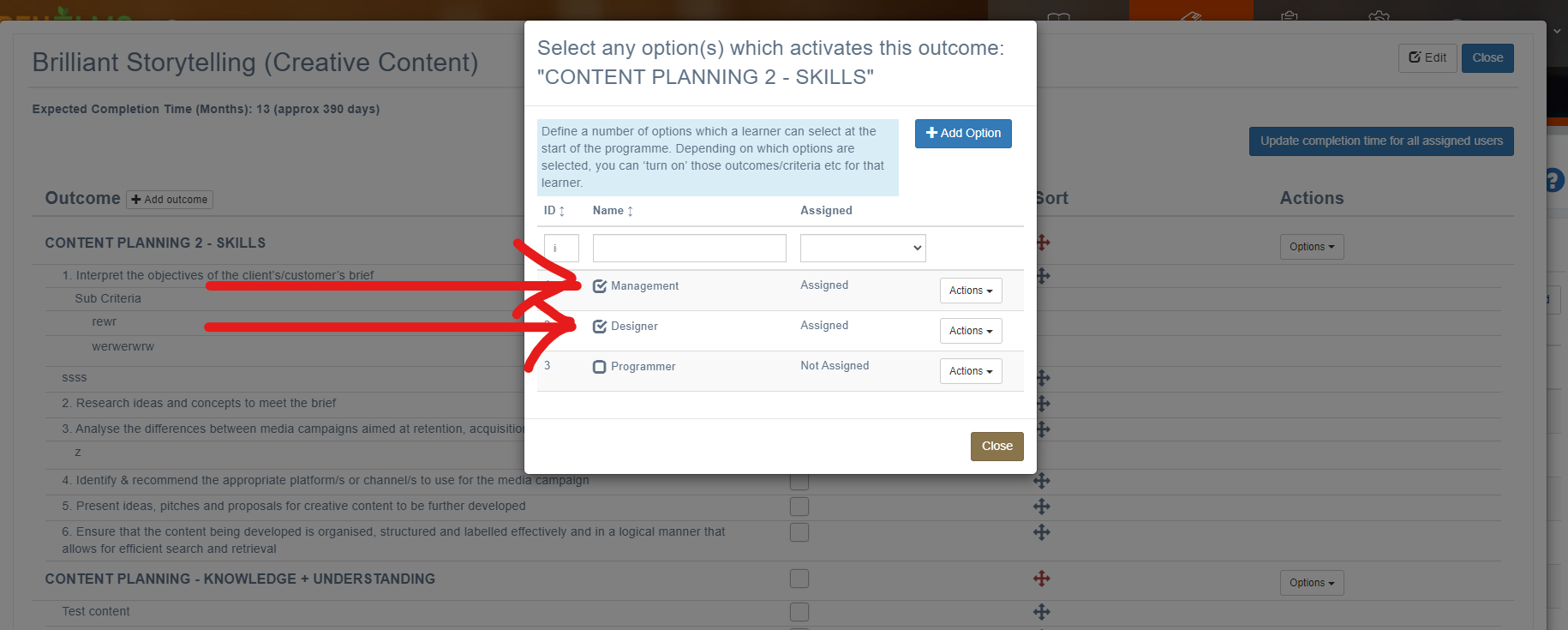
Select for the currently chosen Outcome, which selections apply.
Repeat this process for other Outcome in the programme.
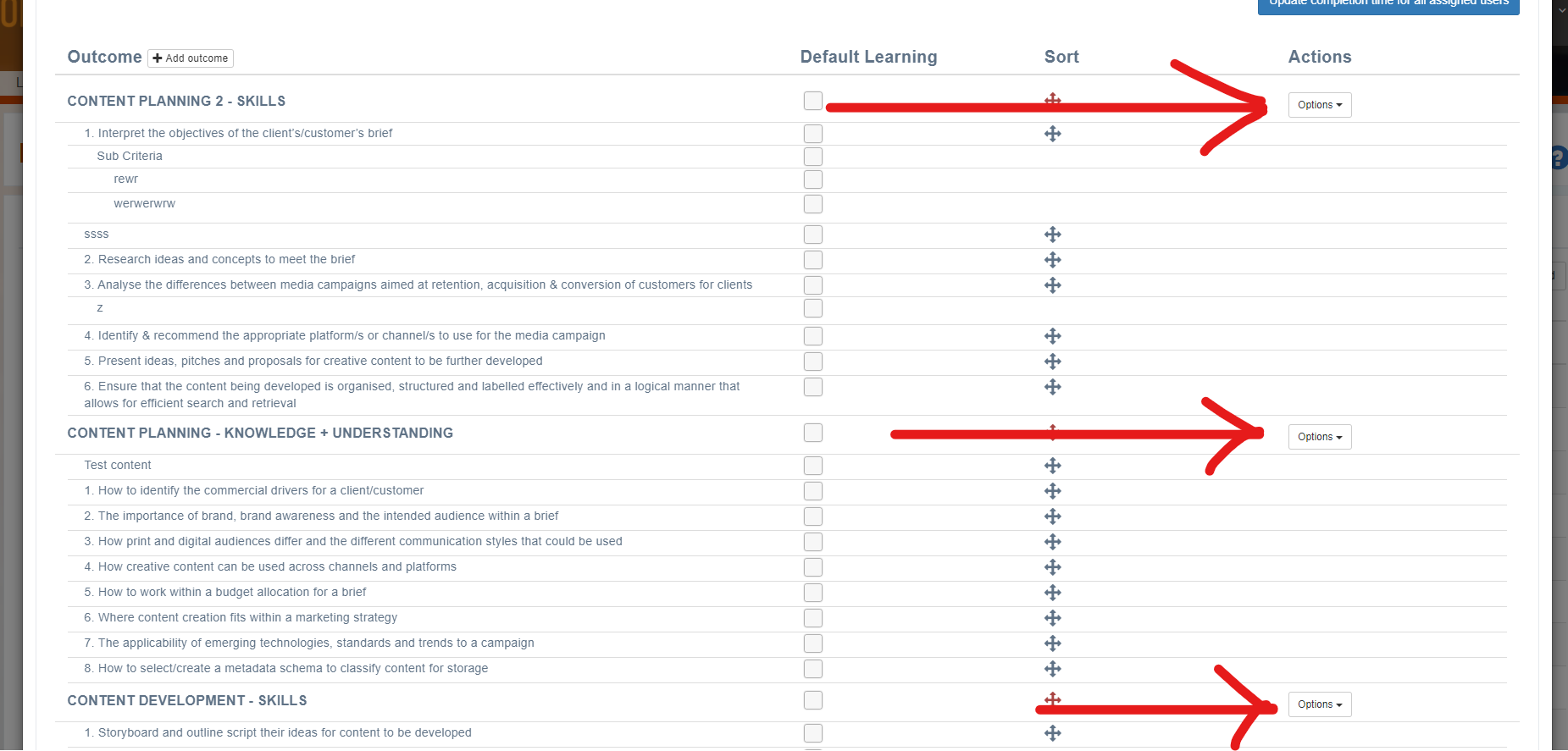
If you do not define any options for an outcome, then it will be chosen regardless of the options selected.
📋 Related articles
- Page:
- Page:
- Page:
- Page:
- Page: