Branding Multiple Tenancy Installations
In cases where a single installation is used to host multiple client instances, it is important to separate data and brand each client instance accordingly (currently this rebrands the login page, but further rebranding will also take effect shortly - Q4 2021.)
Instructions
Follow these instructions to set up a new company in your multi-tenancy.
Log in as an Administrator and go to System Setup > Organisation > Companies and select Add Company.
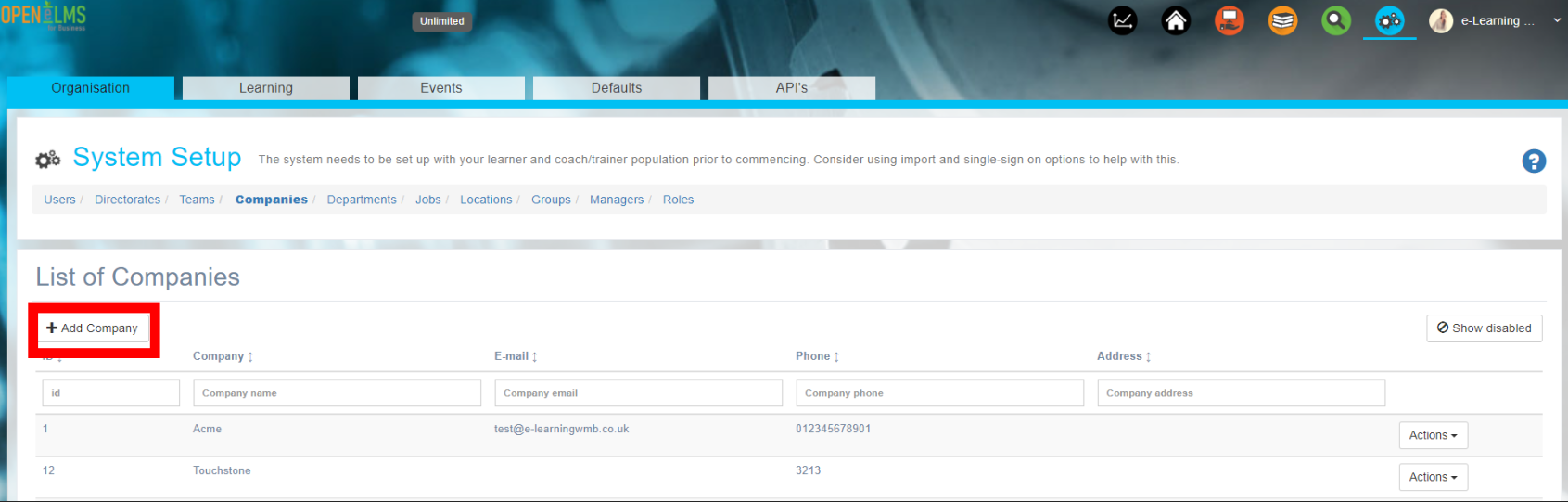
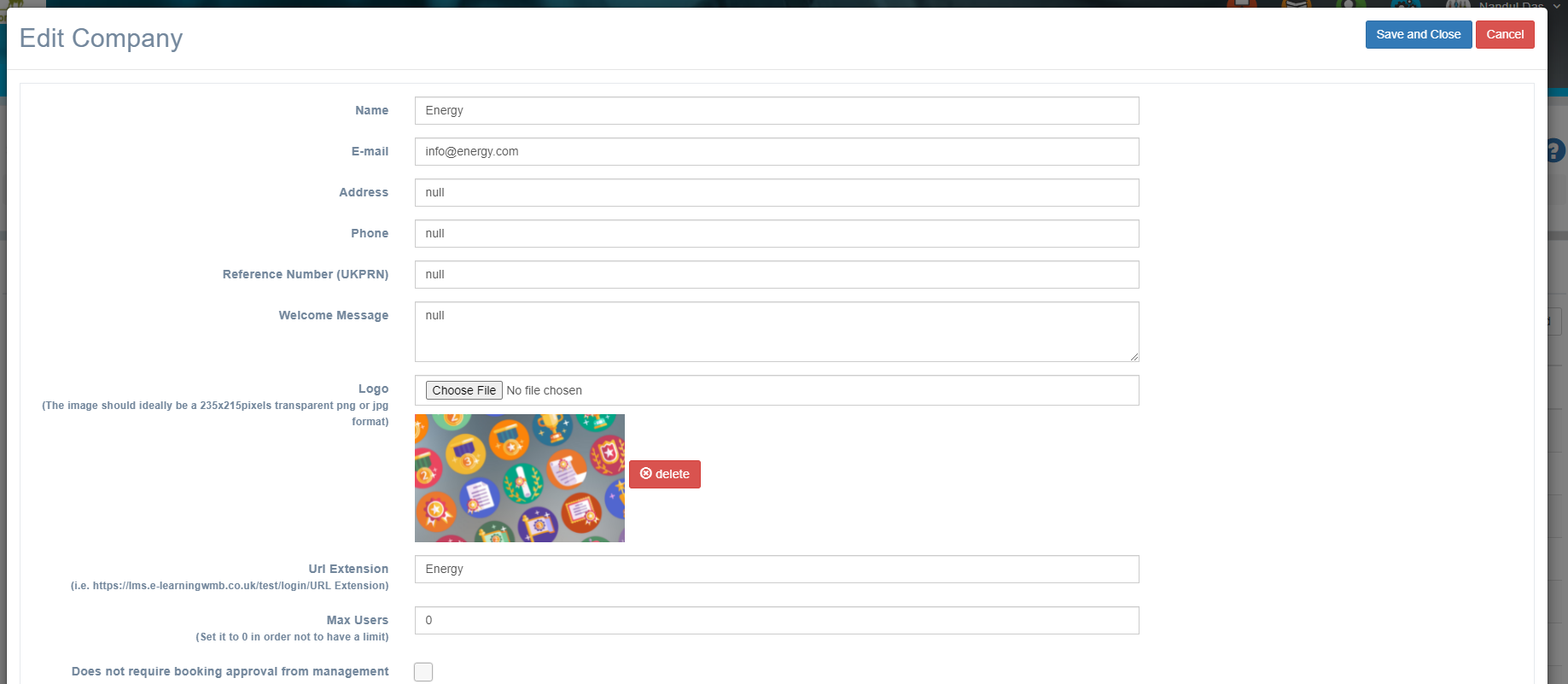
Edit the company, adding in a logo and a URL extension. Give this extension (e.g. https://openelms.e-learningwmb.co.uk/create/login/Energy in the example below) to anyone from the company to manually logging in (this will display the company logo.) Other branding changes will take effect shortly.
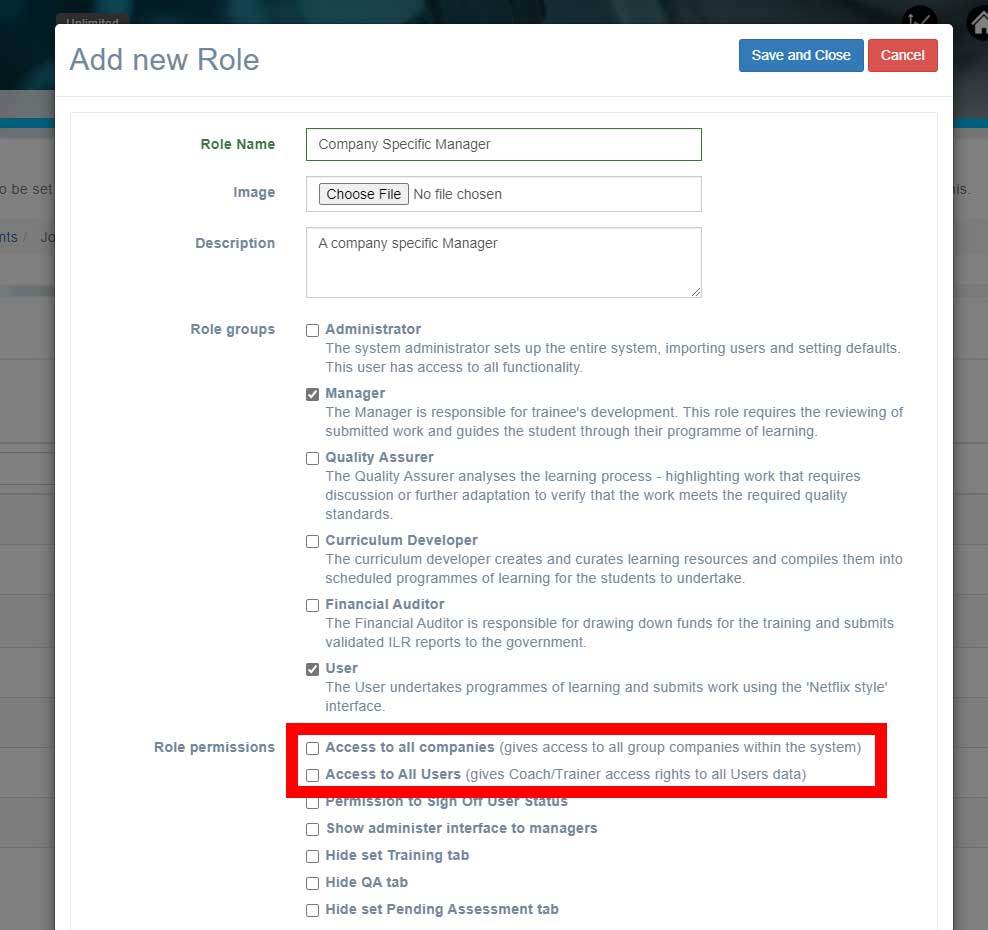
Create new Manager and Administrator roles for personnel in companies so that they do not have access to other company’s data. To do this go to System Setup > Roles > Add Role and create a new role.
Enter role details (compare with other Managers, Administrators etc.) You must however differentiate permissions by making sure that the Access to all companies and Access to All Users are NOT checked (as below).
Assign these new roles to all personnel in any company in this multi-tenancy installation - this can be done during the import process.
Related articles
- Page:
- Page:
- Page: